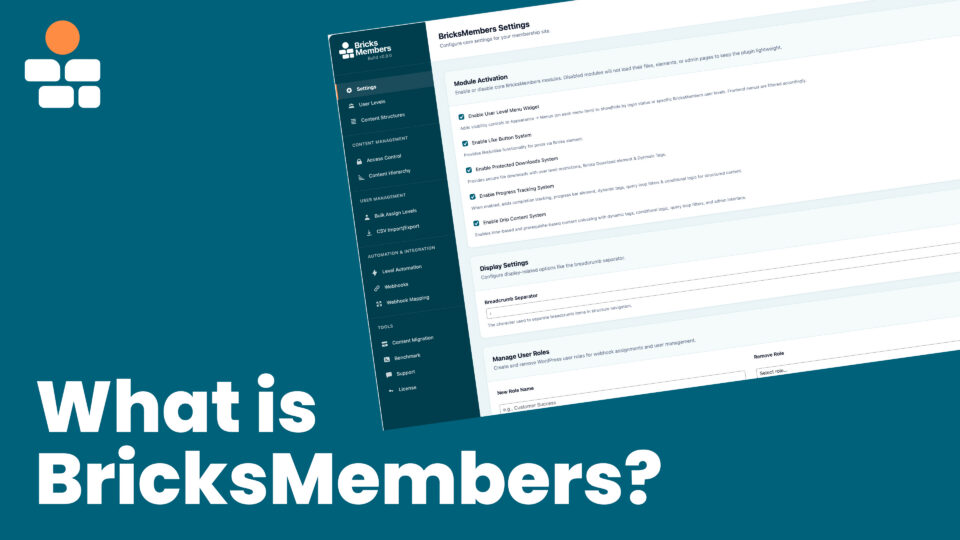
BricksMembers is a membership and LMS plugin built exclusively for Bricks Builder. It gives you the tools to protect content, track progress, and automate access , while you design everything yourself in Bricks.
What BricksMembers Actually Does
At its core, BricksMembers does seven things:
- User Levels , Create user levels for different membership tiers, course access, or any grouping you need. Assign and remove them to users manually, via webhooks from payment providers, through form registration, via WP hooks (Action Triggers module), or with the User Levels page and automation rules.
- Content Protection , Restrict any content to users with specific levels. This works for posts, pages, custom post types, and taxonomy terms. Just assign a required level and it’s protected.
- Structured Content , With our Content Structures feature, you can create your own content hierarchies (like course – module – lesson) up to 6 levels deep. You can create as many structures as you want and name them as you like.
- Content Fields , Add native post/page fields for lessons, courses, resources, events, and other content without depending on a separate custom fields plugin. Use them in Bricks dynamic tags, loops, optional filters, optional conditions, forms, and headless output when you deliberately expose a field.
- Bricks Integration , Bricks conditions, query loop filters, and dynamic tags that let you build any member experience directly in Bricks Builder.
- Protected Downloads , It protects files so no one can download them directly or find them via Google. Users can only download them with links generated by BricksMembers and only with the correct user level.
- User Profile handling , Let users update their profiles via BricksMembers Actions for Bricks form element & show, define user custom fields & display all user data on profile pages & in query loop user lists via dynamic tags.
Optional modules (included, no extra purchases) add progress tracking, drip content scheduling, protected downloads, like buttons, groups & team licenses (for cohorts, corporate training, or seat-based B2B licensing), and assignment submissions with review workflows , all designed to work within Bricks.
BricksMembers also integrates natively with three e-commerce and subscription plugins , WooCommerce (including WooCommerce Subscriptions, YITH WooCommerce Subscription, Subscriptions for WooCommerce by WP Swings, and WPSubscription), FluentCart, and SureCart , plus FluentCRM and SureContact for CRM and email marketing.
Common Questions
“Is this only for courses and LMS sites?”
No. The documentation and demos focus on courses because that’s a common use case with complex requirements. But BricksMembers works for any type of membership:
- Course platforms , Courses with modules, lessons, progress tracking, and drip schedules
- Paid communities , Subscribers get access to exclusive content
- Associations , Members sign up, get a level, access member-only pages
- Digital product access , Customers who buy a product get access to downloads or tutorials
- And a lot more
If you just need “sign up → get level → access member content,” BricksMembers handles that (free signup with level assignment available from v0.9.4). You don’t need the progress tracking or drip modules , just leave them disabled.
“Does it handle payments?”
BricksMembers integrates with most payment providers via webhooks , Stripe, LemonSqueezy, Paddle, Gumroad, SureCart, FluentCart, CopeCart, ThriveCart, WooCommerce, PayPal, and many others.
For WooCommerce, FluentCart, SureCart, FluentCRM, and SureContact, you’ll find native integration modules without webhooks for direct connection if they’re on the same website as your BricksMembers installation. You can also use our Action Triggers module to integrate any WP plugin directly via WordPress hooks.
So you can use whatever checkout system you prefer, and BricksMembers automatically grants or revokes access based on purchases, either via webhooks or internally.
Here’s how it works for external payment providers:
- Customer buys something through your payment provider (Gumroad, Stripe, LemonSqueezy etc.)
- Provider sends a webhook to BricksMembers
- BricksMembers creates/updates the user and assigns the appropriate level based on the webhook data
- User gets access to protected content
And for internal payment providers (WP plugins on the same website):
- Customer buys something through your payment provider (WooCommerce, FluentCart, SureCart, etc.)
- BricksMembers creates/updates the user and assigns the appropriate level based on your settings
- User gets access to protected content
Both also work in reverse , refunds remove levels, subscription cancellations revoke access at the end of the billing period, and subscription upgrades/downgrades swap levels automatically.
Why this approach? Payment providers already handle the hard stuff , credit cards, invoices, taxes, refunds, subscription management, proration on upgrades. BricksMembers doesn’t duplicate that. Instead, it focuses on what happens after payment: managing access based on what people bought. You get the flexibility to use any payment system, and BricksMembers handles the membership side.
“What about free memberships? People just signing up?”
You have several options for assigning levels without a purchase:
- Bricks Form Registration , Use a Bricks form with the registration action to create users and assign a level on signup (available from v0.9.4)
- Level automation , Create rules that automatically assign levels based on triggers (user registration, specific conditions, etc.)
- Manual assignment , Assign levels to users from the WordPress admin
- CSV import , Bulk assign levels to existing users
For a basic association site where people register for free and get member access, you’d use Bricks Form Registration and Level Automation , no payment provider needed.
“Why doesn’t it have course list elements, progress widgets, member dashboards?”
That’s the philosophy. Instead of pre-built elements with limited options, you build everything yourself in Bricks using query loops, conditions, and dynamic tags.
Here’s why this is better:
Pre-built “Course List” element (other plugins):
- Limited layout options (grid or list, maybe 3-4 variations)
- Fixed data display (title, image, maybe progress)
- Styling limited to what the element exposes
- Want something different? Too bad, or wait for a feature request
BricksMembers approach (Bricks query loop + dynamic tags):
- Any layout you can build in Bricks
- Show any data , progress percentage, completion status, duration, drip countdown, anything
- Full styling control with Bricks
- Filter by access, completion, drip status using BricksMembers query controls
- Show/hide elements with BricksMembers conditions
You already know Bricks. BricksMembers gives you the data and controls , you design the experience.
“Is this like LearnDash / MemberPress / Restrict Content Pro?”
Similar, but different approach entirely.
Those plugins are standalone systems that try to work with any theme and any page builder. They come with their own templates, shortcodes, widgets, and styling. You work within their framework.
BricksMembers is Bricks-native. No shortcodes, no templates to override, no fighting with plugin CSS. Everything happens in Bricks Builder using conditions, query filters, and dynamic tags. If you know Bricks, you know how to use BricksMembers.
The tradeoff: You need Bricks Builder (this isn’t optional), and you build the UI yourself instead of using pre-made templates. For Bricks users, that’s usually the point.
Who Is This For?
BricksMembers is a good fit if you:
- Use Bricks Builder and want membership, LMS, groups, and community functionality that works natively with it
- Want full design control over your member experience
- Setting up your own checkout experience either via external providers via webhooks or internally via WooCommerce, FluentCart, SureCart, Bricks forms, or WordPress hooks from any other plugin.
- Manage user levels automatically via FluentCRM, SureContact, or other WP CRM plugins via WordPress hooks
- Want a powerful yet lightweight solution without feature bloat – we use modules you can activate only if needed
BricksMembers might not be right if you:
- Don’t use Bricks Builder (it’s required)
- Need a payment system outside the current BricksMembers options. BricksMembers supports external billing through webhooks and optional native Stripe, PayPal, and Square checkout through the Payments module.
- Need features that aren’t implemented yet and can’t wait (check the changelog & roadmap) – we’re fast though ;-)
What You Get
Core (Always Available)
- User Levels for content restriction , Create unlimited levels, assign to any user
- Content Protection , Restrict posts, pages, CPTs & terms to specific user levels
- Bricks Conditions , Show/hide elements based on user level access, completion & drip status
- Query Loop Filters , Filter posts/terms by user level access, completion & drip status
- Dynamic Tags , Display user levels, progress data, structure navigation, drip countdowns & data, user profile data, and a lot more
- Payment Provider Integration , Receive level assignments from any payment provider via webhooks (single purchases & subscriptions are supported).
- Level Automation , Auto-assign user levels based on rules and triggers
- Access Redirects , Redirect unauthorized users to login or custom pages
- Content Structures , Organize content hierarchically (Course → Module → Lesson or whatever definitions you prefer).
- Content Structures can be up to 6 levels deep.
- You can name the post types like you want (names like course, module, lesson etc. are NOT mandatory).
- You can build as many different content structures as you want.
- BricksMembers Content Structures are only required if you want progress tracking or drip content, but they also make creating and managing structured content like courses much easier with built-in admin interfaces for ordering, nesting, and bulk operations.
Optional Modules (Enable What You Need)
- Progress Tracking , Let users mark content complete, show progress percentages, track completion. Requires content structures.
- Drip Content , Release content on a schedule (days after signup, prerequisites, cohort-based).
- Protected Downloads , Secure file downloads tied to user levels
- Like System , Let users like content, show like counts & let them review their liked content in their user dashboard
- Menu Visibility , Show/hide menu items based on user level or login status
Disabled modules do not register their runtime UI, Bricks elements, dynamic tags, conditions, query loop filters, jobs, or feature behavior. Shared registries may still know that the module exists, but the module’s runtime surface stays inactive.
BricksMembers is super lightweight for simple membership sites, yet very powerful, fast & efficient with just a few clicks by activating only the modules you need.
Quick Example: Basic Association Site
For a simple “members sign up and get access” site (no courses, no progress tracking) , available from v0.9.4:
- Create a “Member” user level
- Set up a Bricks registration form that assigns the “Member” user level on signup (v0.9.4+)
- Protect your member-only pages, posts & CPTs by assigning the “Member” user level requirement
- Use Bricks conditions to show member content only to users with the “Member” user level
No content structures needed, no progress tracking, no drip content , just user levels and content protection. You can restrict any page, post, or custom post type directly.
Quick Example: Paid Course Platform
For a course site with paid access:
- Create a user level for each course (e.g., “Photography Course,” “Video Editing Course”)
- Create a content structure: Course → Module → Lesson
- Connect your payment provider via webhooks , purchases assign the courses user level
- Protect course content by assigning user levels as required levels
- Enable Progress Tracking so students can mark lessons complete
- Build your course pages in Bricks using query loops, conditions, dynamic tags, and the BricksMembers Progress Checkbox Element
Enable Drip Content if you want to release lessons over time. Leave it off if you want instant access to everything.
Requirements
- WordPress 6.2+
- Bricks Builder active (required)
- PHP 8.1+
- MySQL 5.7+ or MariaDB 10.3+
Getting Started
- Install & Activate , Upload the plugin, activate, enter your license key
- Create User Levels , Set up levels that match your membership structure
- Protect Content , Assign required levels to posts, pages, or CPTs
- Connect Access Method , Set up webhooks from your payment provider, Bricks form registration (v0.9.4+), or Level Automation rules
- Design in Bricks , Use conditions, query filters, and dynamic tags to build your member experience
Once those pieces are in place, BricksMembers can handle the access logic while Bricks Builder controls the frontend experience.
