Use Case · Video Creator Membership Platform

A video creator membership platform built with BricksMembers

Learn with Pascal is Pascal Basel's (the BricksMembers founder) own membership site. Bricks shapes the member experience; BricksMembers powers the membership logic underneath: structured courses, protected videos, events, submissions, access levels, likes, comments, and LemonSqueezy access mapping.

5.0/5Loved by Bricks Builders
● Front-end
lwp.pascalbasel.com
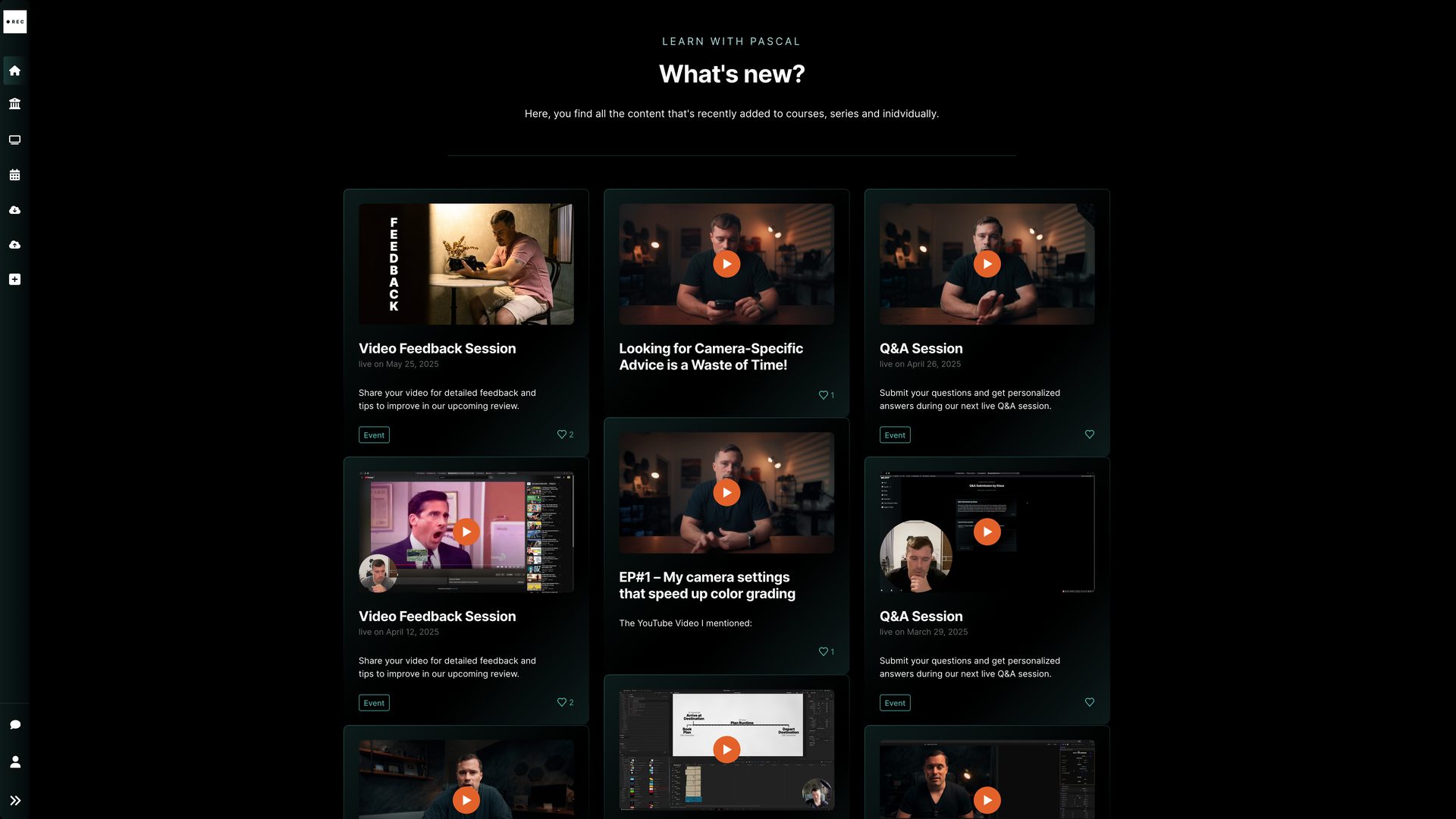
Learn with Pascal member feed with video cards
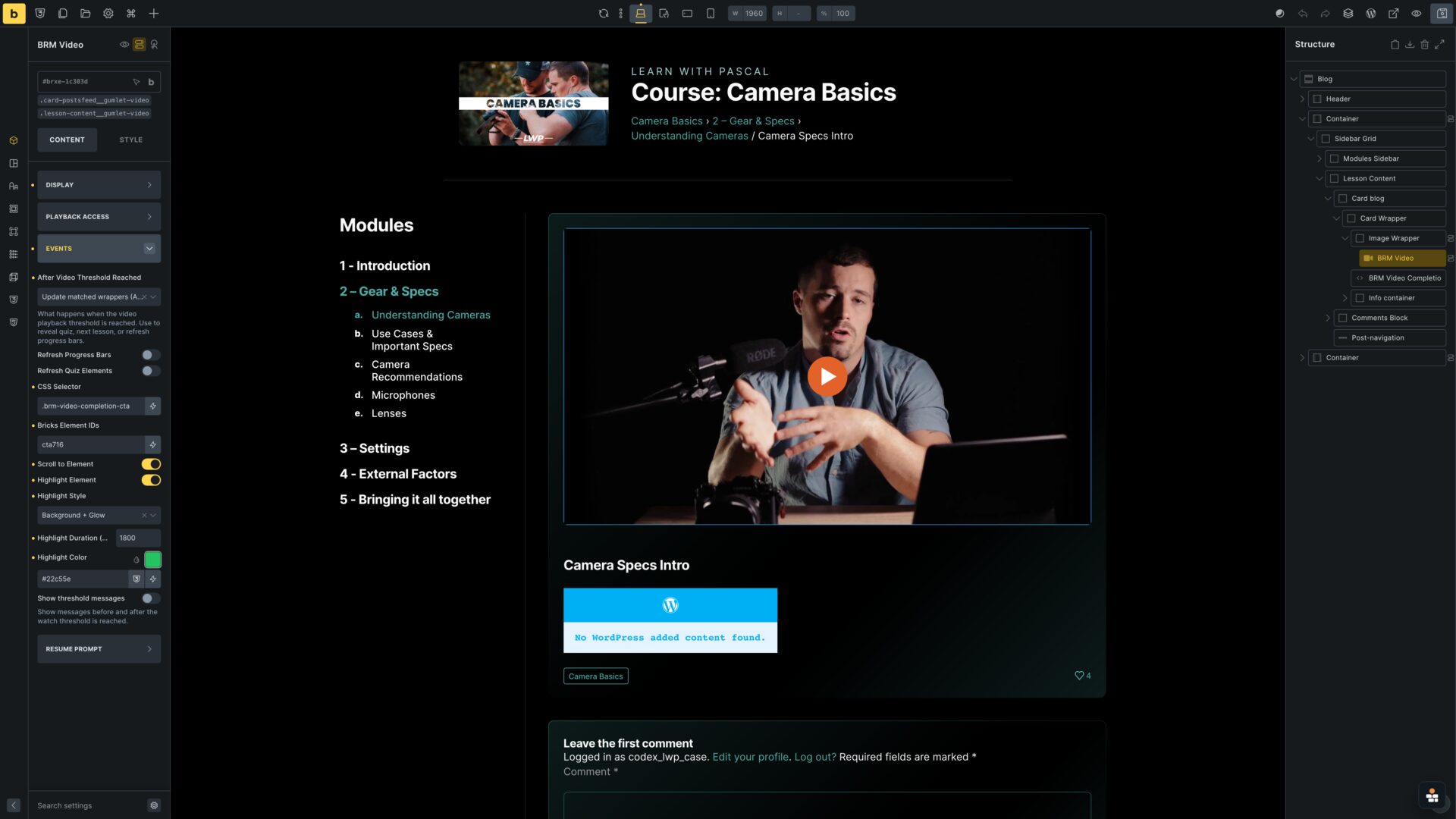
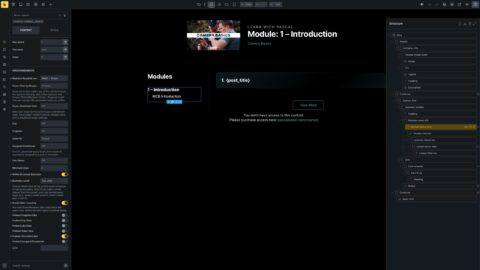
Bricks Builder course video template with the BricksMembers video element selected
● Built in Bricks
01
Founder origin

The site that made BricksMembers necessary

Learn with Pascal started as a real creator platform with real membership needs: custom design in Bricks, hundreds of videos, protected access, events, submissions, and payment-based level mapping.
Before BricksMembers

Custom glue was not a solid foundation

Course - module - lesson - video and series - episode content hierarchies for mini-course relationships where taped together with ACF terms & relationship fields
Access levels and payment events were done with ACF + custom code in the functions.php
Events, submissions and feedback all needed complicated frontend forms setup with extra plugin
All that to achieve Bricks desing freedom as no membership plugin was customizable enough
With BricksMembers

No custom code or ACF-taped solutions

Courses & series now use structured membership data via BricksMembers content structures
LemonSqueezy purchase events on the shop site (pascalbasel.com) map to the right access levels with proper webhook interface
Videos, events, submissions, likes and access are native BricksMembers workflows
Every member-facing page remains a custom Bricks layout without any workarounds, or custom code
342
Course videos
74
Structured modules
15
Access levels
02
How it's built

The same site, on screen and in the builder

Pick an area, then slide through each view. Left is what members see; right is how it is built in Bricks.
Front-end
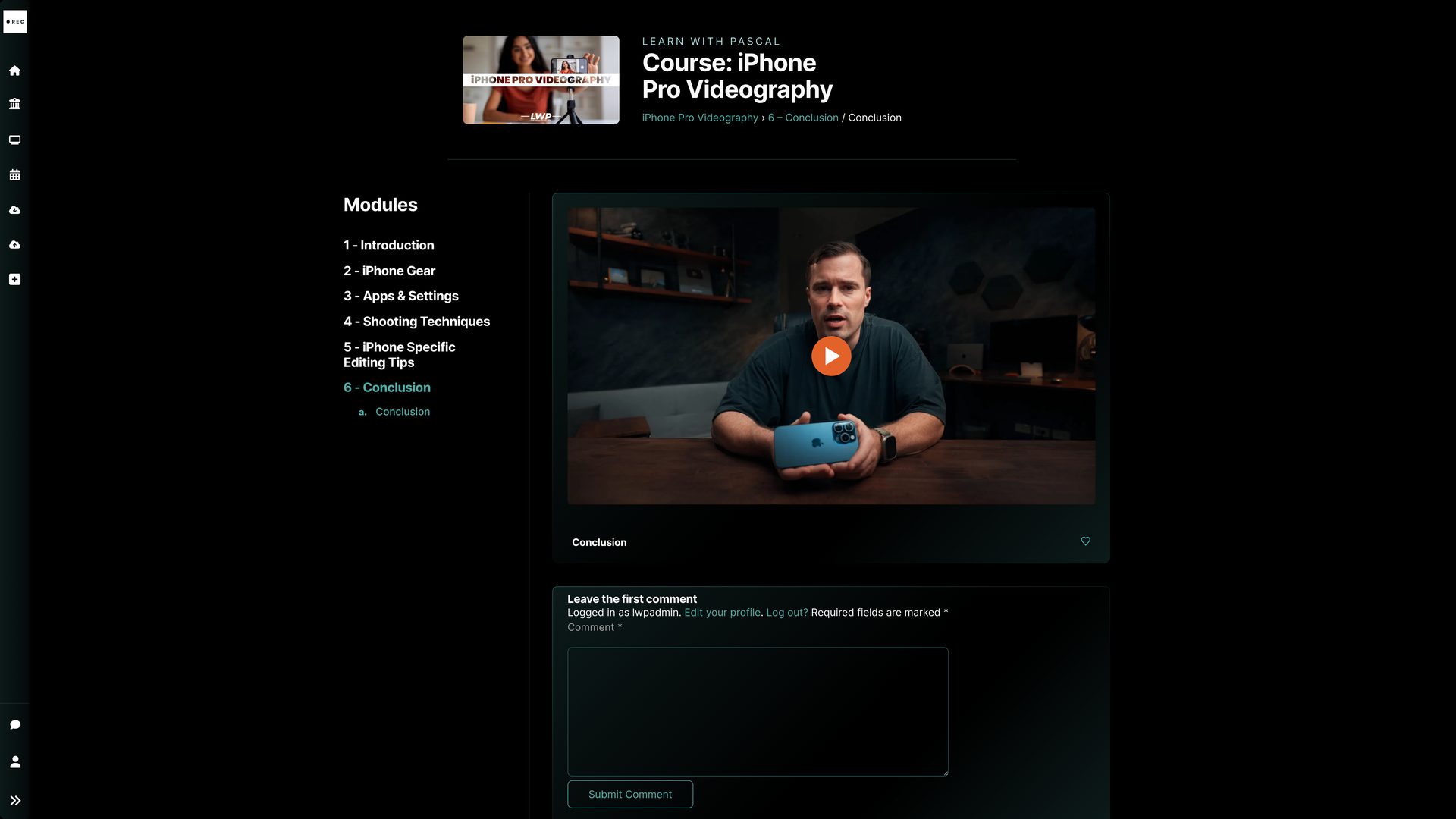
Learn with Pascal lesson page with protected video and course sidebar
Built in Bricks
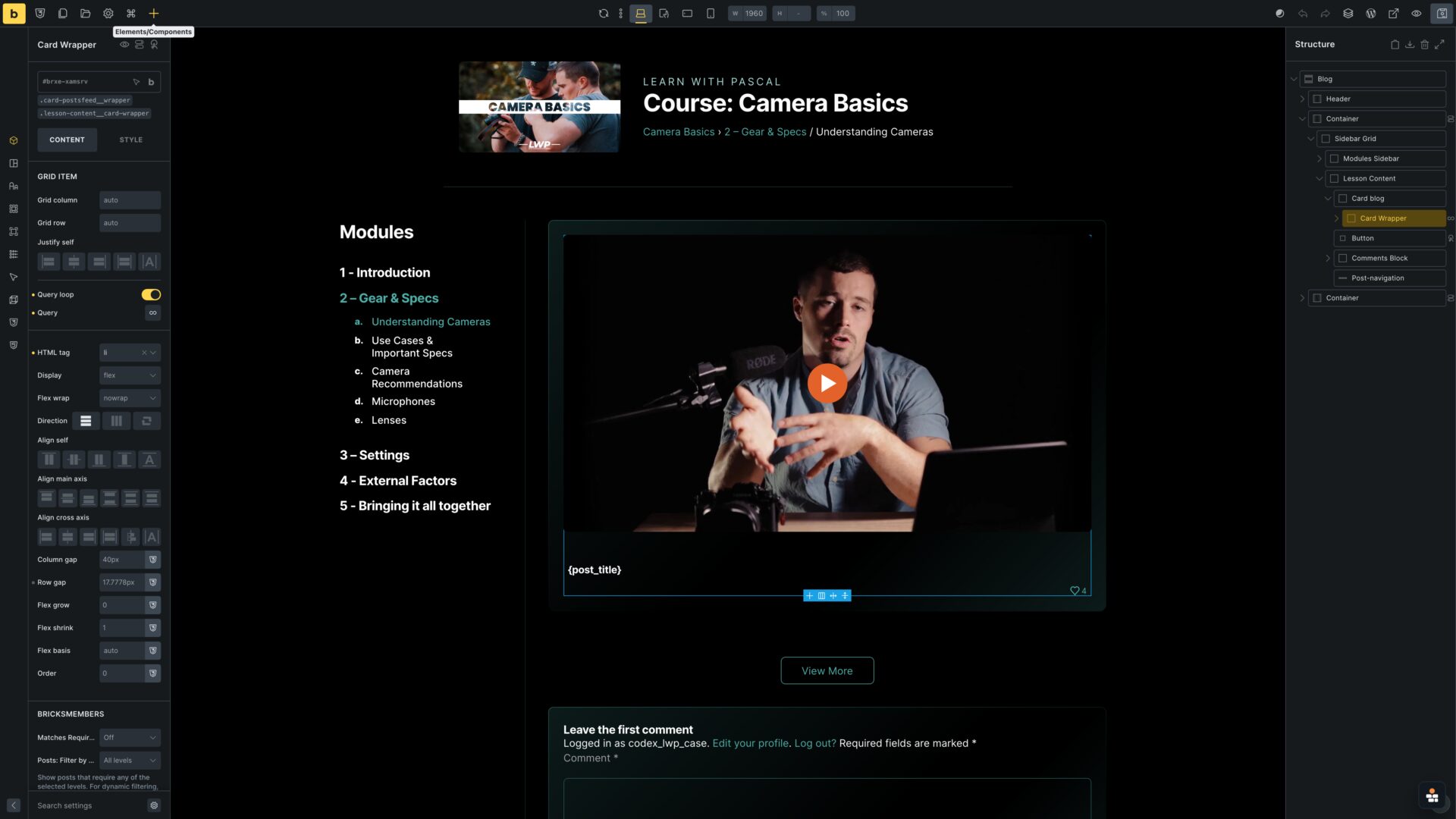
Bricks Builder lesson template with structure panel and bounded video query loop

Lesson posts show video(s) from video child-posts

Videos are being shown from video posts on lesson posts via Bricks Query Loop. So depending on the lesson, one or multiple videos show up automarically.
Lesson page
Boundary query loop
Front-end
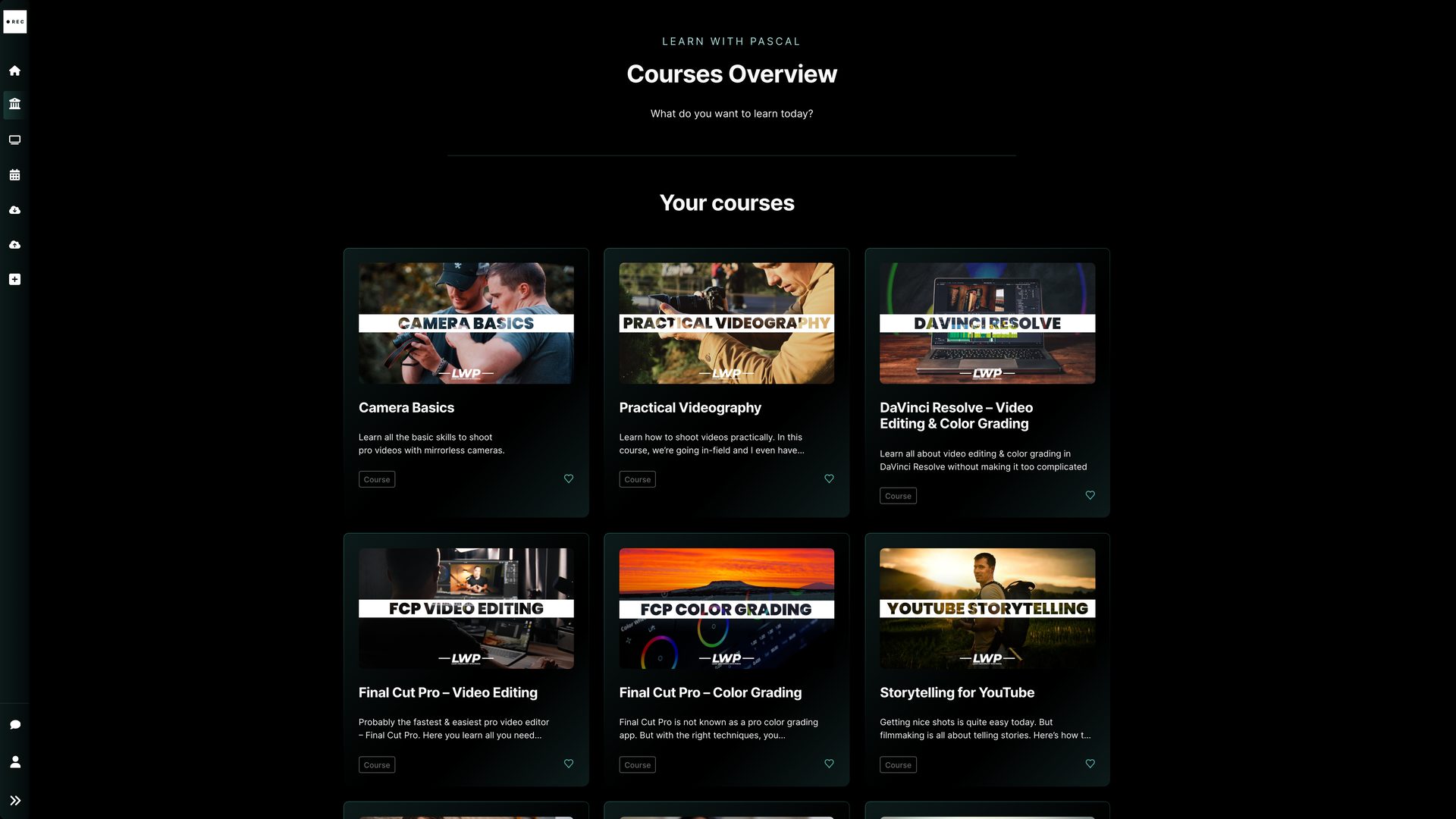
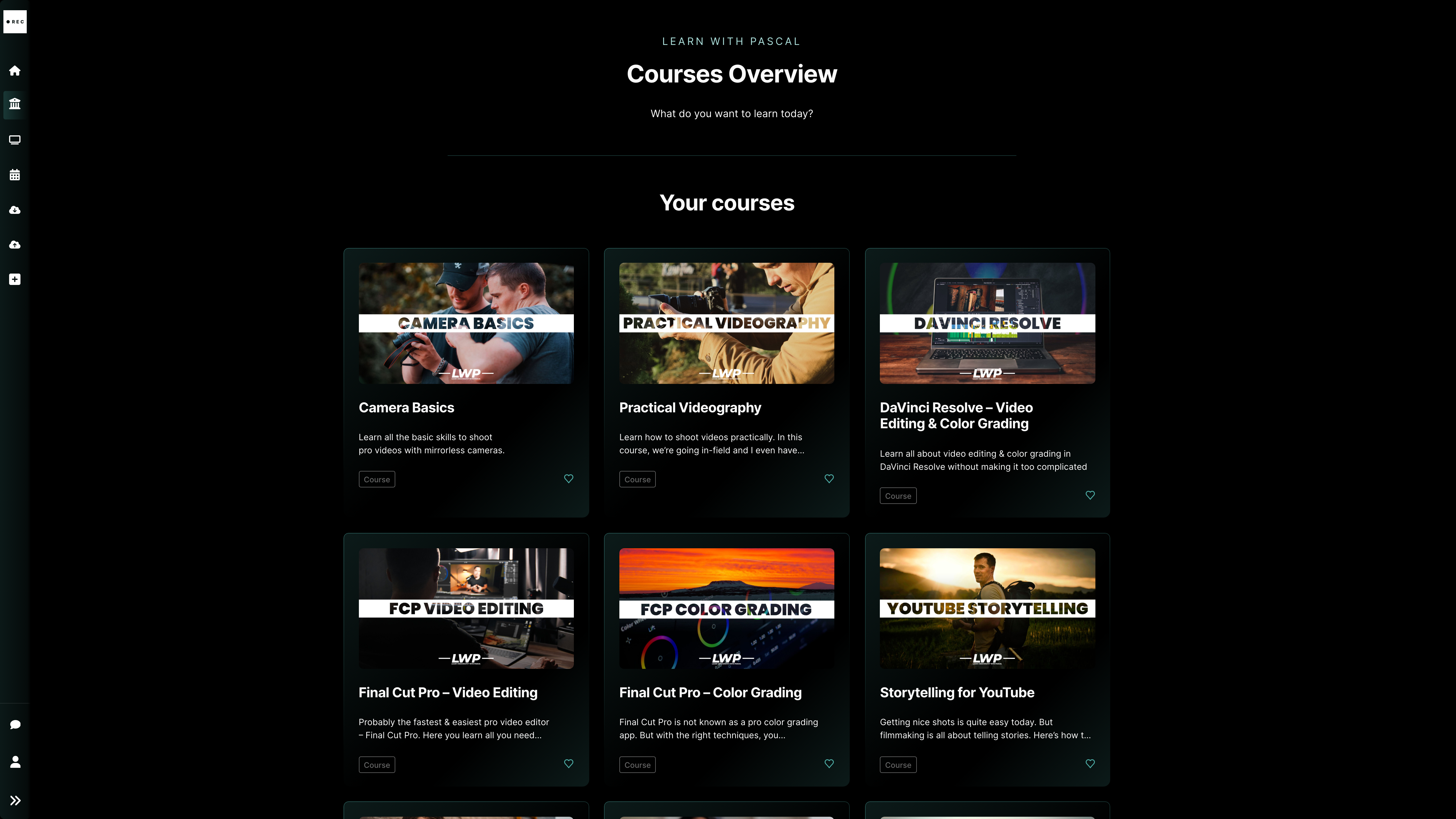
Learn with Pascal courses overview
BricksMembers admin
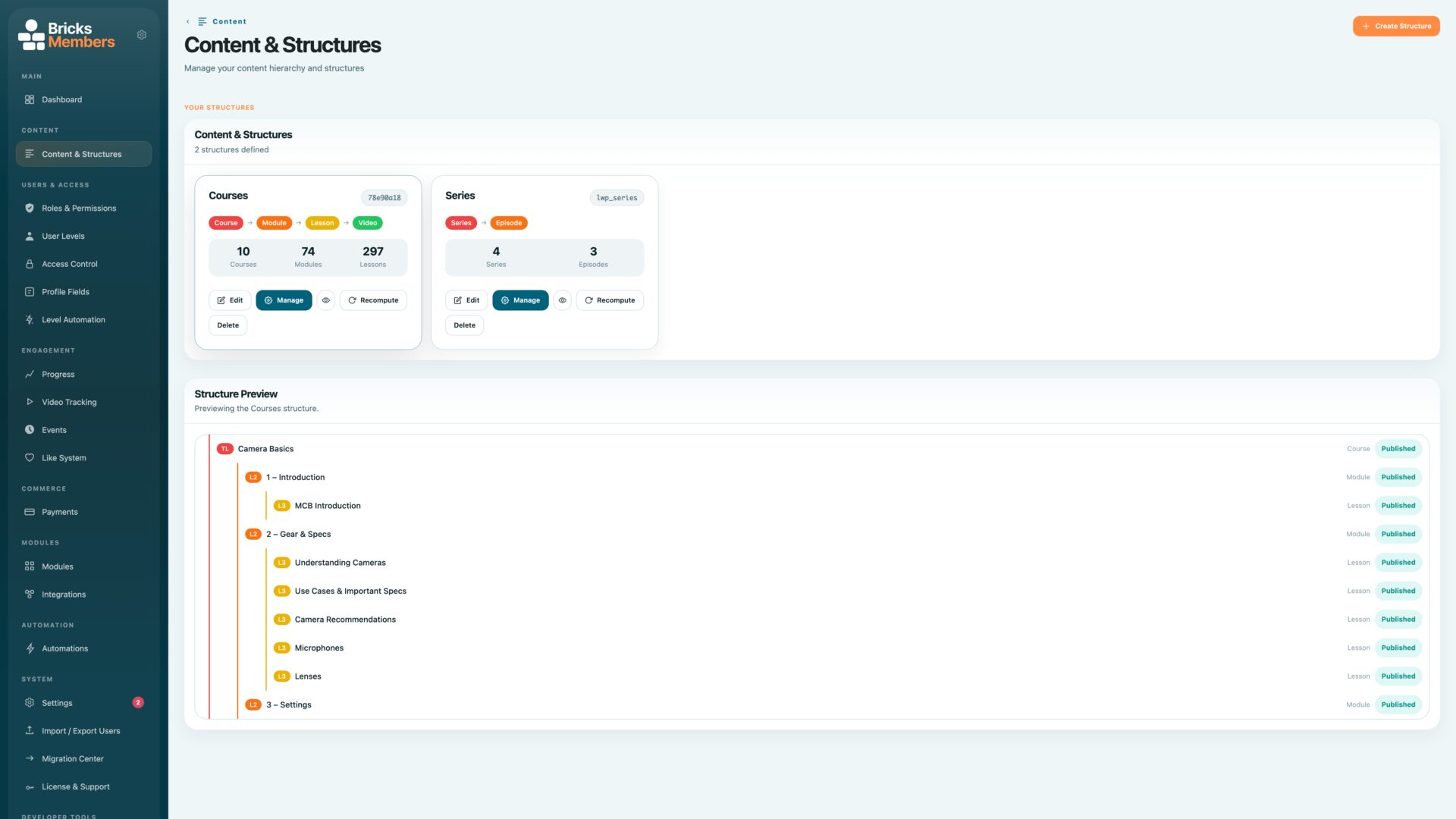
BricksMembers content structures overview showing Courses and Series

Course hierarchy visible on the front end and in BricksMembers

Learn with Pascal is not a single flat course catalog. The content model uses a dedicated course hierarchy for courses, modules, lessons and videos, and a separate series hierarchy for recurring creator content.
10 courses
Content structure
Lessons & videos
Front-end
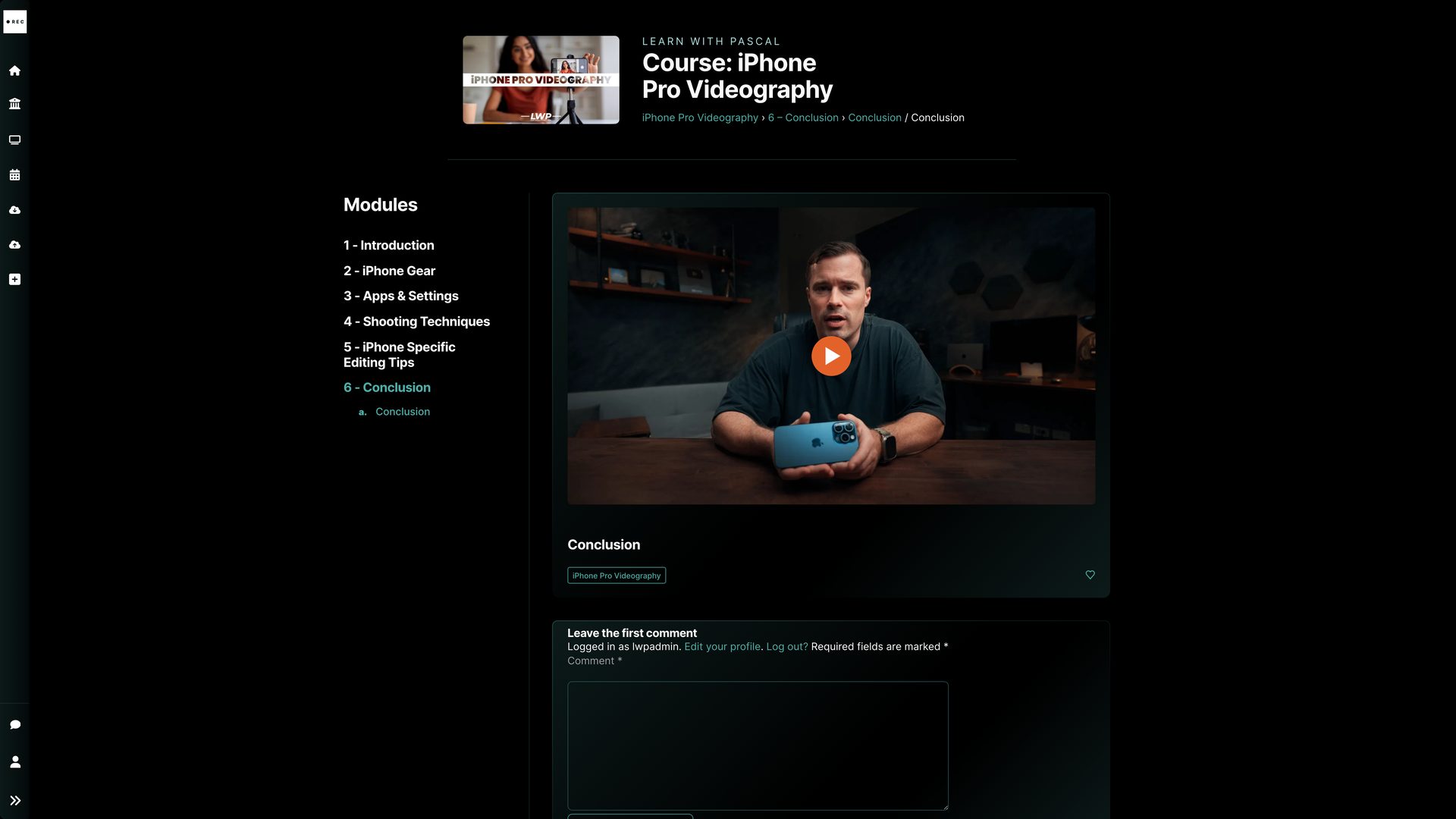
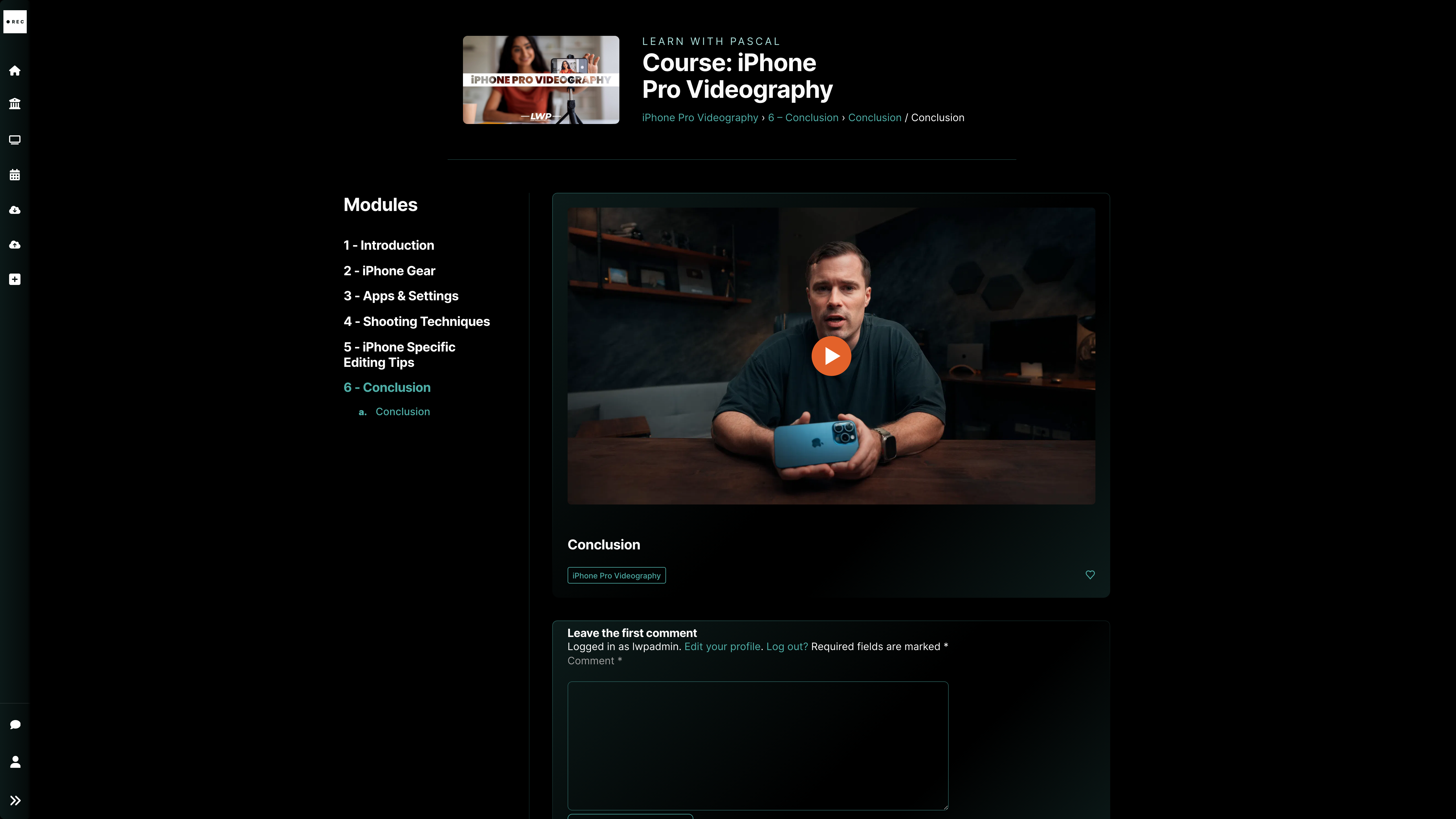
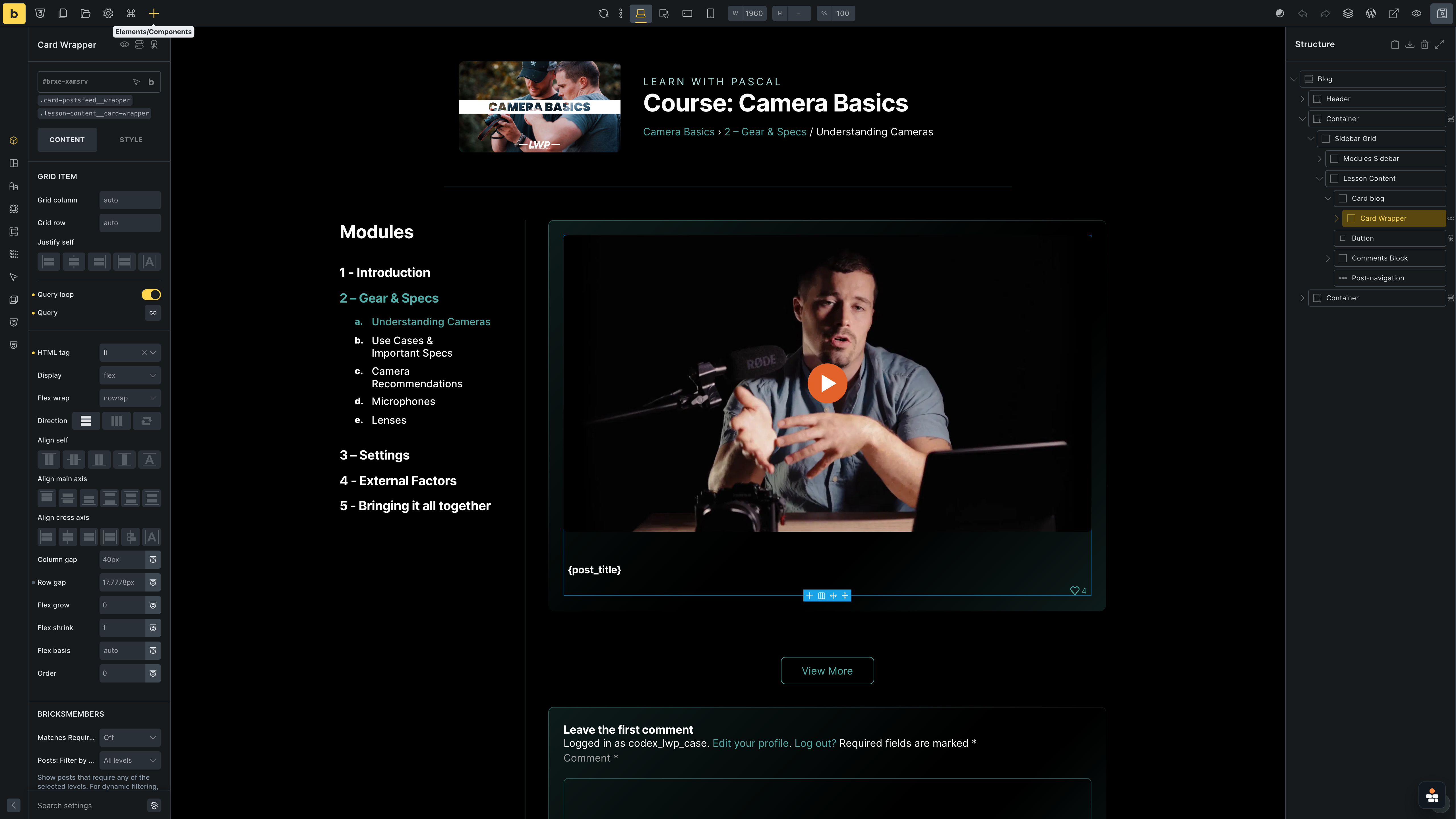
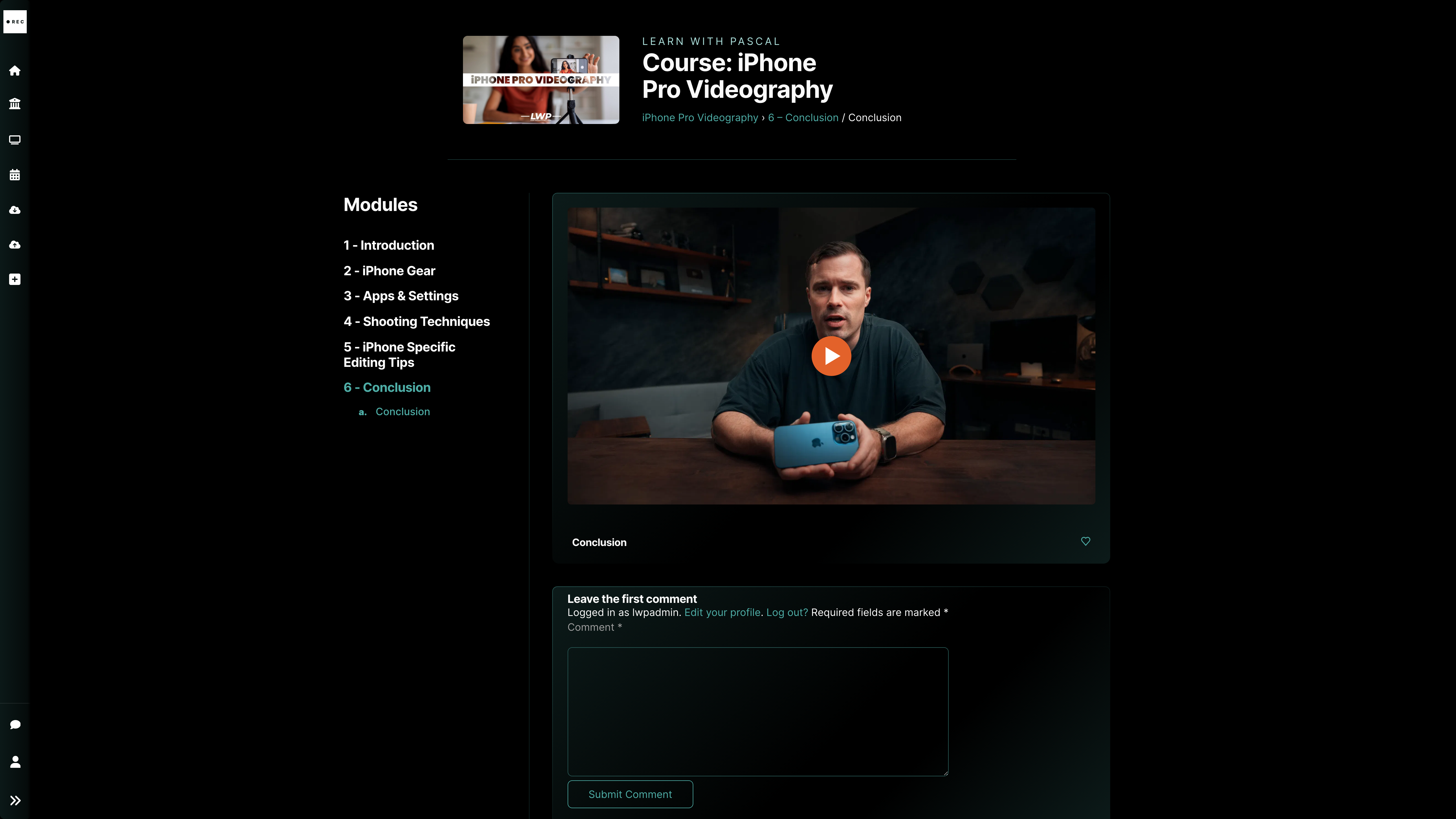
Learn with Pascal course video page
Built in Bricks
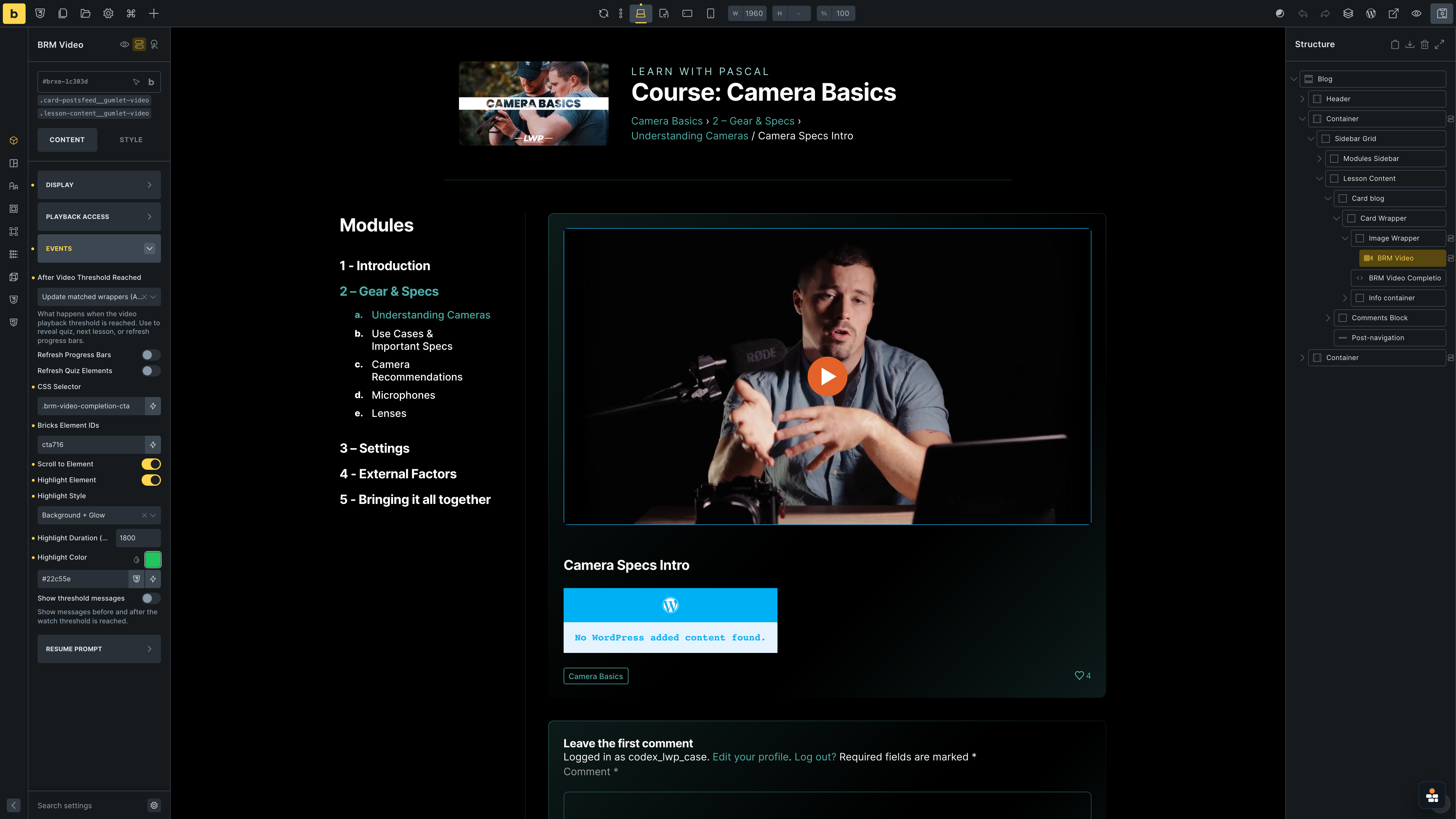
Bricks Builder course video template with BRM Video selected

Course videos use BRM Video with after-threshold notices

The BRM Video element controls what happens after the configured watch threshold: a notice opens on the site to guide the member to the next action. Access protection is handled separately with Bricks conditional logic on the surrounding content element.
Course video
BRM Video
Lessons & videos
Front-end
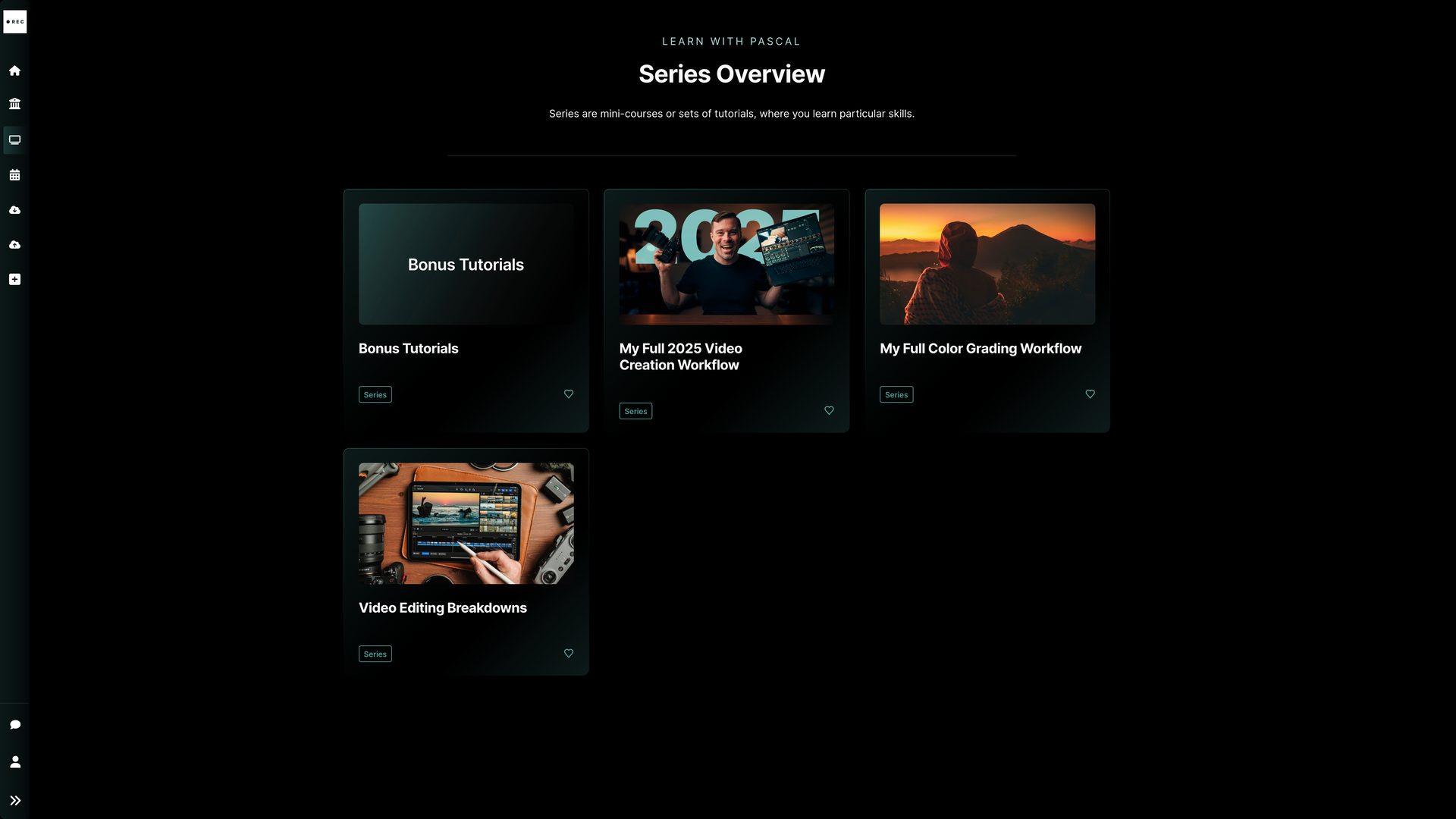
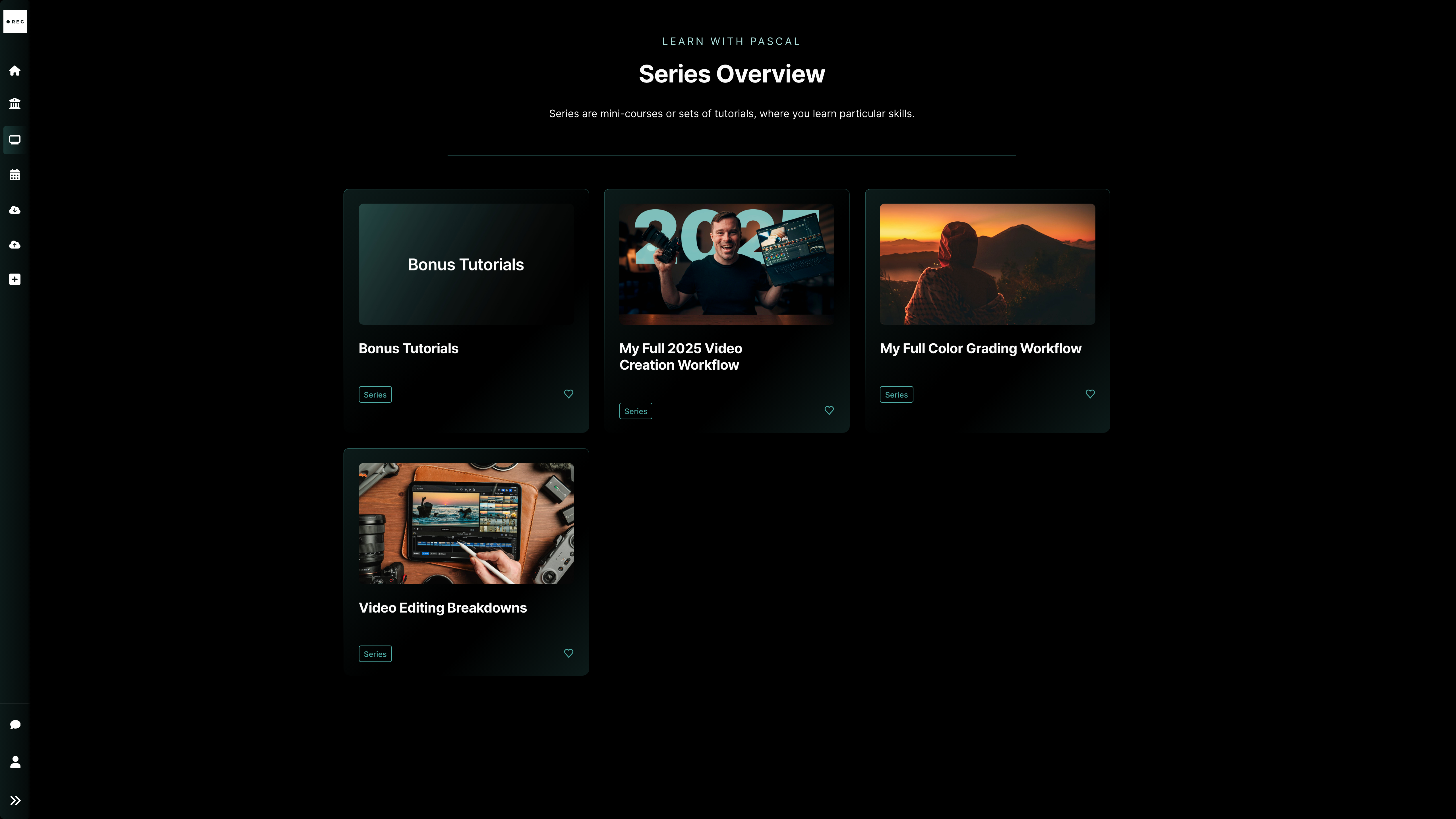
Learn with Pascal series overview front end
BricksMembers admin
BricksMembers Series structure admin view

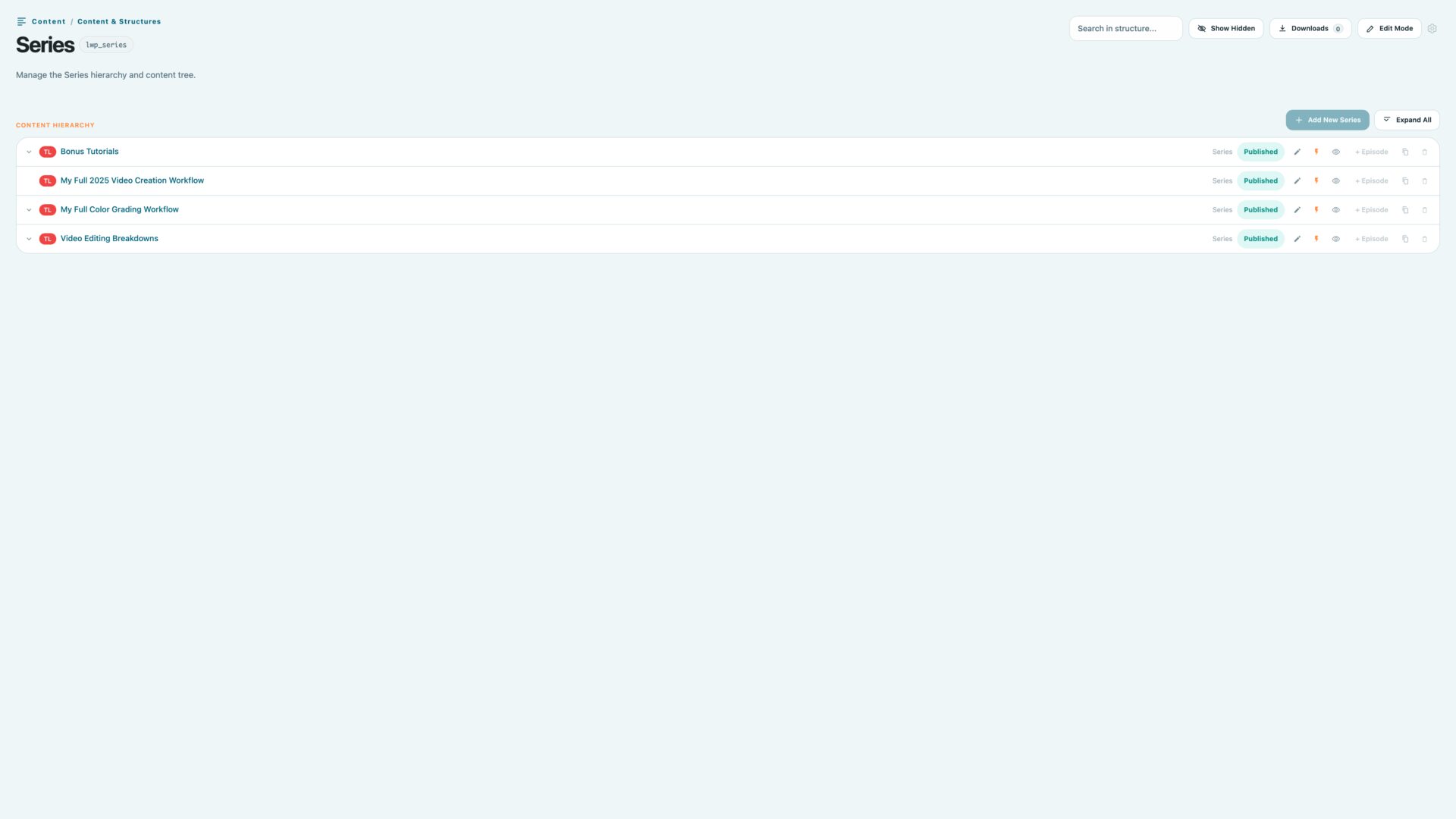
A second content structure for ongoing creator series

Learn with Pascal does not force every piece of content into the course hierarchy. Recurring creator content lives in a separate Series → Episode structure, which keeps workflows, breakdowns and bonus tutorials cleanly separated from courses, modules, lessons and videos.
Series → Episode
Second structure
Creator workflows
Learn with Pascal lesson page with protected video and course sidebar
Learn with Pascal courses overview
Learn with Pascal course video page
Learn with Pascal series overview front end
Front-end
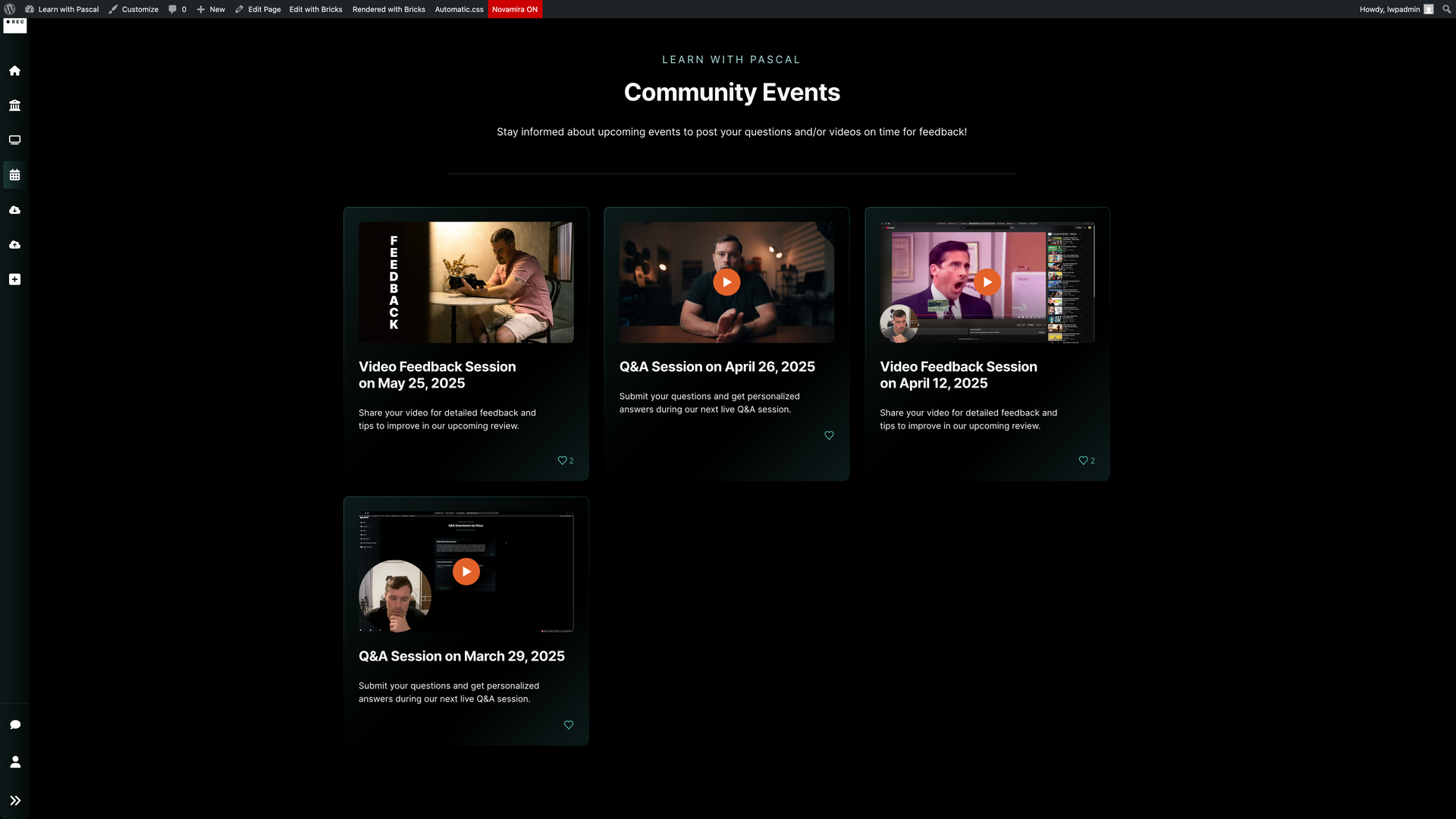
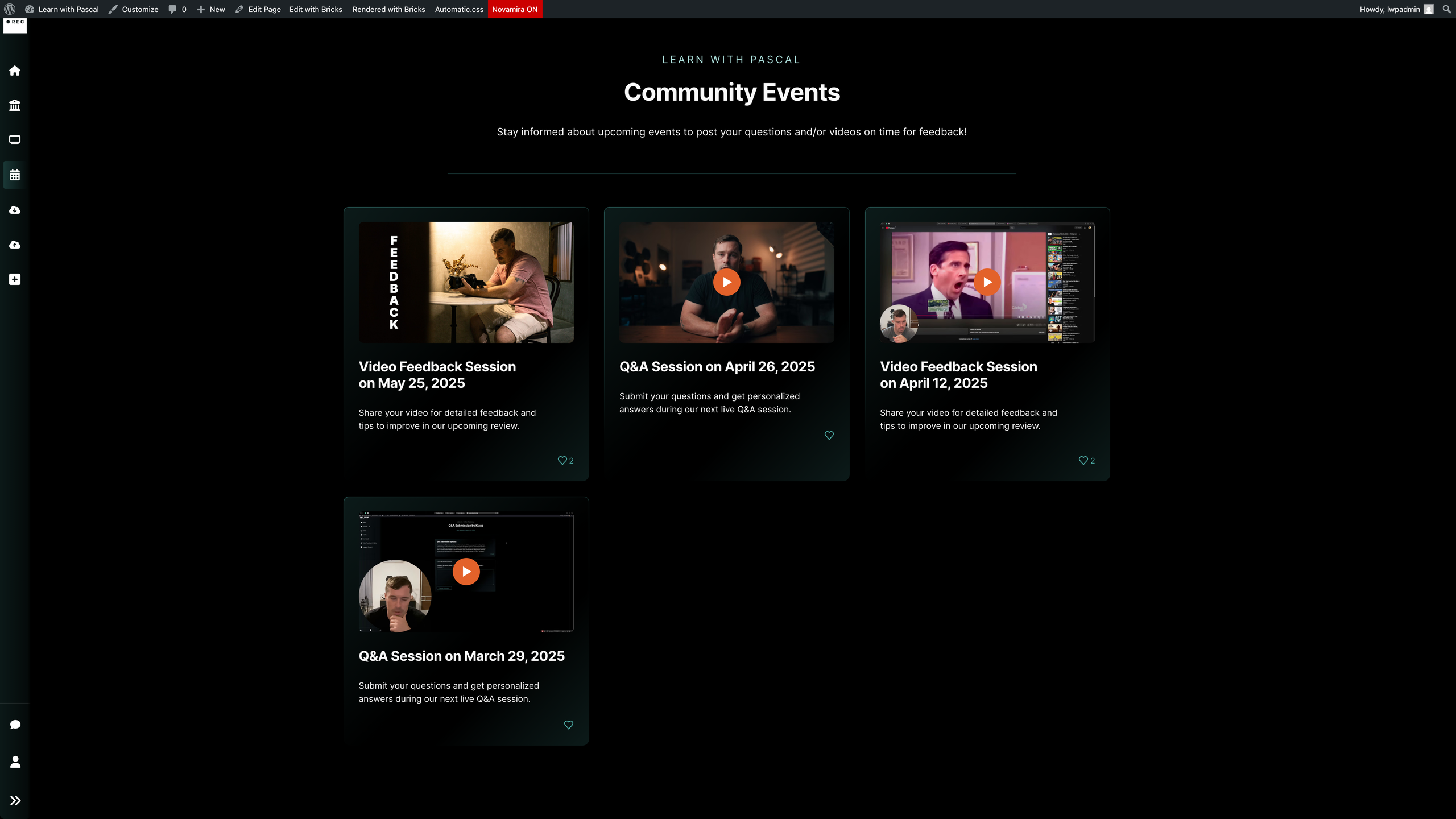
Learn with Pascal events archive showing past events in a three-column grid
BricksMembers admin
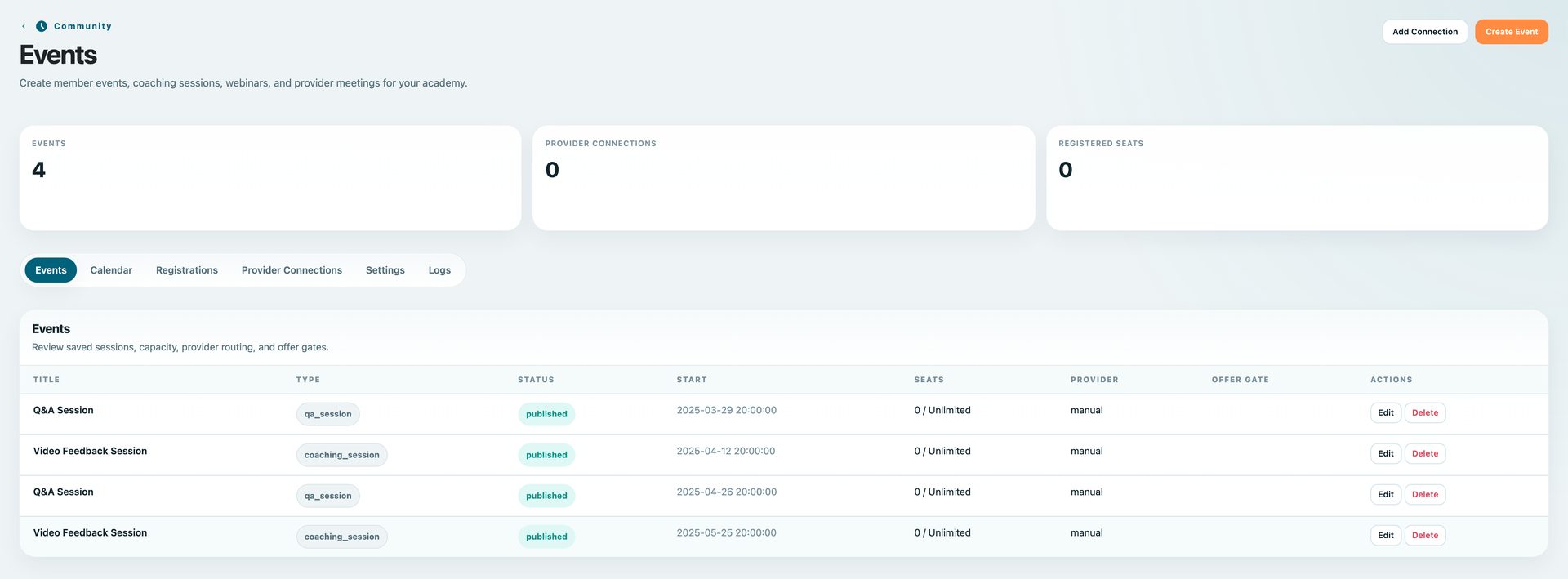
BricksMembers events admin overview

Events are managed as membership workflows

The Events page now works as an archive, so upcoming and past sessions can stay visible to members. BricksMembers keeps the event records connected to registrations, submissions and feedback workflows.
Events list
Events admin
Front-end
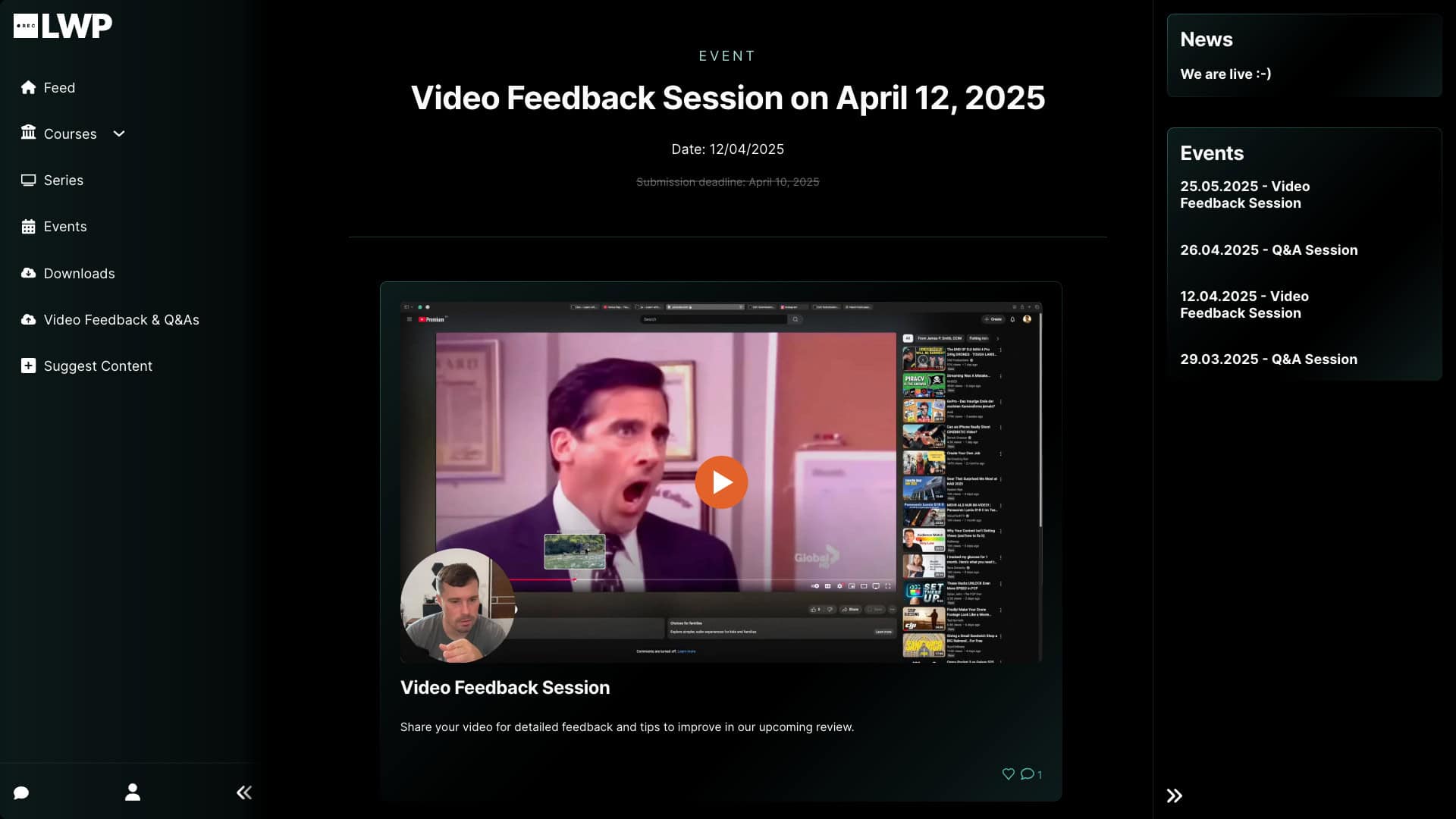
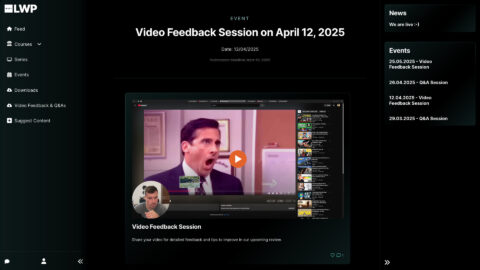
Learn with Pascal Video Feedback Session on April 12, 2025 detail page
Built in Bricks
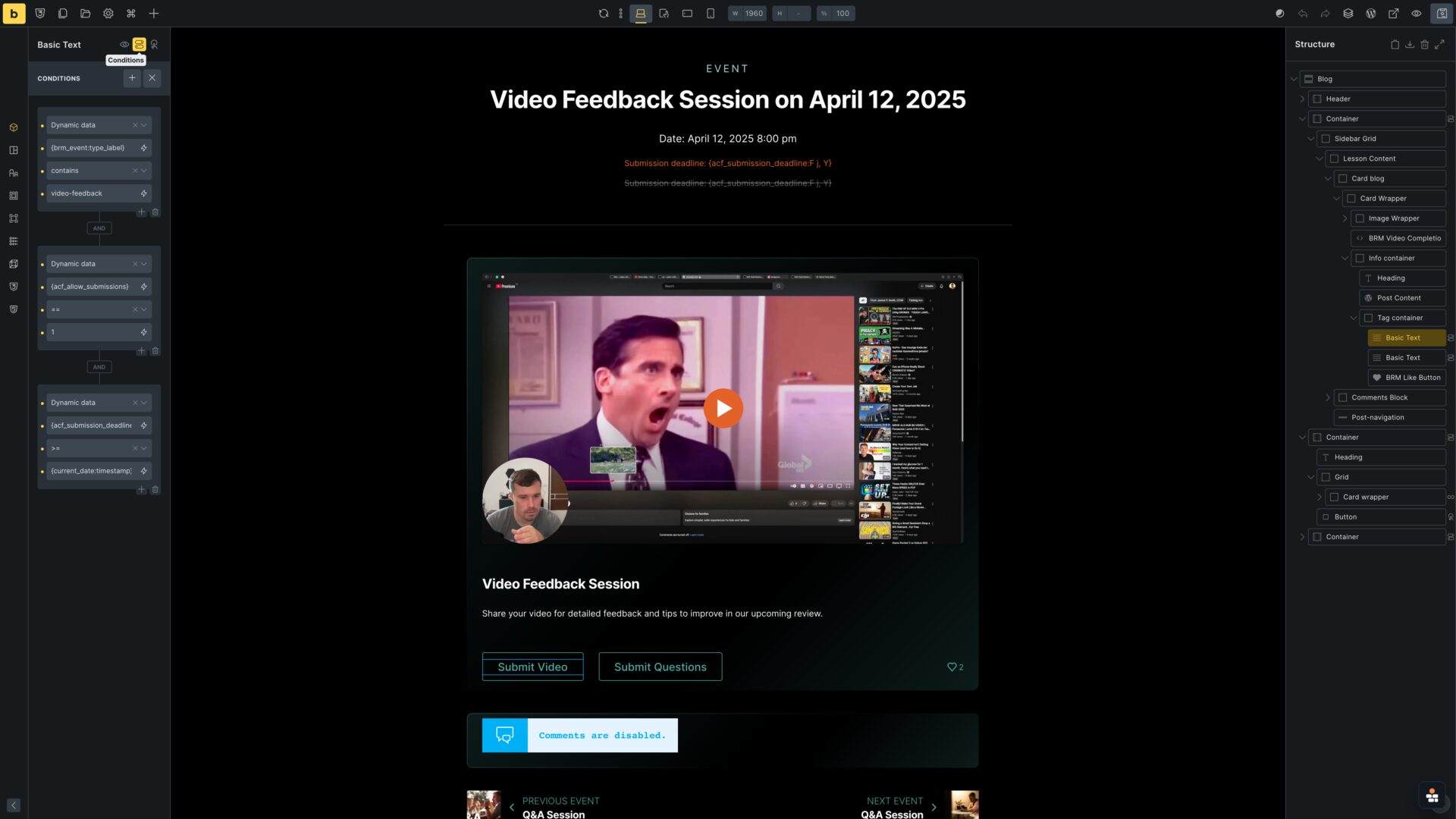
Bricks Builder event template dynamic tags and conditions

Event templates use dynamic event data and conditions

The front-end event detail and the Builder screenshot refer to the same Video Feedback Session workflow, showing how event data, conditional buttons and submissions stay connected.
Event page
Front-end
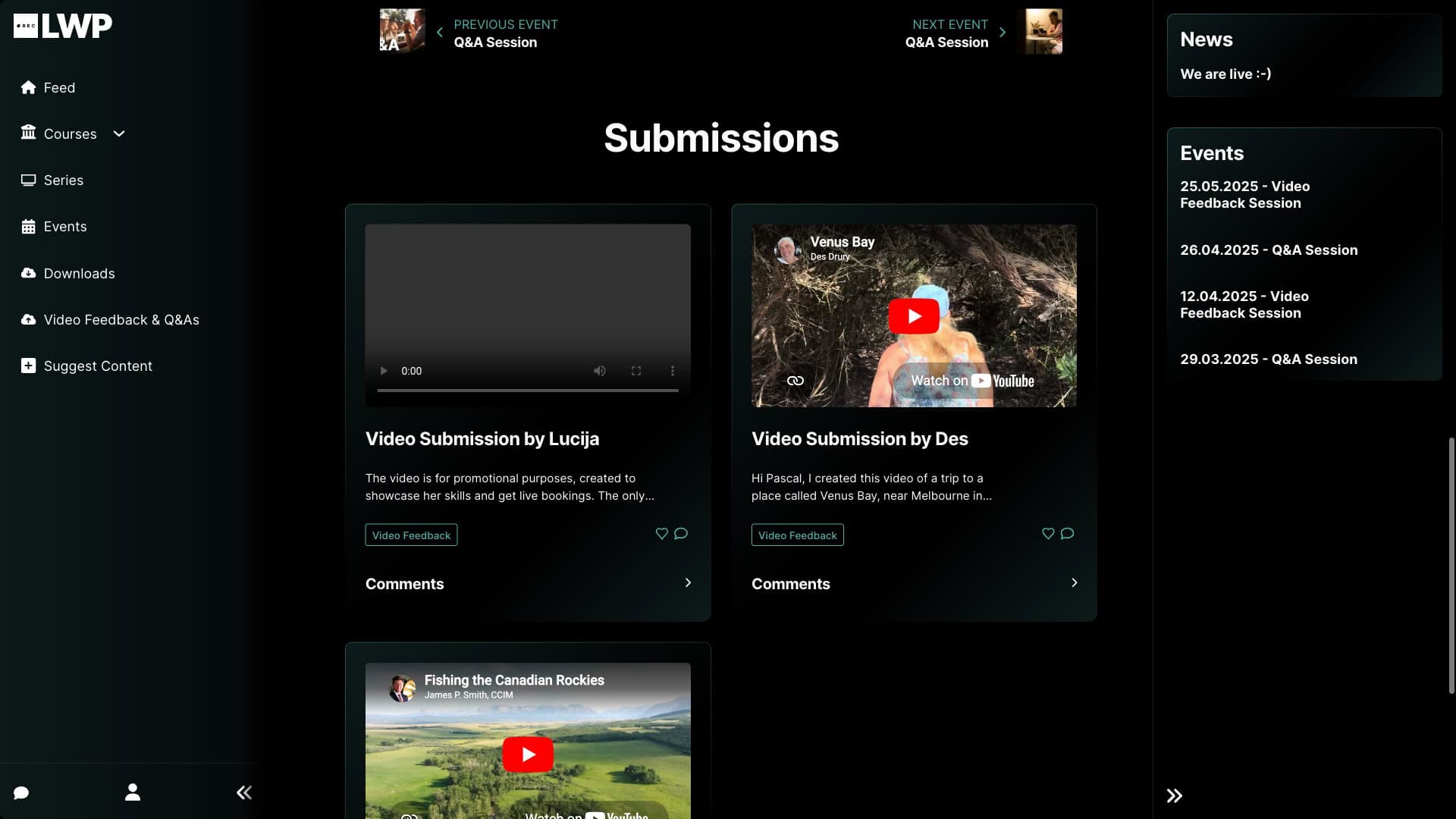
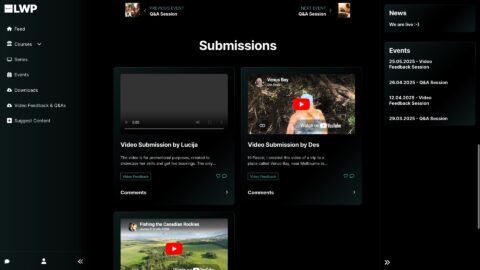
Learn with Pascal April 12 event submissions loop front end
Learn with Pascal April 12 event submissions loop front-end screenshot
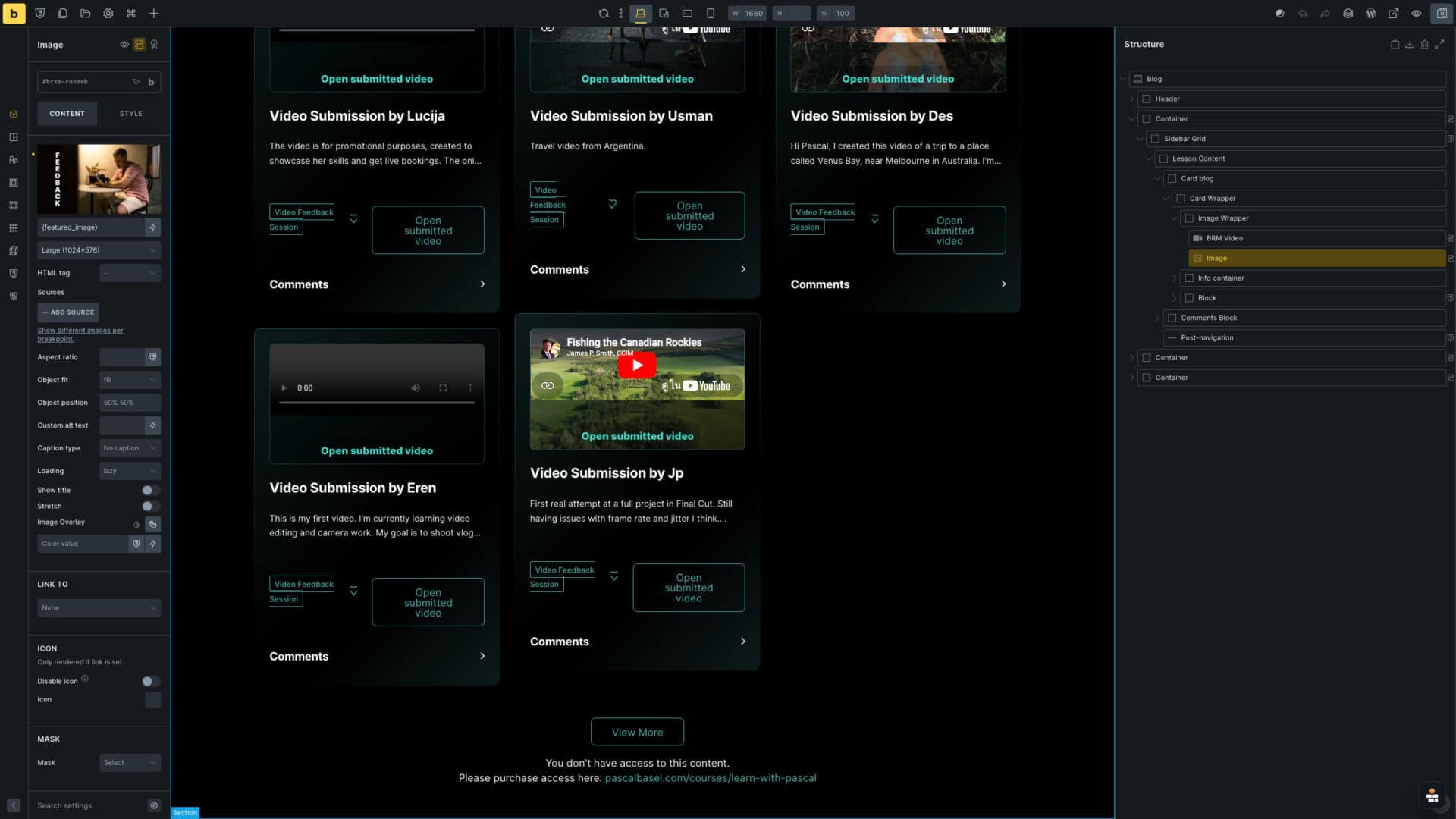
Built in Bricks

Submission loops connect feedback to the right event

Submissions are queried against the current event, so feedback and uploaded work stay attached to the right session instead of becoming a generic inbox.
Submissions
Front-end
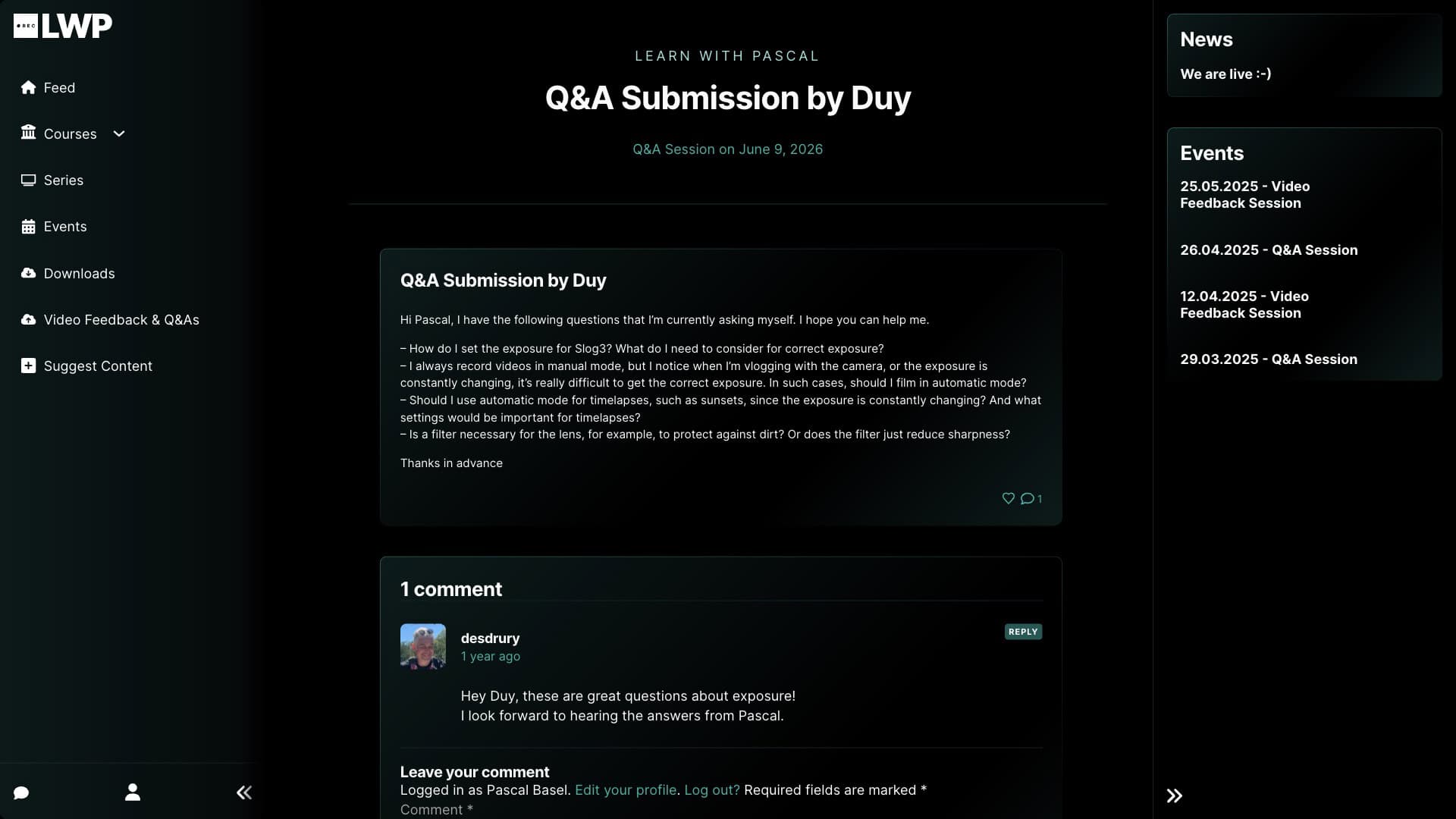
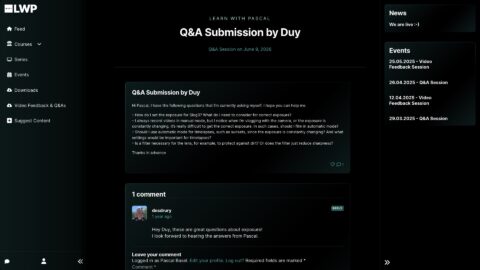
Learn with Pascal Q&A submission by Duy showing the linked event relationship
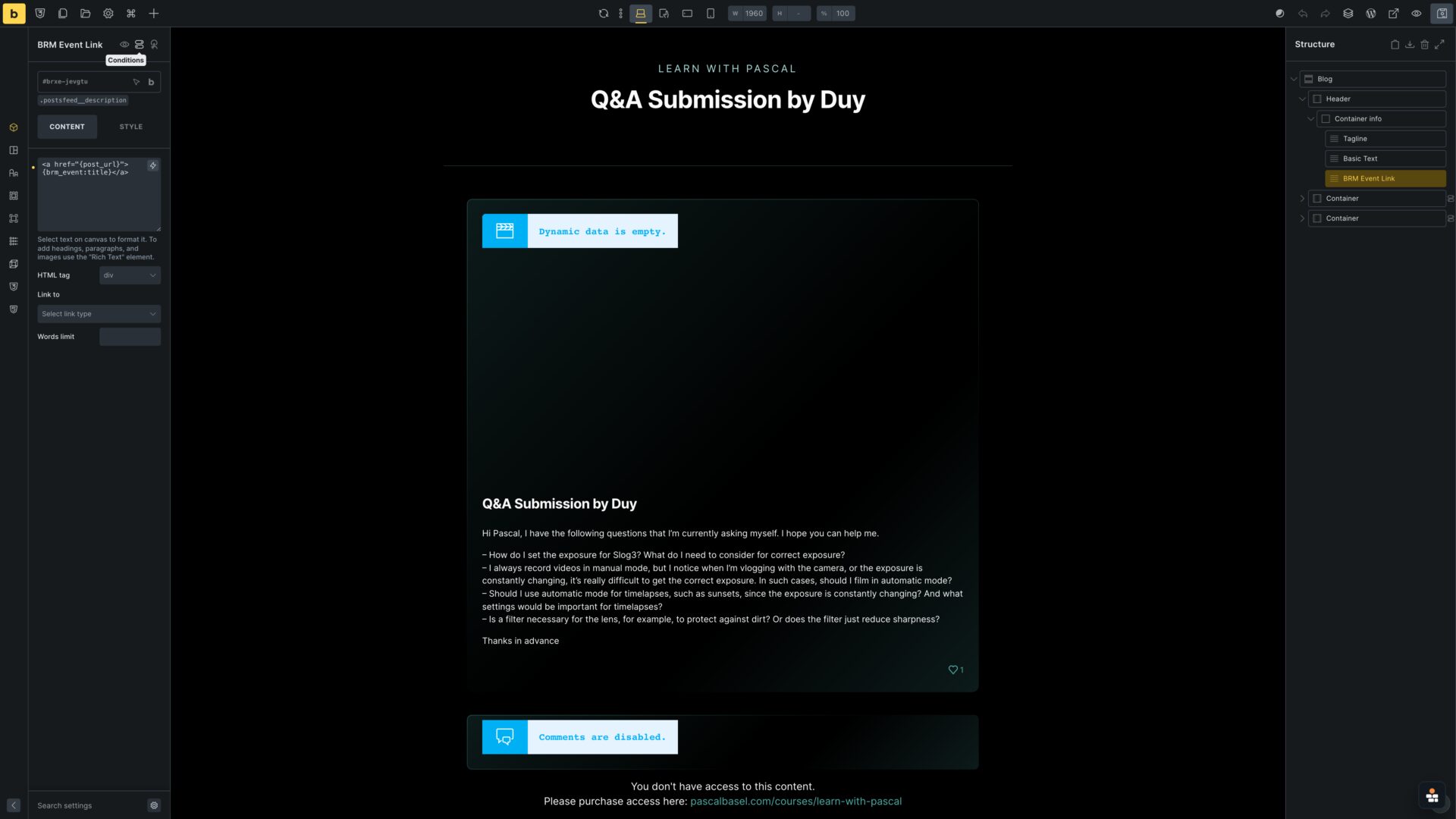
Built in Bricks
Bricks Builder submission template showing the BRM Event Link element

Submission loops and submission pages keep the event relationship visible

The workflow is not just an event page. Submissions can be listed from the event context and opened as member-facing detail pages without losing the relationship to the feedback session.
Event-linked submissions
Learn with Pascal events archive showing past events in a three-column grid
Learn with Pascal Video Feedback Session on April 12, 2025 detail page
Learn with Pascal April 12 event submissions loop front end
Learn with Pascal April 12 event submissions loop front-end screenshot
Learn with Pascal Q&A submission by Duy showing the linked event relationship
BricksMembers admin
Built in Bricks
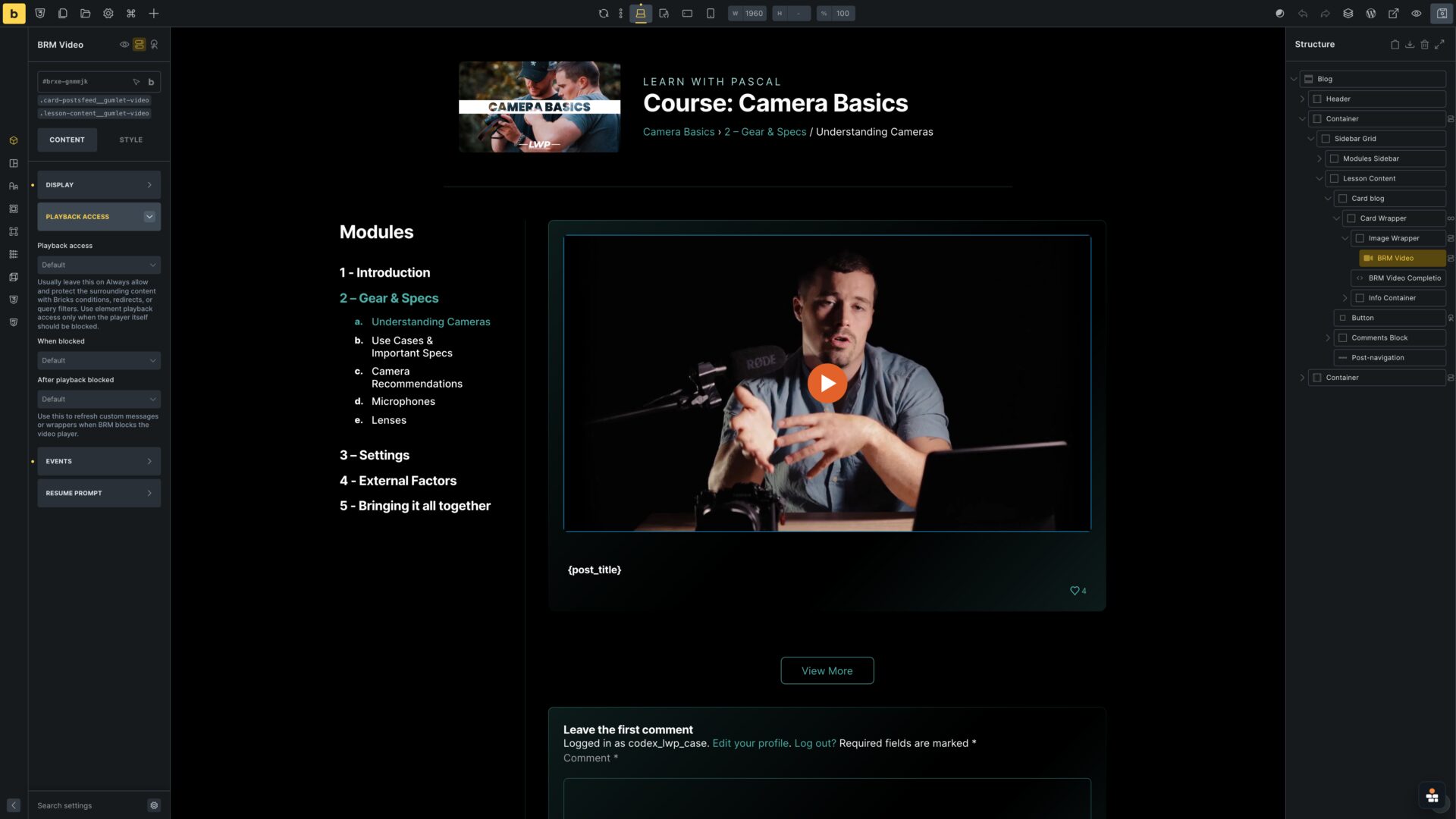
Bricks Builder lesson template showing conditional logic for protected lesson content

Access control gates the learning content

BricksMembers defines access behavior and redirects. In Bricks, conditional logic on the lesson content element decides what members can see, while the template keeps the video experience fully custom.
Access control
Lesson template
Front-end
Learn with Pascal lesson page with protected video and course sidebar
Built in Bricks
Bricks Builder lesson template showing conditional content access logic

The lesson template controls the access state

The lesson page is shown on the left; the Bricks template on the right uses conditional logic on the content wrapper so protected lesson content appears only for the right members.
Protected lesson
Template logic
Conditional states
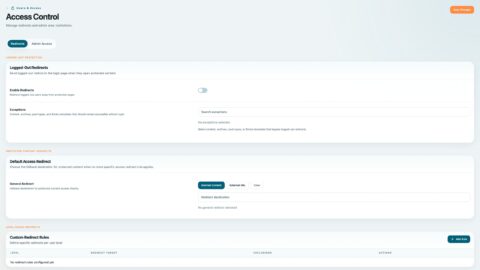
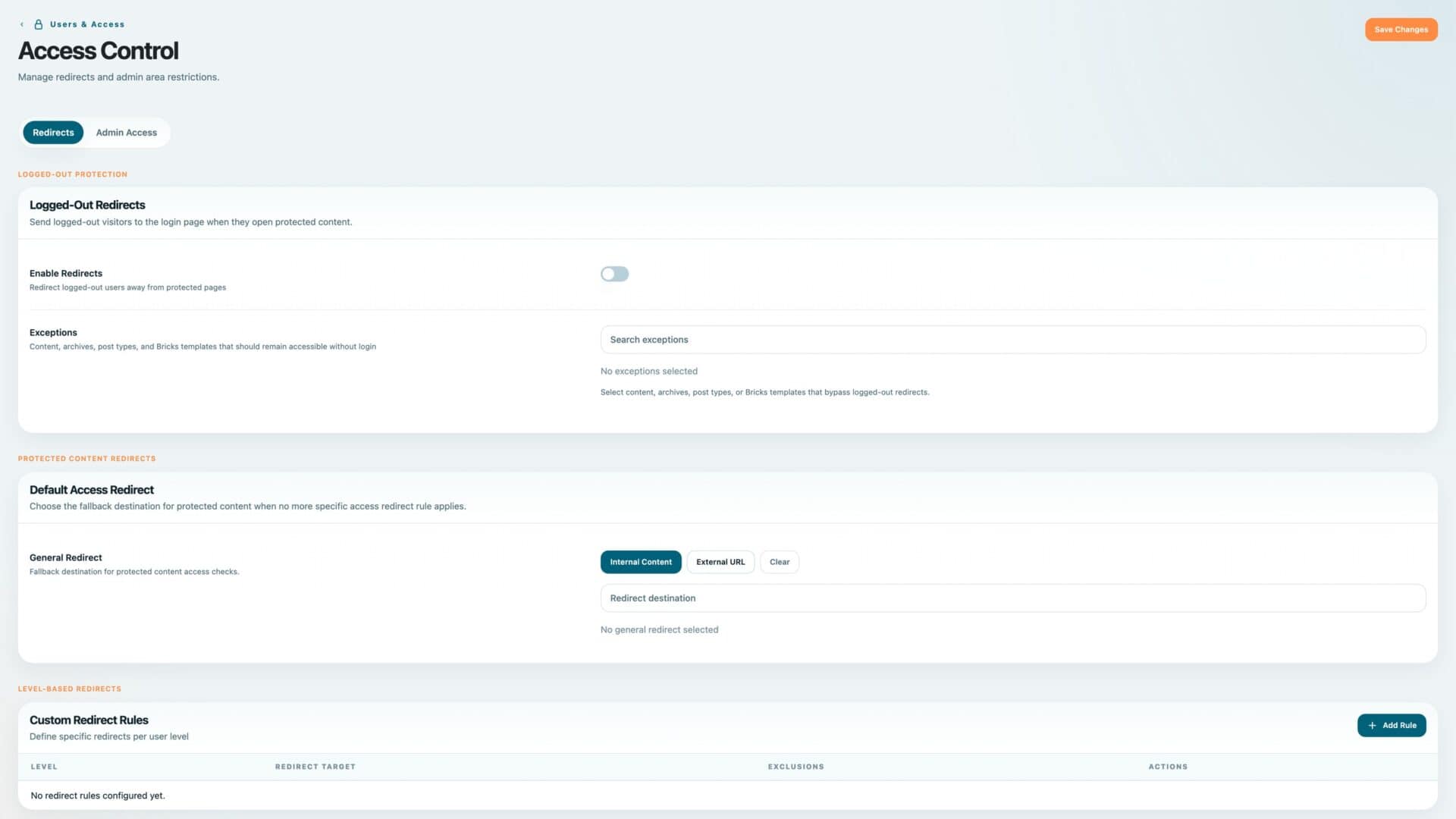
BricksMembers access control settings for Learn with Pascal
Learn with Pascal lesson page with protected video and course sidebar
Front-end
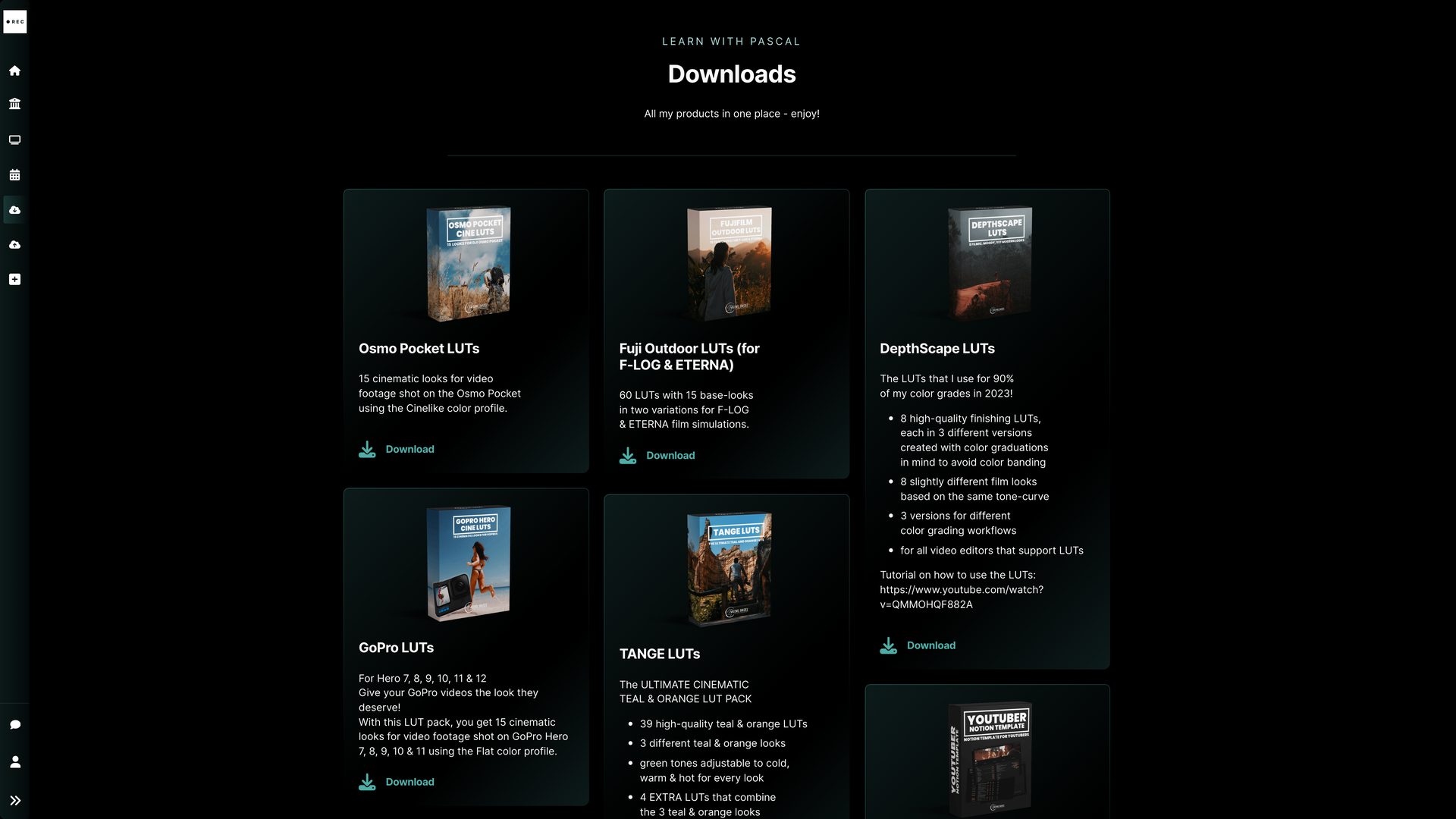
Learn with Pascal downloads overview
BricksMembers admin
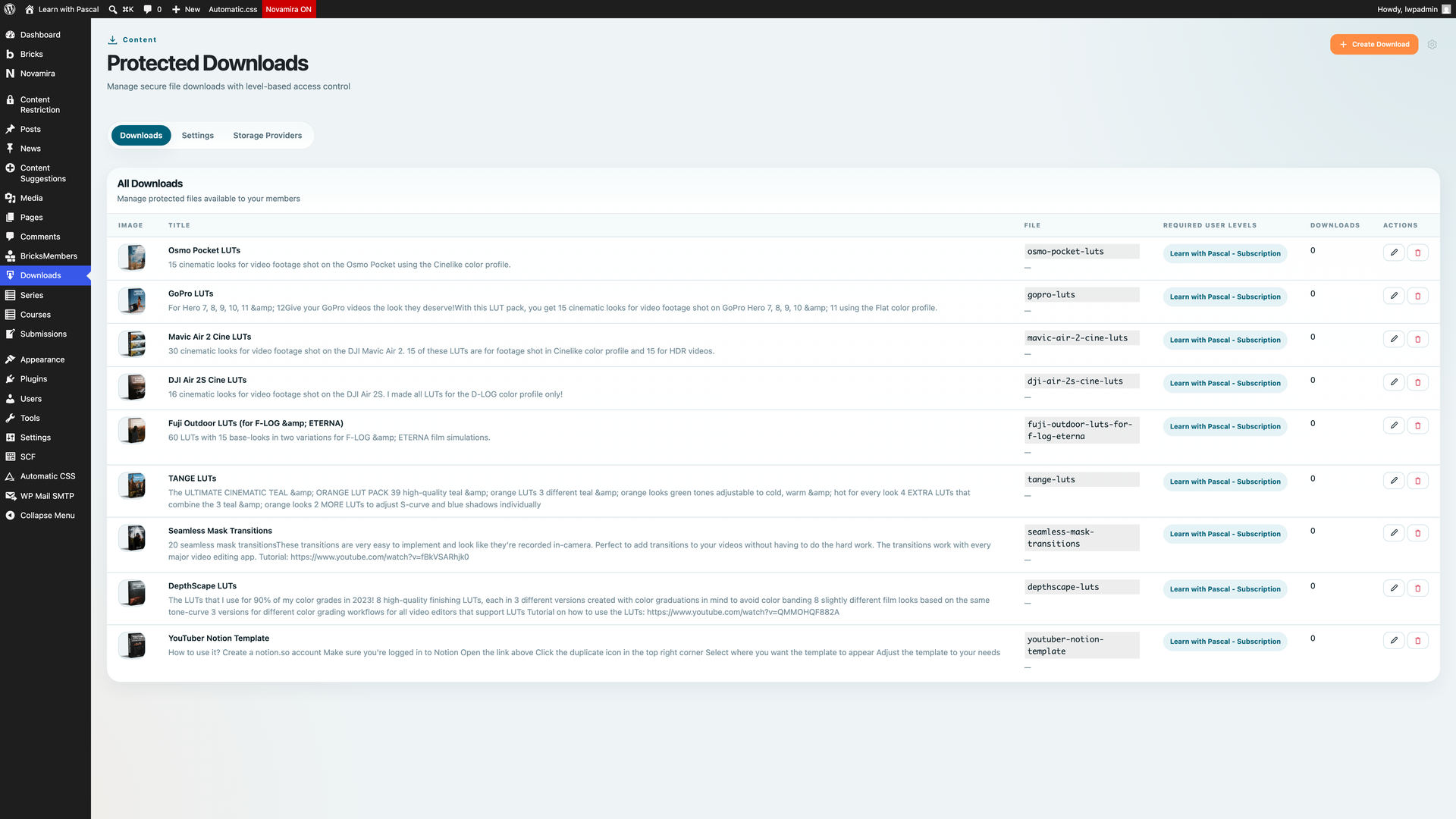
BricksMembers Protected Downloads admin screen for Learn with Pascal resources

Protected downloads are their own member resource library

Downloads belong in a dedicated resource workflow, not inside access-level proof. BricksMembers manages the protected files and Bricks renders the member-facing downloads library.
Protected resources
Front-end
BricksMembers admin
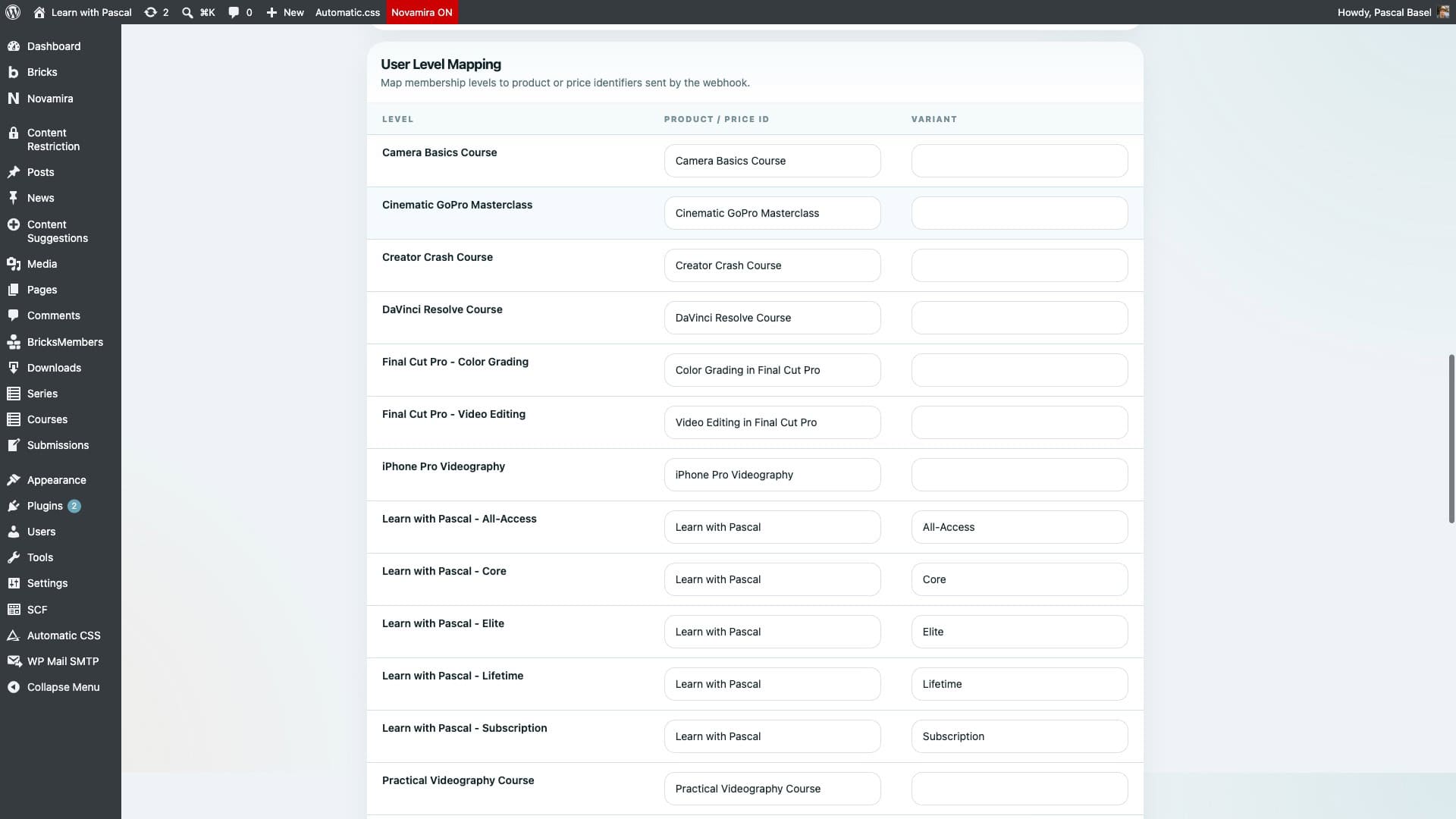
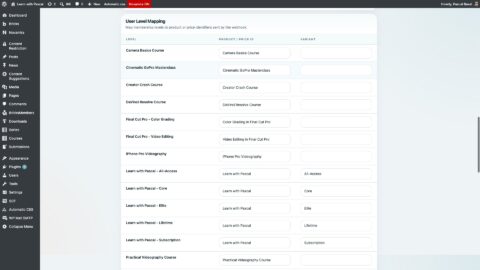
BricksMembers webhook user level mapping for Learn with Pascal access grants

PascalBasel.com sells the offer; BricksMembers grants the access

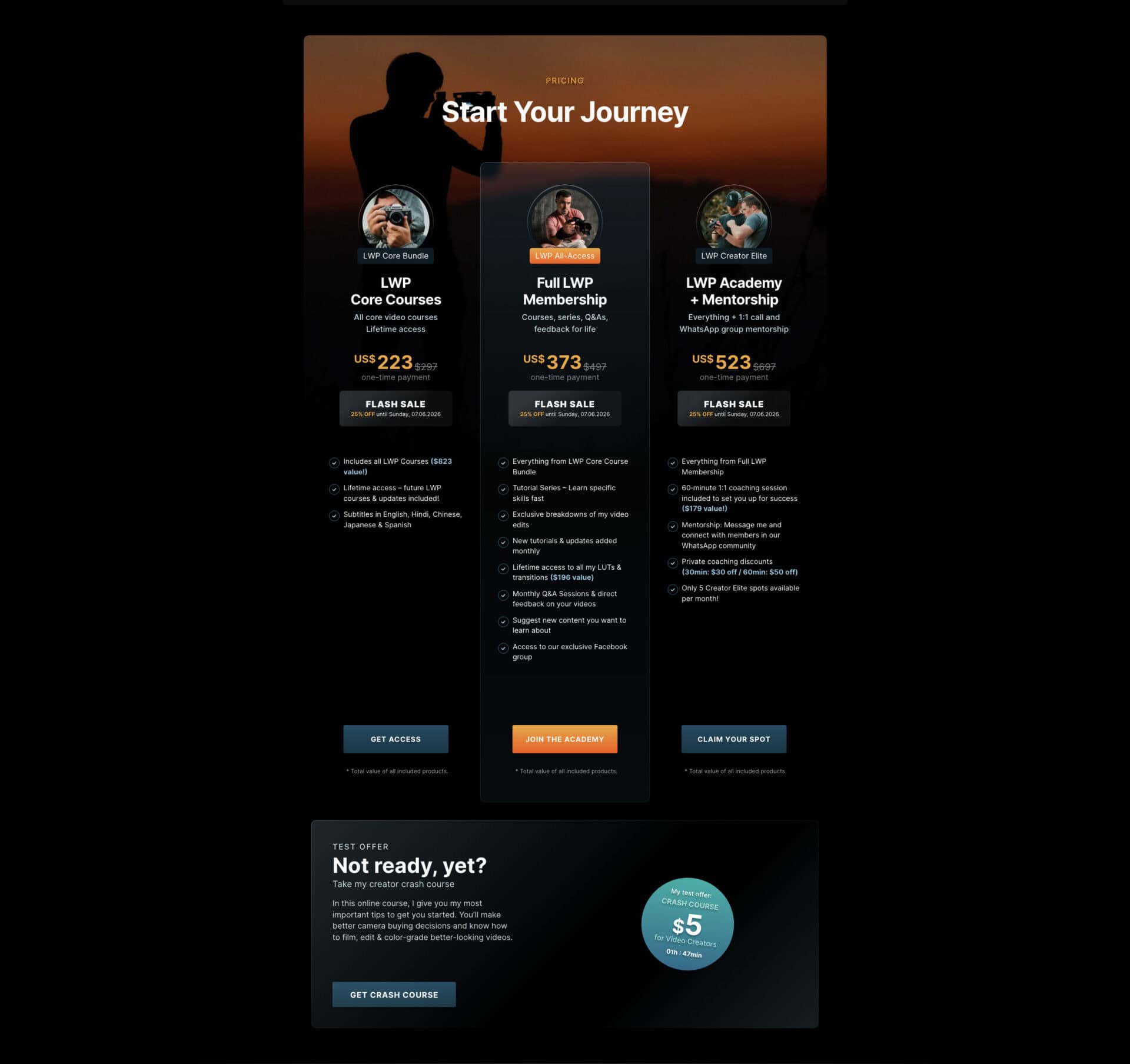
Visitors choose an offer in the Start Your Journey pricing section on PascalBasel.com and complete checkout in Lemon Squeezy. Lemon Squeezy then sends a webhook to the membership site, where BricksMembers maps the event to the correct user level and unlocks the member area.
Public pricing
Lemon Squeezy checkout
Webhook grants access
BricksMembers admin
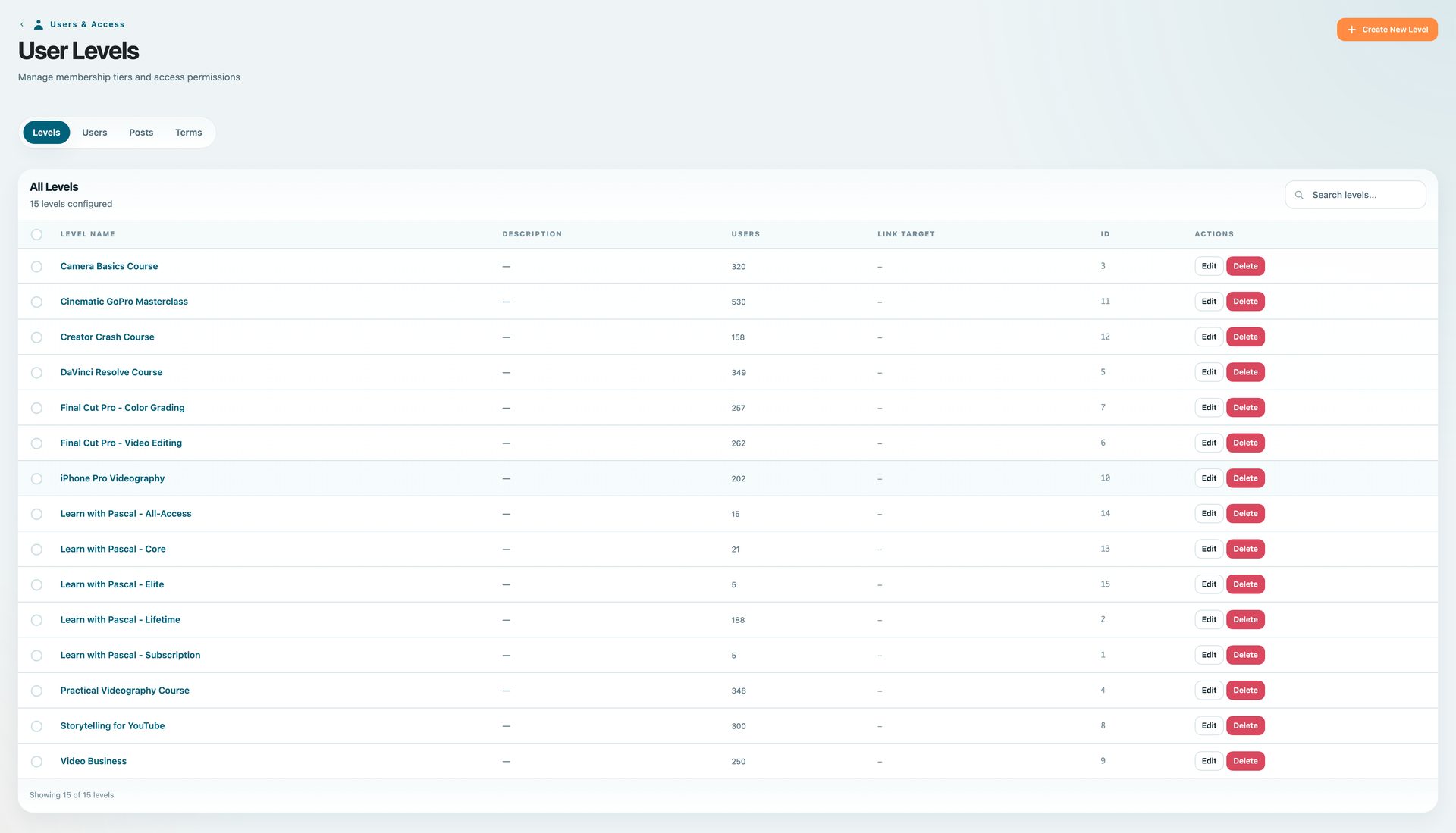
BricksMembers user levels used for Learn with Pascal access grants
BricksMembers admin
BricksMembers webhook user level mapping for Learn with Pascal access grants

Generic webhooks map payment events to member access

This Learn with Pascal setup does not use the BricksMembers Payments module. The important configuration is the generic webhook flow: incoming Lemon Squeezy events are mapped to BricksMembers user levels, and those levels control what the member can access.
User levels
Generic webhook mapping
Access grant
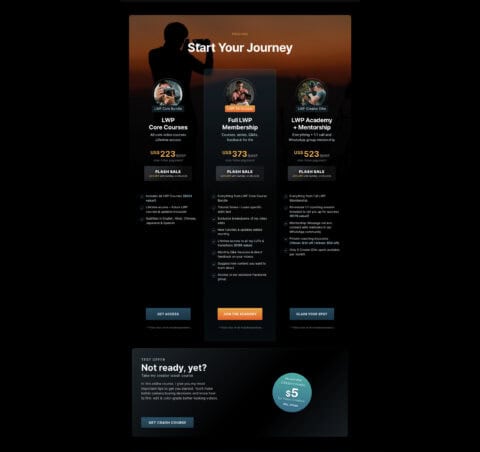
PascalBasel.com Start Your Journey pricing section with all Learn with Pascal offers
BricksMembers webhook user level mapping for Learn with Pascal access grants
Built in Bricks
Built in Bricks

Native BricksMembers elements and boundary-aware query loops

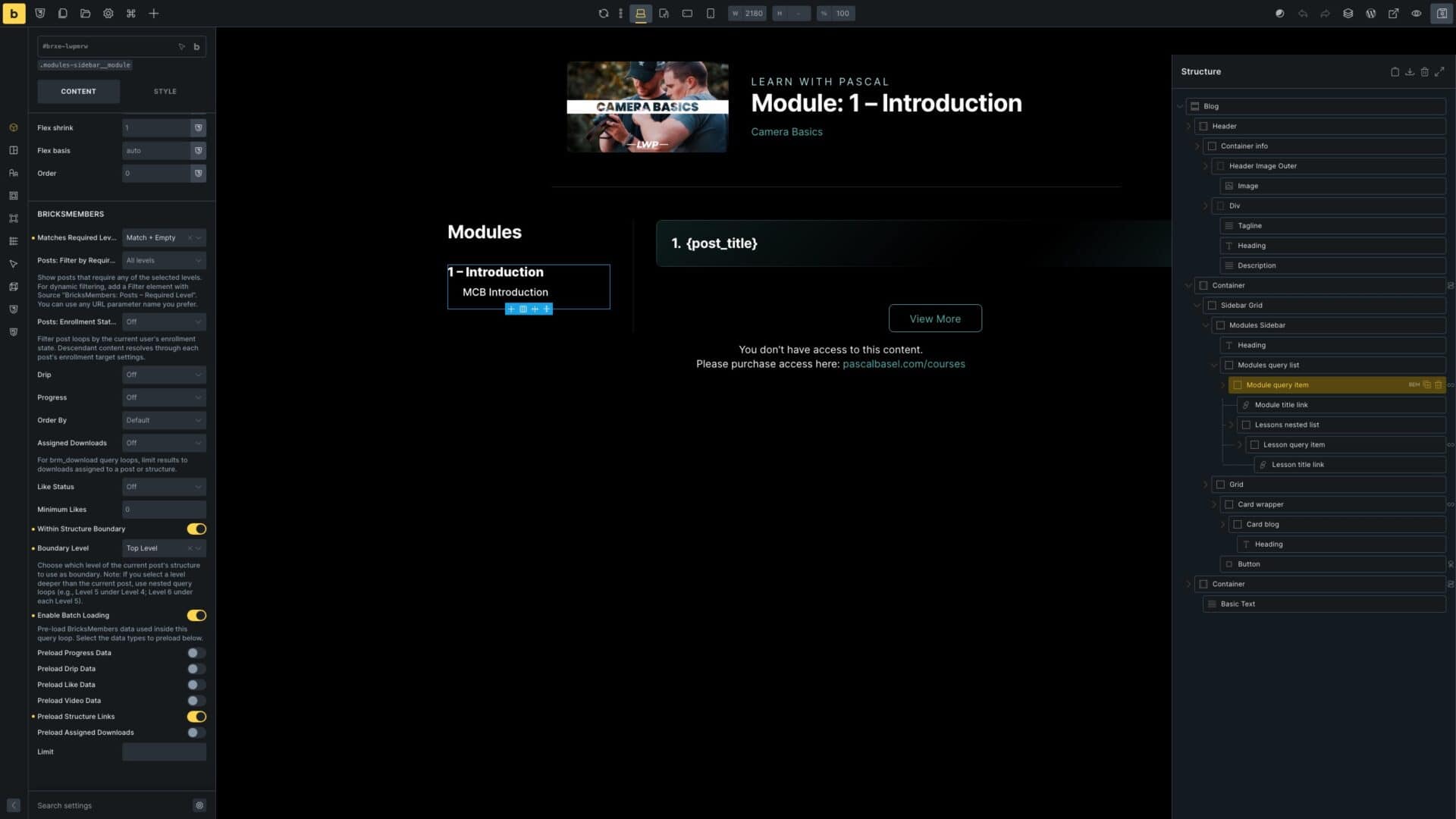
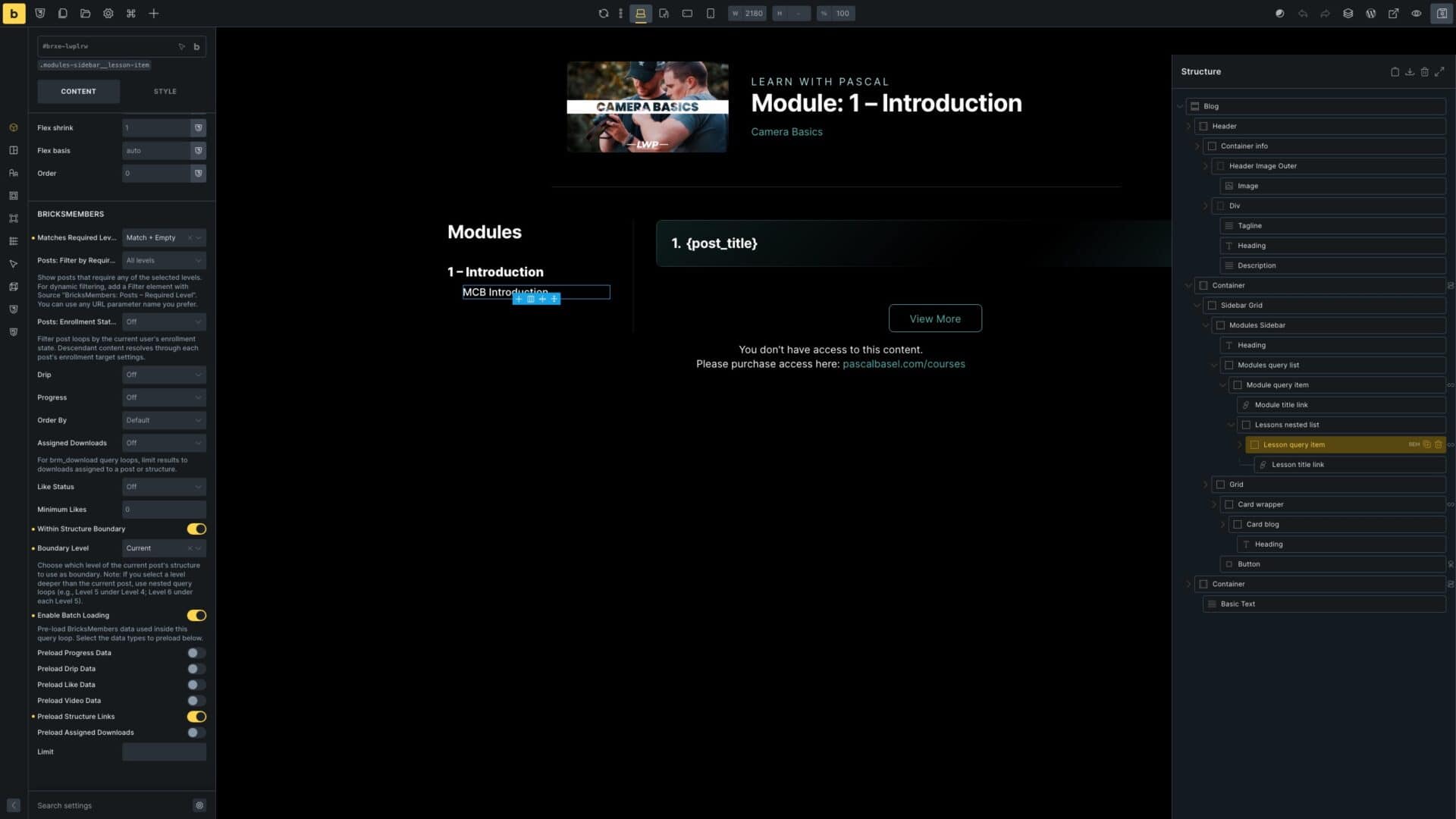
The Single Module template uses a sidebar navigation built with nested Bricks query loops to display modules and lessons using BricksMembers Query Loop filters. BricksMembers also adds access matching and batch loading to preload data for all loop items, keeping database queries low for better performance.
Module query item
Nested lesson loop
Boundary + batch filters
Built in Bricks
Single Lesson template video loop boundary
Built in Bricks
Single Lesson template BRM Video selected

Lesson templates use a video loop because one lesson can contain multiple videos

Most lessons contain one video, but some lessons contain several videos. The lesson template uses a Bricks query loop scoped to the current lesson, so it can render one video by default or multiple videos when the lesson needs them.
Lesson video loop
One or many videos
Built in Bricks
Course Video template BRM Video selected
Built in Bricks
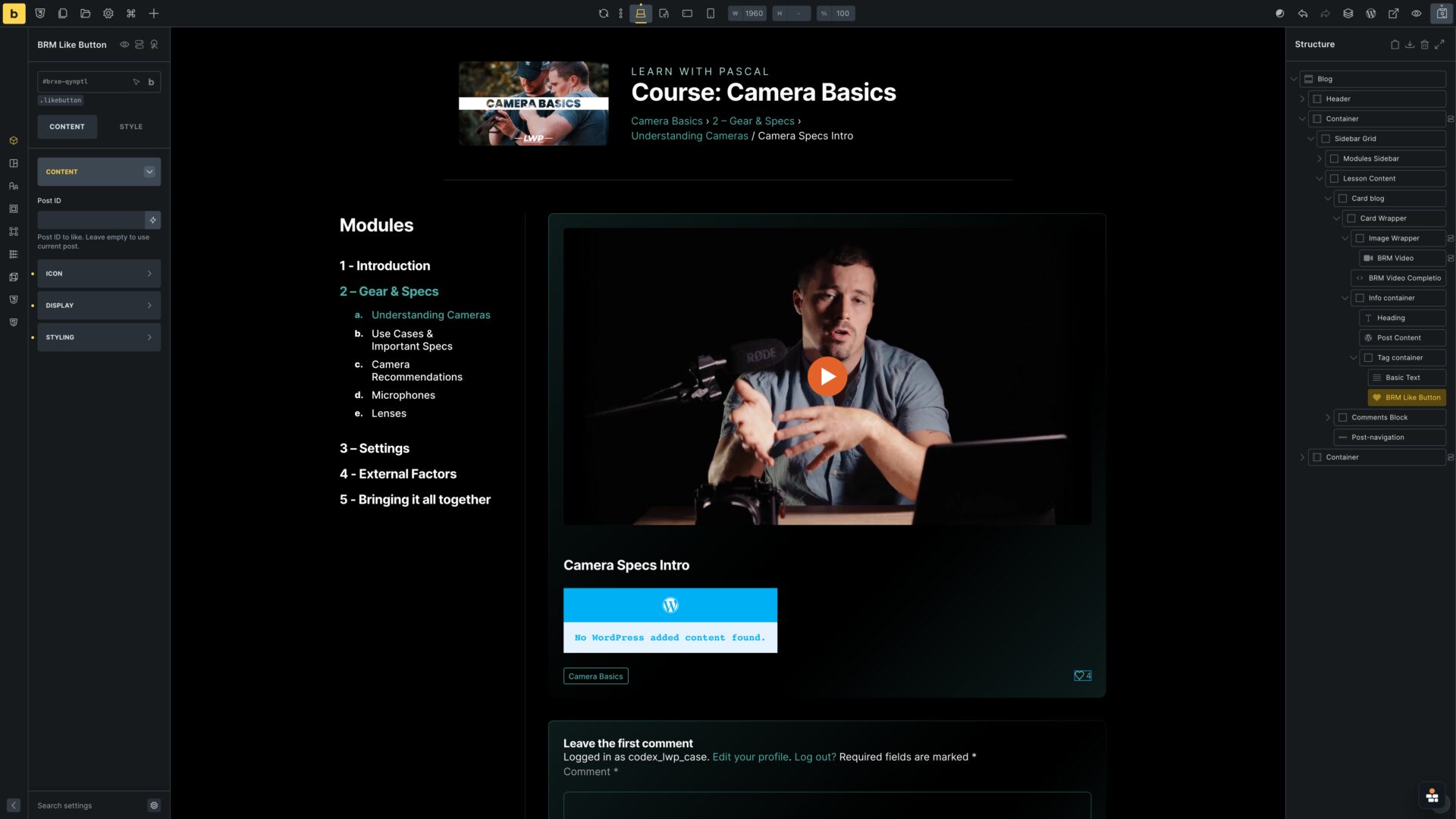
Course Video template like button and breadcrumbs

Course video templates combine video, likes and structure UI

Course video templates combine the BRM Video element, like button and structure UI, giving each video page membership-aware behavior inside a Bricks design.
BRM Video
Like + breadcrumbs
{brm_event:type_label}
Built in Bricks
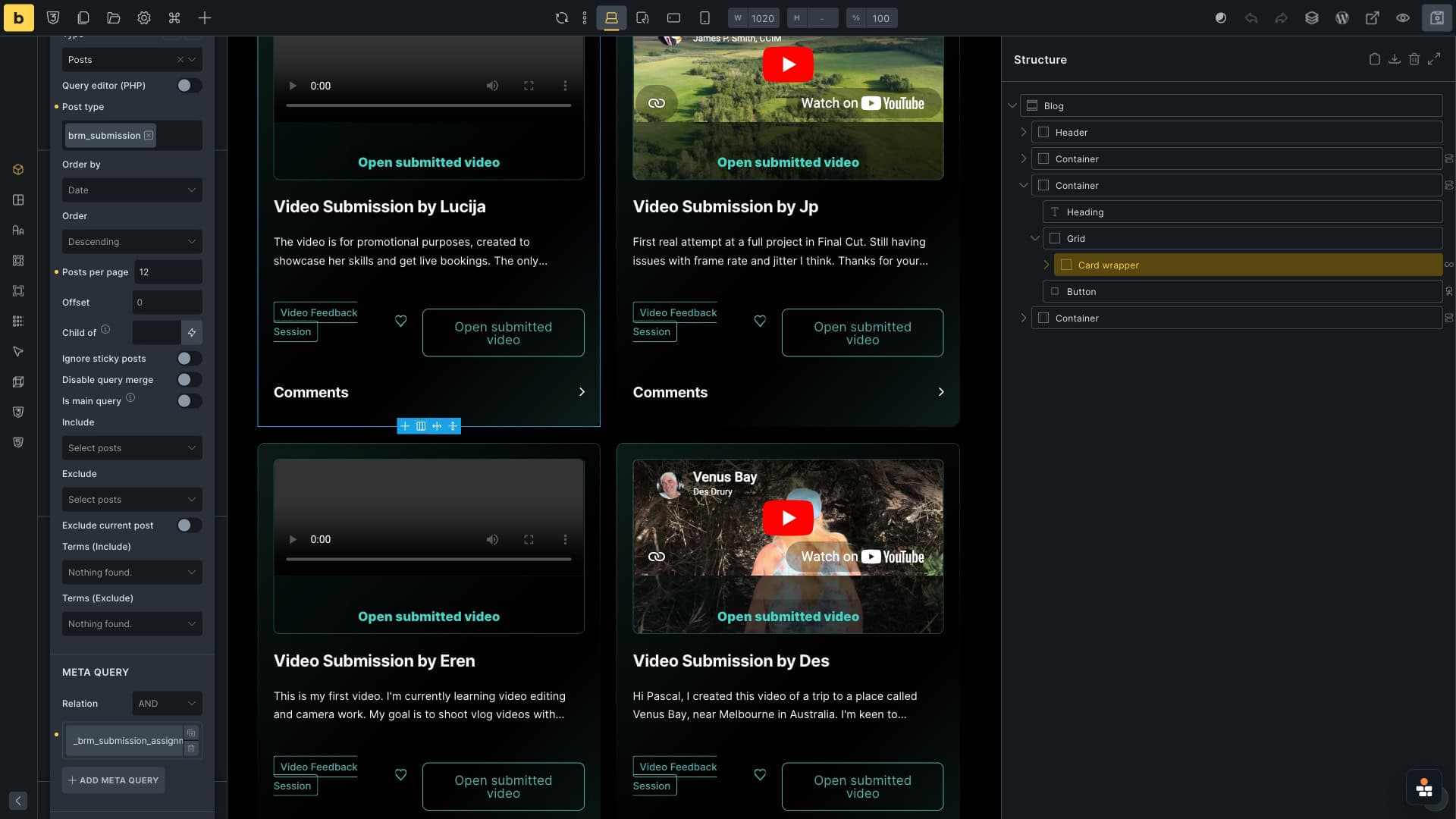
Built in Bricks
Event template dynamic tags and conditions

Event templates use submission loops and dynamic conditions

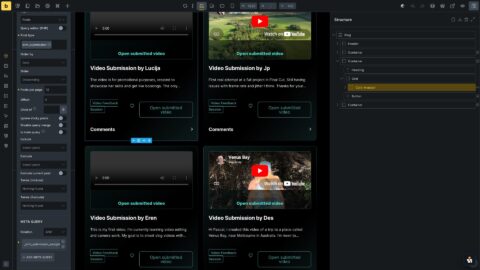
The event template proves the workflow side: a Bricks query loop lists submitted videos for the current event by filtering submissions through the assignment meta query, while dynamic conditions control the event-specific submission actions.
Submission query
Conditions
Bricks Builder Single Module module query item thumbnail
Single Lesson template video loop boundary
Course Video template BRM Video selected
Bricks Builder event template submission query loop filtered by current event assignment

Want a creator membership site that stays fully custom?

Use Bricks for the member experience, then let BricksMembers handle structure, access, videos, events, submissions and payment-based level mapping.
Get BricksMembers
03
What it makes possible

A creator platform, not a stock LMS

Hundreds of videos, one structured experience

Courses, modules, lessons and course videos stay organized while Bricks controls the member-facing design.

Events and feedback built into the membership

Q&A events, video feedback, submissions, comments and likes all live inside the member area.

Access follows the real product packaging

Subscriptions, lifetime access, course-specific levels and member states can map to the content they unlock.

Bricks remains the design system

The feed, account page, courses, videos, events and submissions stay custom while BricksMembers powers the logic.

★★★★★
Learn with Pascal is the reason I started building BricksMembers. I wanted full control over the member experience in Bricks, but I also needed proper membership structure, access levels, videos, events, submissions, and payment-based access without tying everything together through custom functions and fields.
Learn with Pascal — video creator membership platform on Bricks + BricksMembers
04
Feature breakdown

Who does what: BricksMembers and Bricks Builder

The split is the whole point: design stays in Bricks, the membership layer stays reliable underneath.
Learn with Pascal need
BricksMembers role
Bricks Builder role
Structure courses and videos
Course/module/lesson/video relationships and structure boundaries
Custom course, lesson and video templates
Show protected videos
BRM Video, video source data and visibility conditions
Custom video pages and feed cards
Manage access levels
User levels, post requirements and access control
Locked/unlocked sections and account UI
Connect LemonSqueezy
Webhook and access-level mapping
Run events and submissions
Event records, targets, submission loops and event dynamic tags
Event, submission and feedback templates
Keep the experience on-brand
Membership logic stays in the background
Full visual control in Bricks
05
More ways to build

One plugin, many membership products

The same building blocks behind Learn with Pascal power a whole range of custom Bricks membership sites.

Client portals

Gated dashboards, files and updates, a private, branded area for every client or project.
View templates →

Paid resource libraries

Sell access to downloads, templates and docs, gated by level, with member access built in Bricks.
View templates →

Cohort & community

Groups, seats and drip content for cohort programs and private communities.
View templates →
Get BricksMembers

Build a custom Bricks membership site without custom membership glue

Design the member experience in Bricks. Let BricksMembers handle access, structure, videos, events, payments, and member state underneath.
Lifetime updates & bug fixes • Premium support • 0% transaction fees • 60-day money-back guarantee