Use Case · Course Platform with Team Licenses

A custom AI course platform built entirely in Bricks

KIMasterkey is a real online course platform built on Bricks and BricksMembers. Bricks shapes everything members see; BricksMembers powers the logic underneath: protected access, progress, native Stripe checkout, team licenses, invitations and onboarding. No WooCommerce cart, no rigid LMS theme.

5.0/5Loved by Bricks Builders
● Front-end
kimasterkey.com/checkout
KIMasterkey custom checkout page built with Bricks and BricksMembers
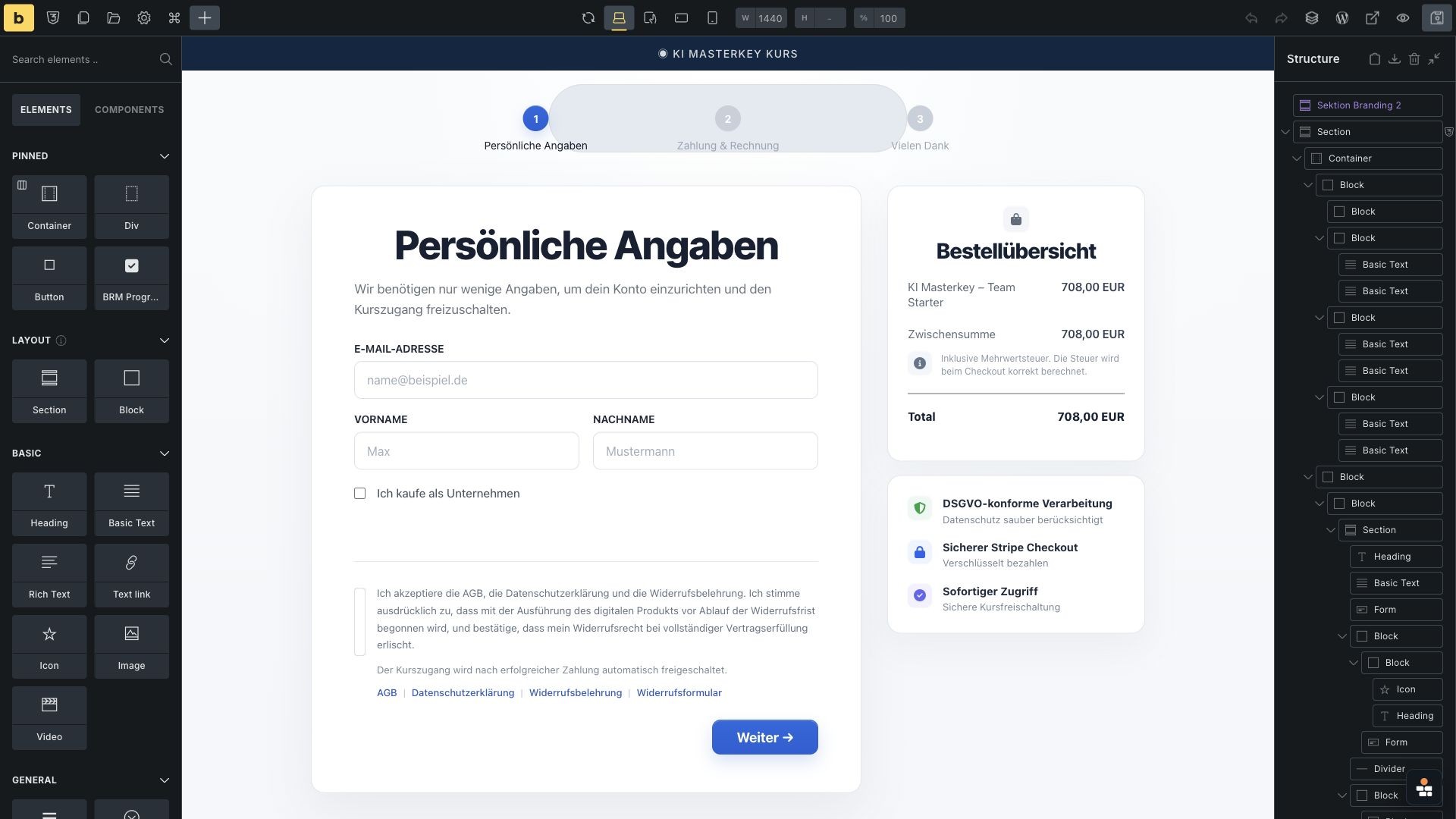
Bricks Builder view of the KIMasterkey checkout implementation
● Built in Bricks
01
The trade-off

Most membership plugins make you choose. This one does not.

Course creators usually pick between a design they control and the membership features they need. KIMasterkey keeps both.
The usual way

A plugin decides how your site looks

Rigid LMS templates that never match the brand
A bolted-on WooCommerce cart for checkout
Team licenses and onboarding you cannot shape
Shortcodes and workarounds instead of real Bricks elements
With Bricks + BricksMembers

You design it. BricksMembers powers it.

Every page is a custom Bricks layout, on-brand
A native Stripe checkout, built as a Bricks page
Team licenses, invitations and onboarding flows you control
Progress, access and completion as real Bricks elements and dynamic tags
7
Custom course modules
52
Protected lesson entries
4
Stripe license offers (single + team)
02
How it's built

The same site, on screen and in the builder

Pick an area, then slide through each view. Left is what members see; right is how it is built in Bricks.
Front-end
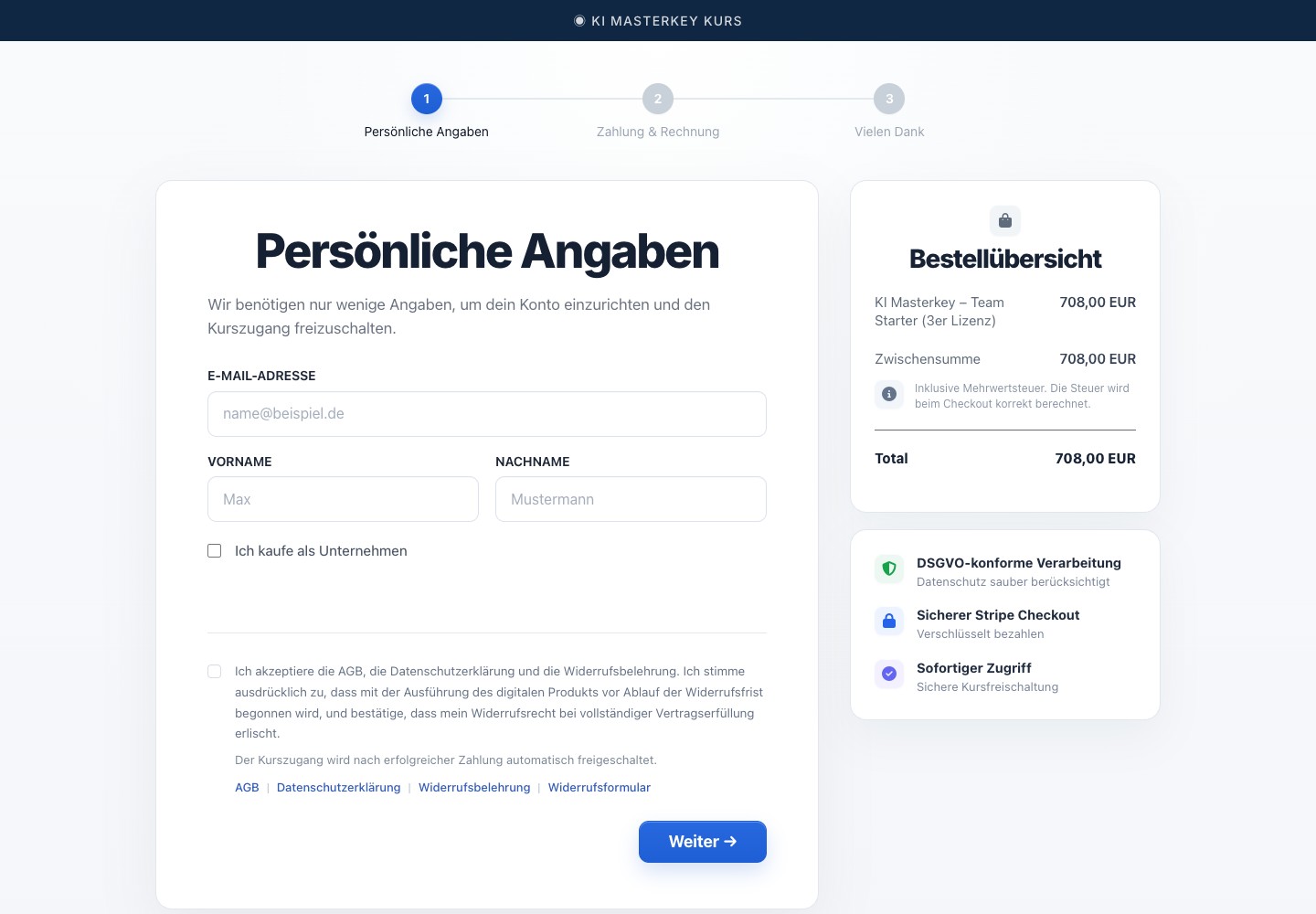
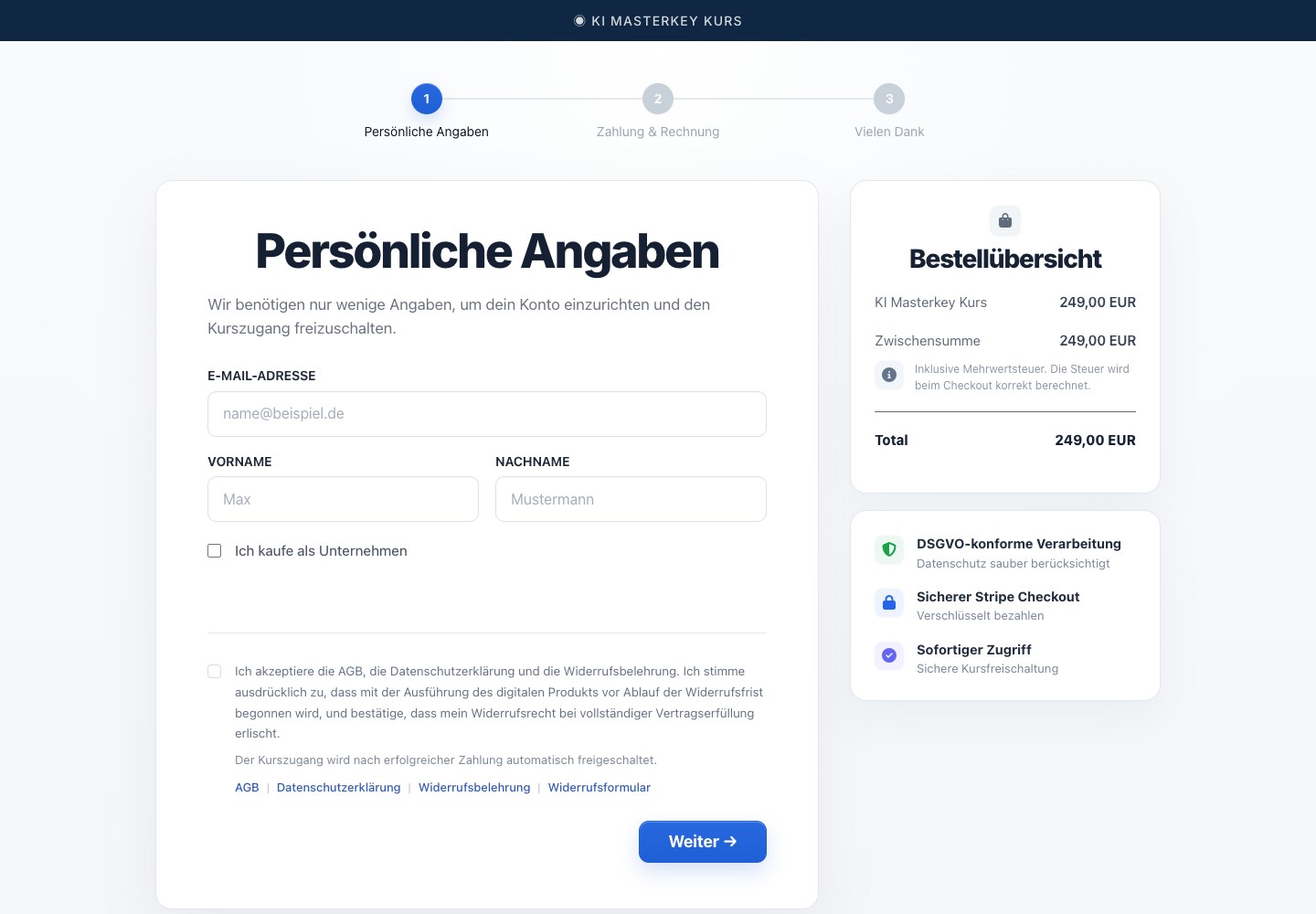
A checkout page hand-built in Bricks - Front-end screenshot
Built in Bricks
A checkout page hand-built in Bricks - Built in Bricks screenshot

A checkout page that looks like your site

The checkout is not a generic cart page. Bricks controls the multi-step layout and legal UX, while BricksMembers connects the Stripe payment to the membership access that should be granted afterward.
Custom Bricks sections
Stripe via BricksMembers
Front-end
A real Bricks Form: fields, validation, legal consent - Front-end screenshot
Built in Bricks
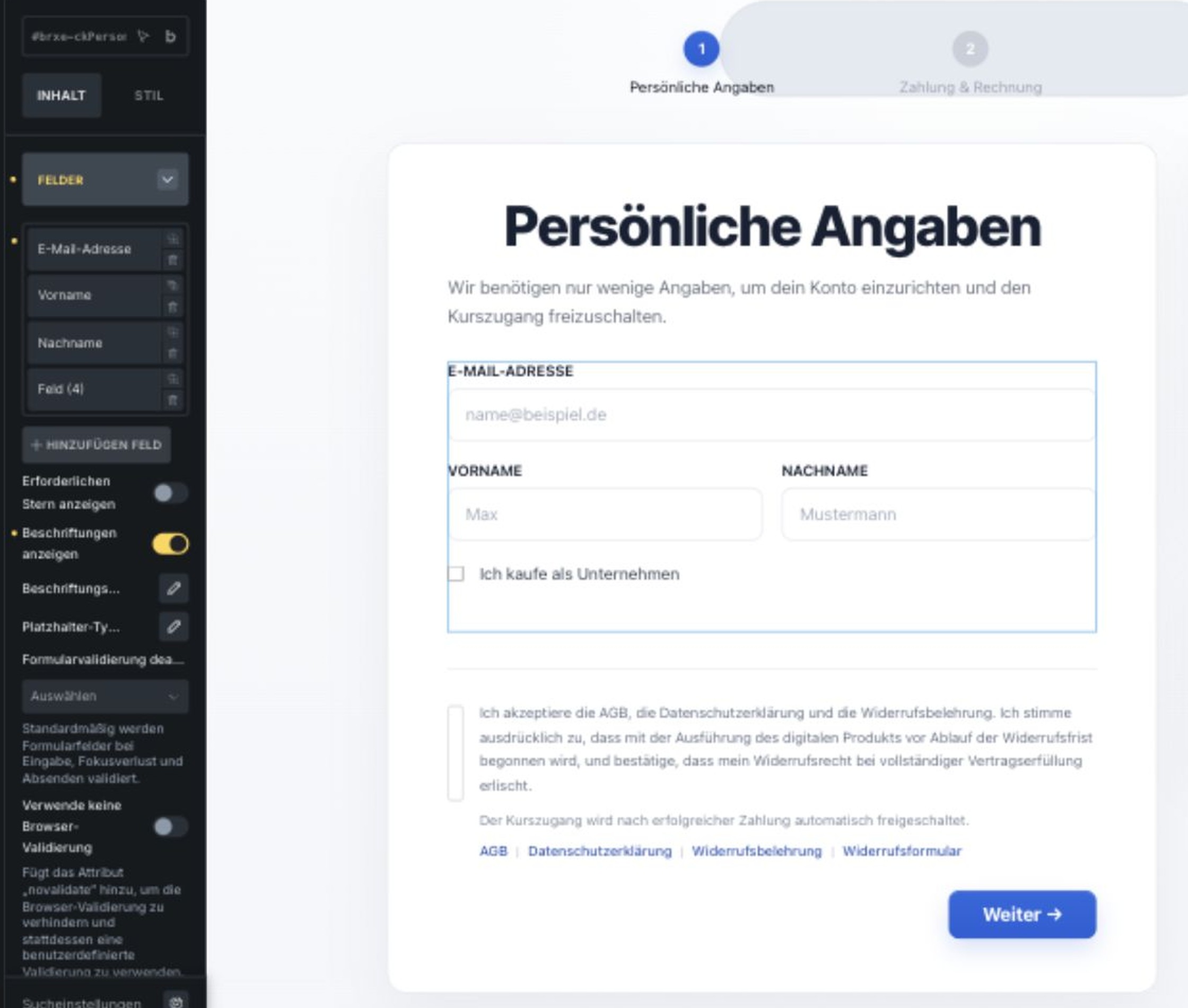
A real Bricks Form: fields, validation, legal consent - Built in Bricks screenshot

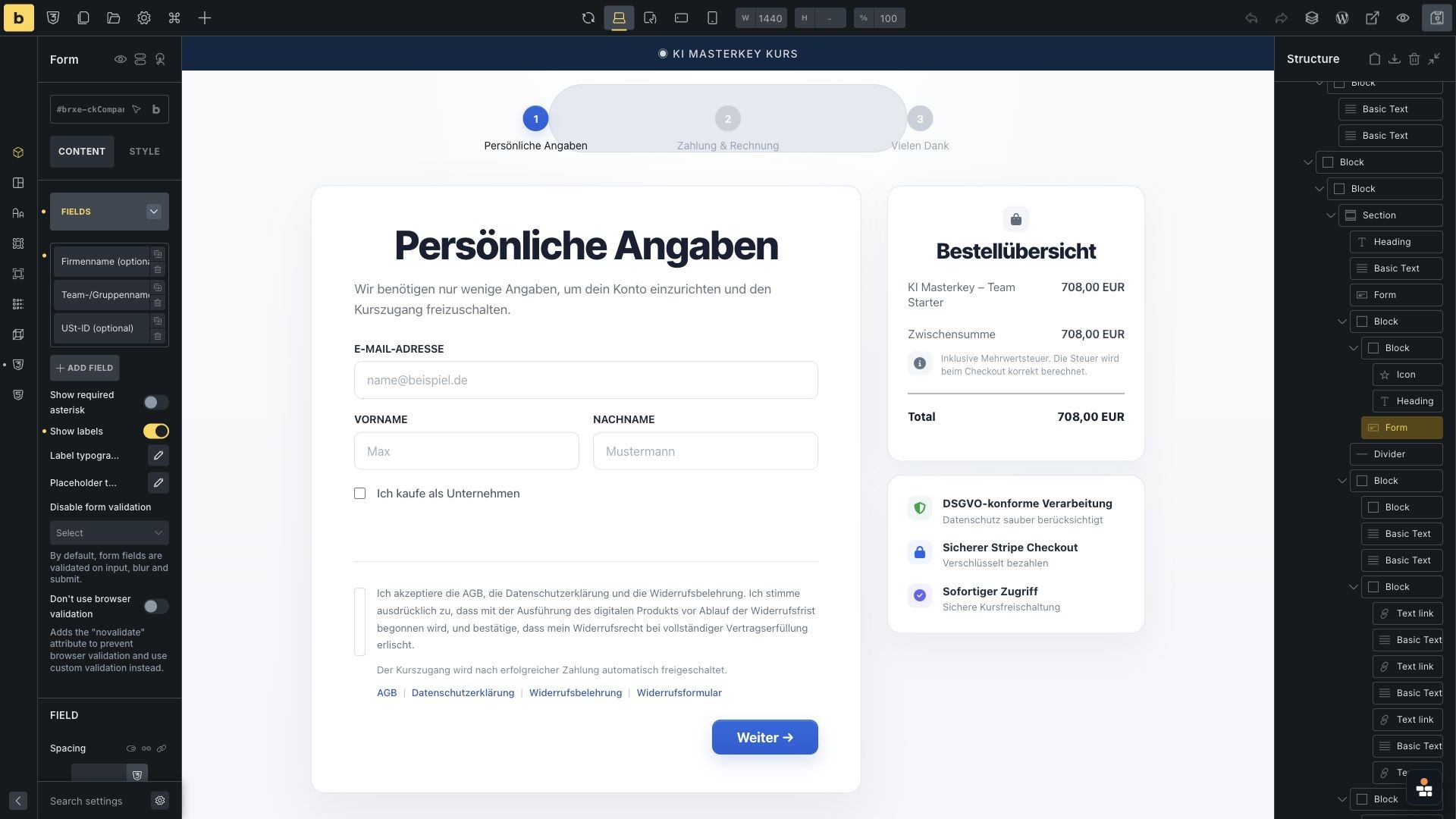
A signup form with validation and consent built in

The checkout form is still a real Bricks Form, so the project keeps full visual control over fields, validation, company purchase fields and legal consent text before the payment step.
Bricks Form element
Validation
Legal consent
A checkout page hand-built in Bricks - Front-end screenshot
A real Bricks Form: fields, validation, legal consent - Front-end screenshot
Front-end
Four Stripe offers, one access level - Front-end screenshot
Built in Bricks
Four Stripe offers, one access level - Built in Bricks screenshot

Four Stripe offers, one access level

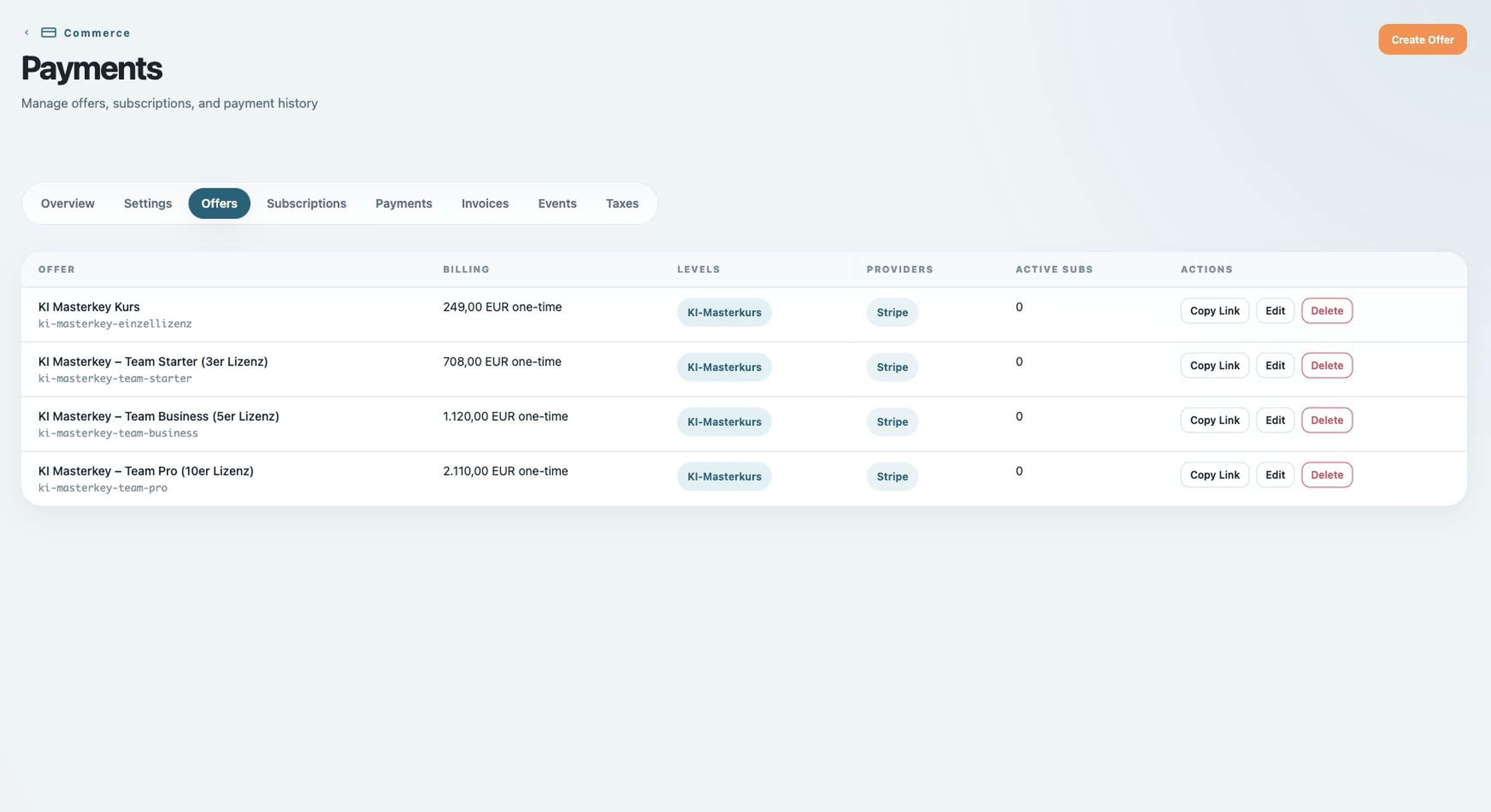
Four offers are configured in BricksMembers: one single-user purchase and three team-license options. Each successful Stripe purchase grants the same KI-Masterkurs access level.
1 single + 3 team
→ KI-Masterkurs level
Checkout
The user level a purchase unlocks - Front-end screenshot

Every purchase unlocks the right access level

The purchase result maps to one BricksMembers user level, which gives the site a clean entitlement model instead of scattering payment logic across templates.
Unlocks KI-Masterkurs
Front-end
Access control and redirects keep the course gated - Front-end screenshot
Built in Bricks
Access control and redirects keep the course gated - Built in Bricks screenshot

Gated lessons with automatic login redirects

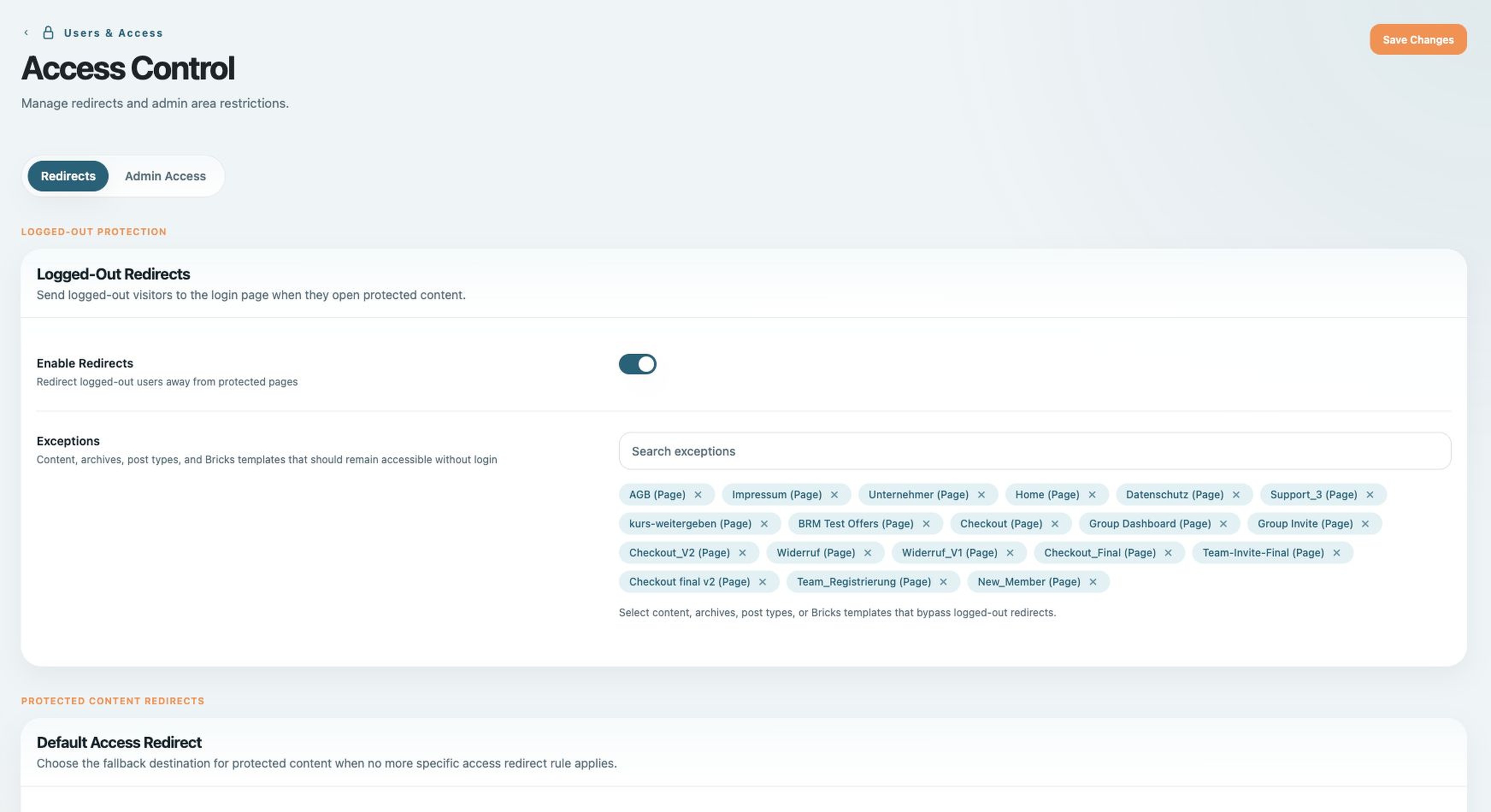
Access Control defines where members go when content is locked, expired or unavailable, so protected course URLs and checkout redirects stay consistent across the site.
Login / checkout redirect
Four Stripe offers, one access level - Built in Bricks screenshot
The user level a purchase unlocks - Front-end screenshot
Access control and redirects keep the course gated - Built in Bricks screenshot
Front-end
A member area designed in Bricks - Front-end screenshot
Built in Bricks
A member area designed in Bricks - Built in Bricks screenshot

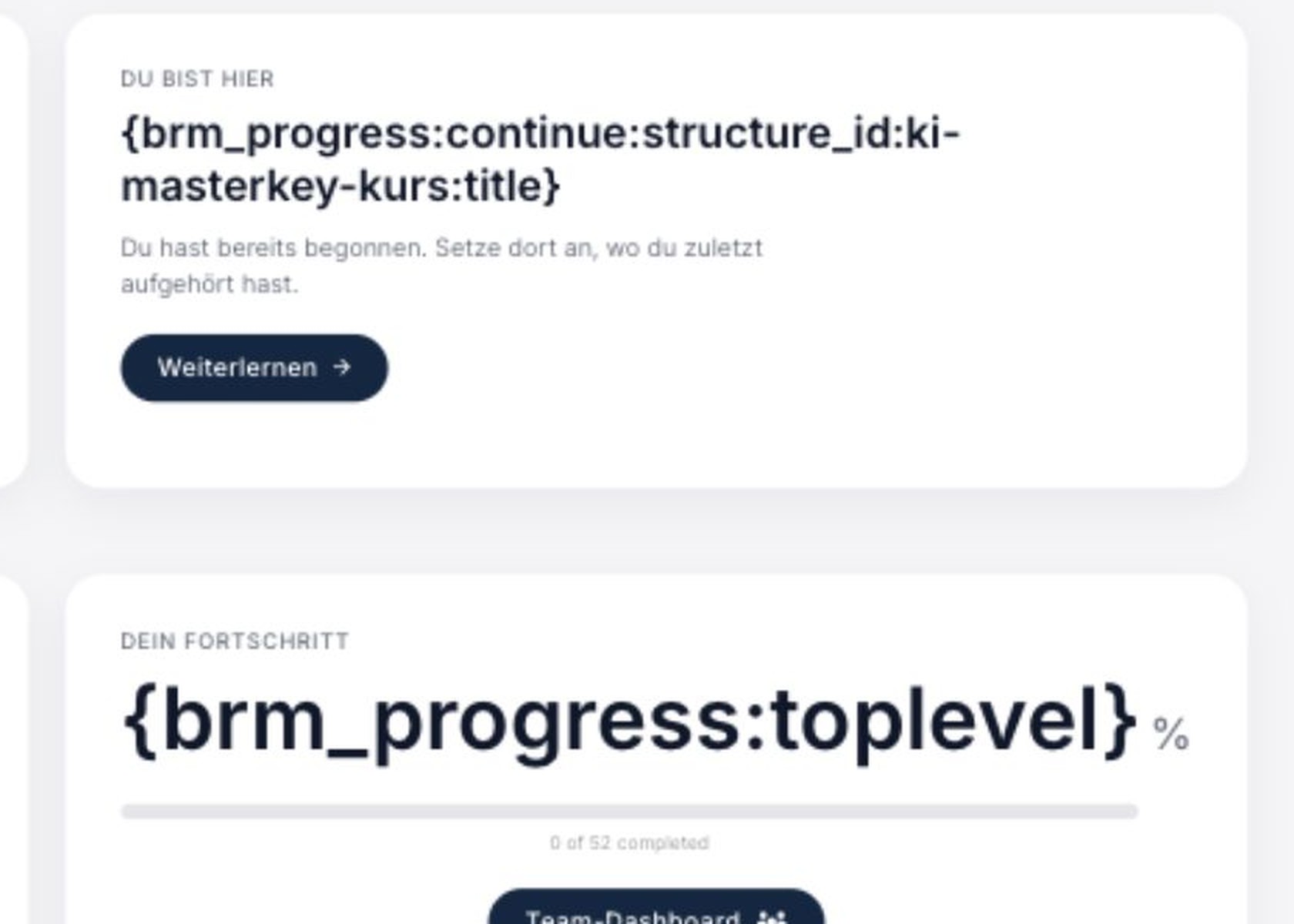
A member area you design in Bricks

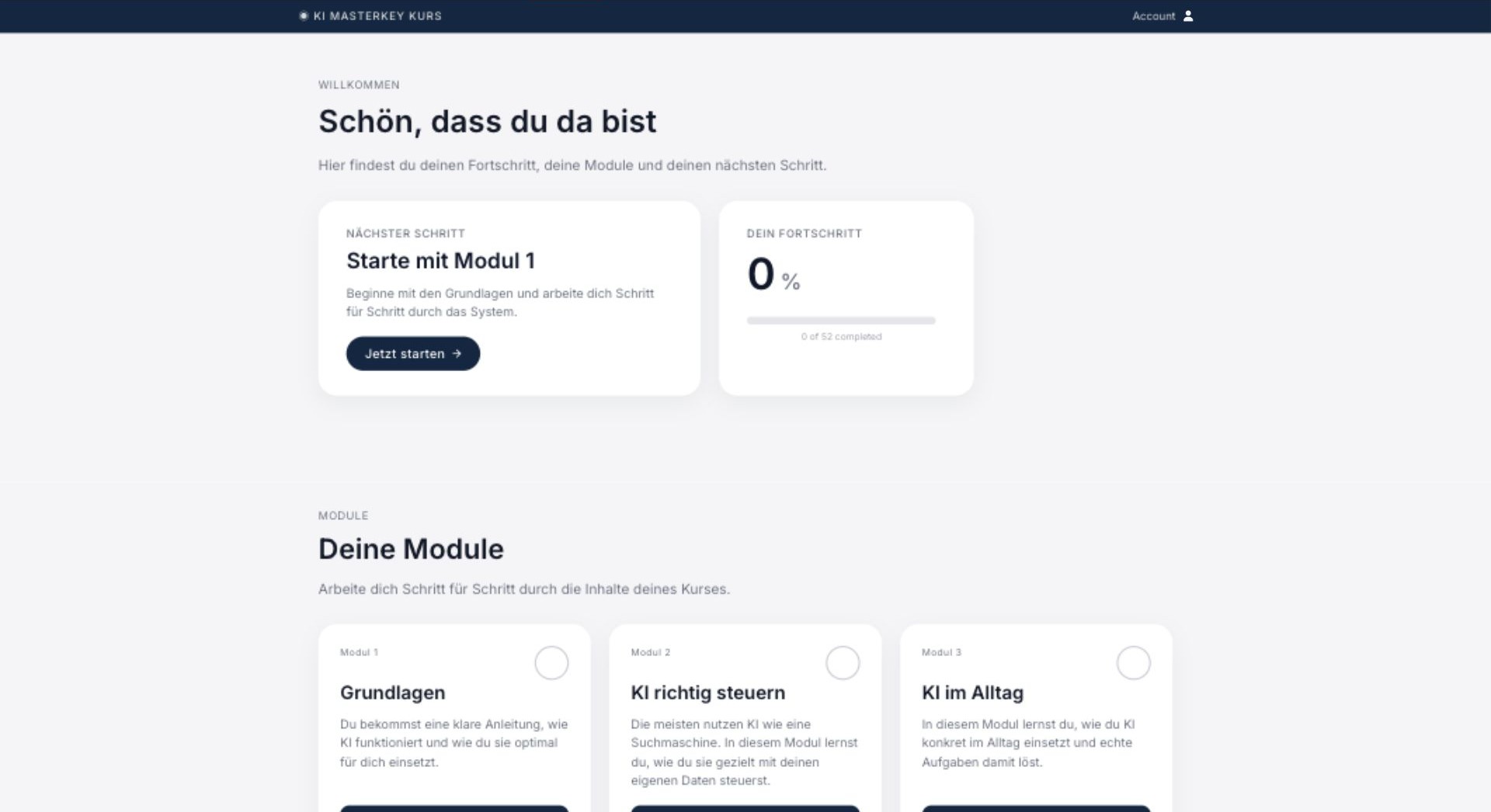
The dashboard is a custom Bricks layout, but the member state comes from BricksMembers dynamic tags for top-level progress and continue-learning links.
{​brm_progress:toplevel}
{​brm_progress:continue:…}
Front-end
Dashboard cards run on dynamic tags - Front-end screenshot
Built in Bricks
Dashboard cards run on dynamic tags - Built in Bricks screenshot

A dashboard personalized to each member

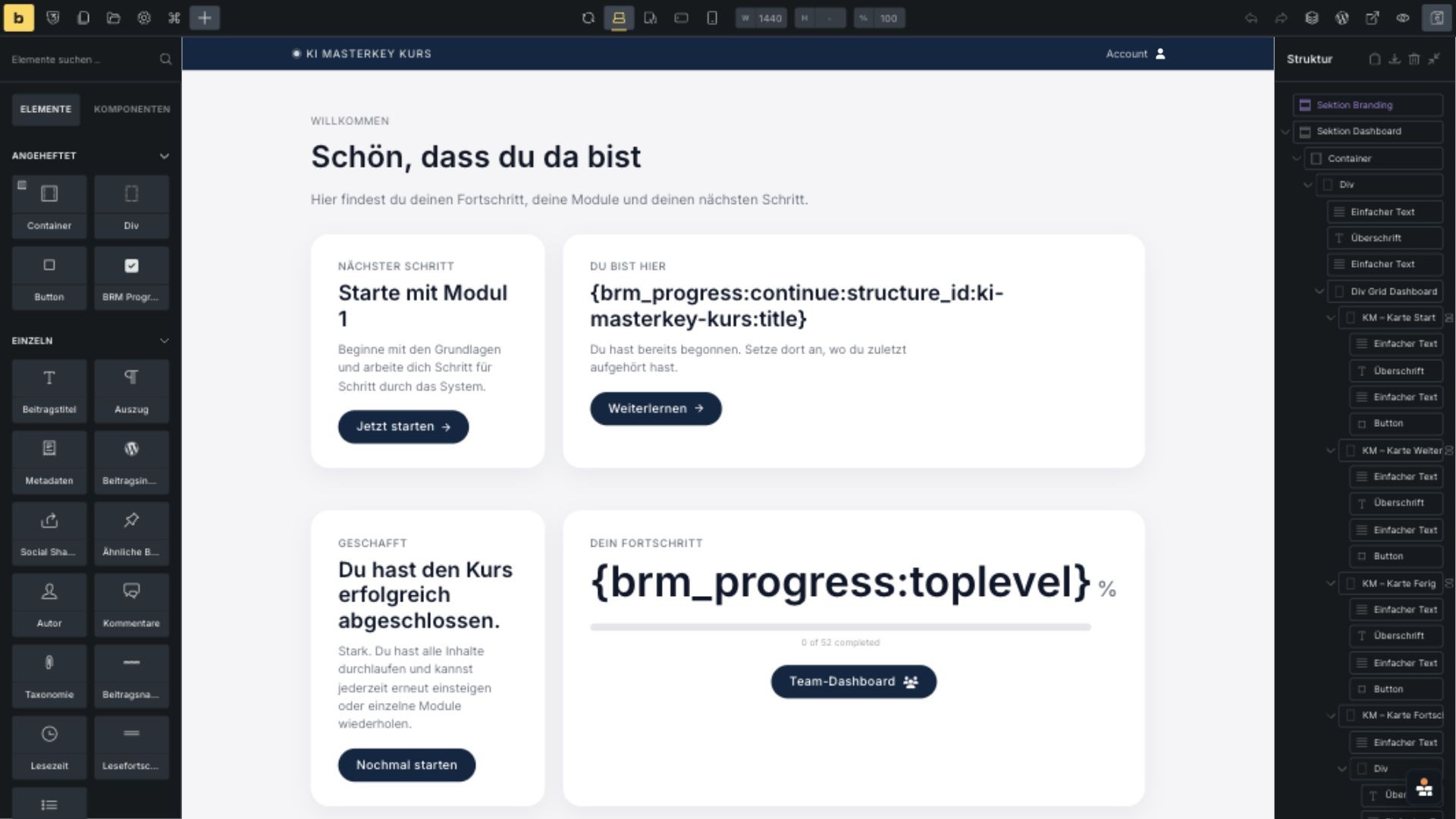
Each dashboard card can show live progress data without custom PHP in the template, because the card reads BricksMembers progress tags directly inside Bricks.
{​brm_progress:toplevel}
{​brm_progress:continue:structure_id:ki-masterkey-kurs:title}
Front-end
The module page, built in Bricks - Front-end screenshot
Built in Bricks
The module page, built in Bricks - Built in Bricks screenshot

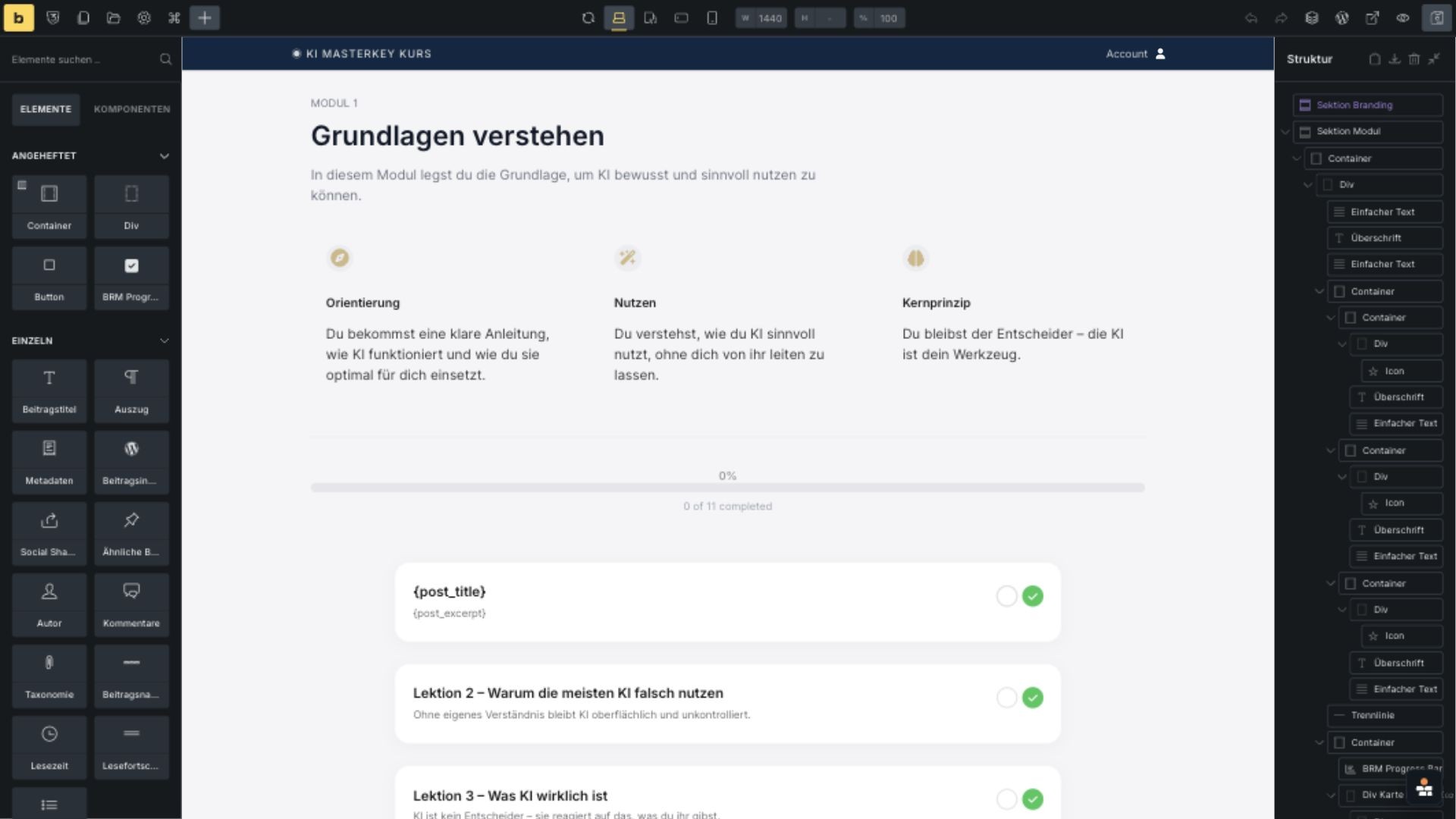
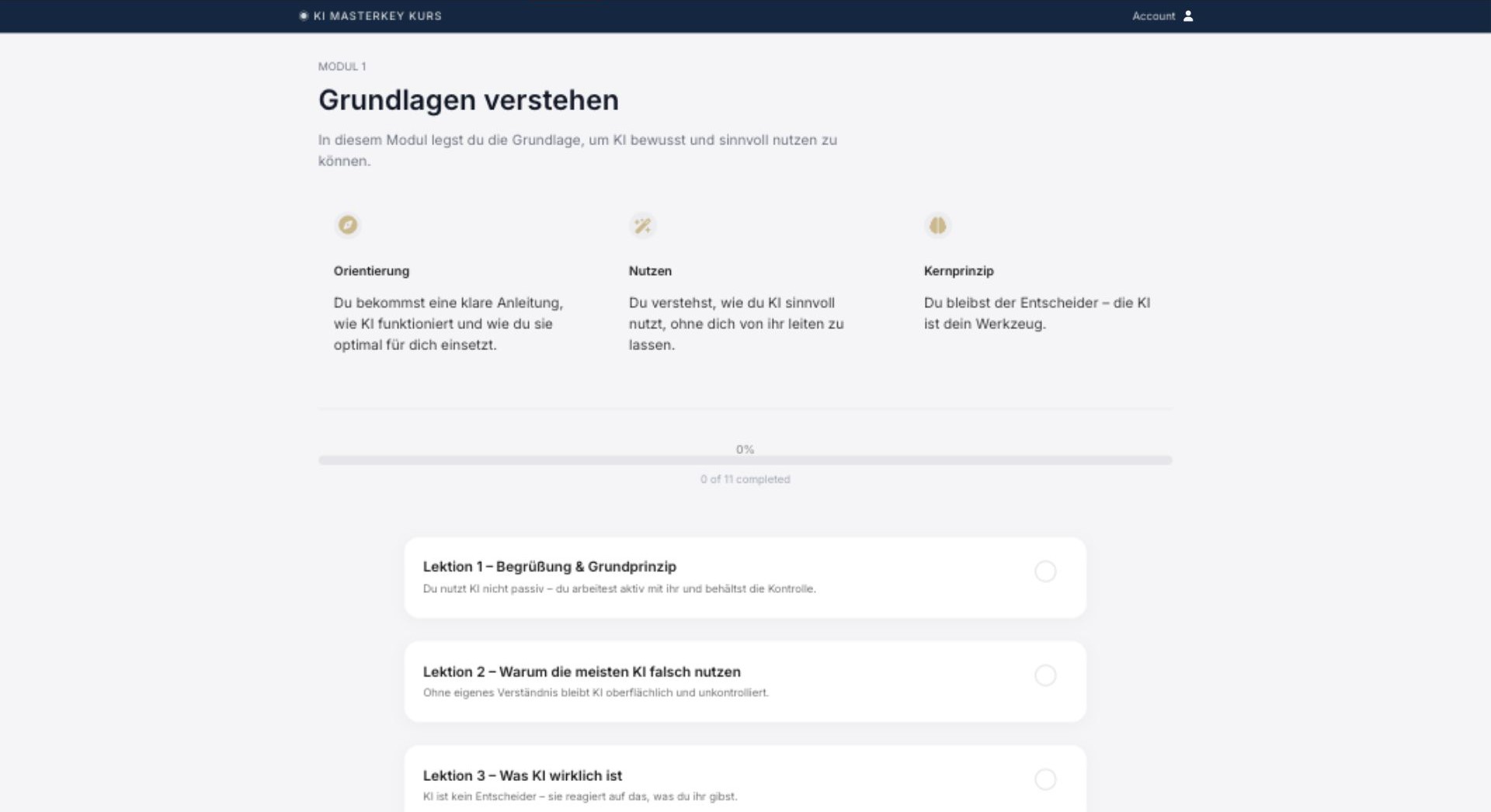
Course modules, laid out in Bricks

The module page combines a normal Bricks layout with a lesson query loop and BricksMembers progress elements, so the structure stays dynamic while the design stays custom.
Lesson query loop
BRM Progress Bar
Front-end
Lesson completion is a native element - Front-end screenshot
Built in Bricks
Lesson completion is a native element - Built in Bricks screenshot

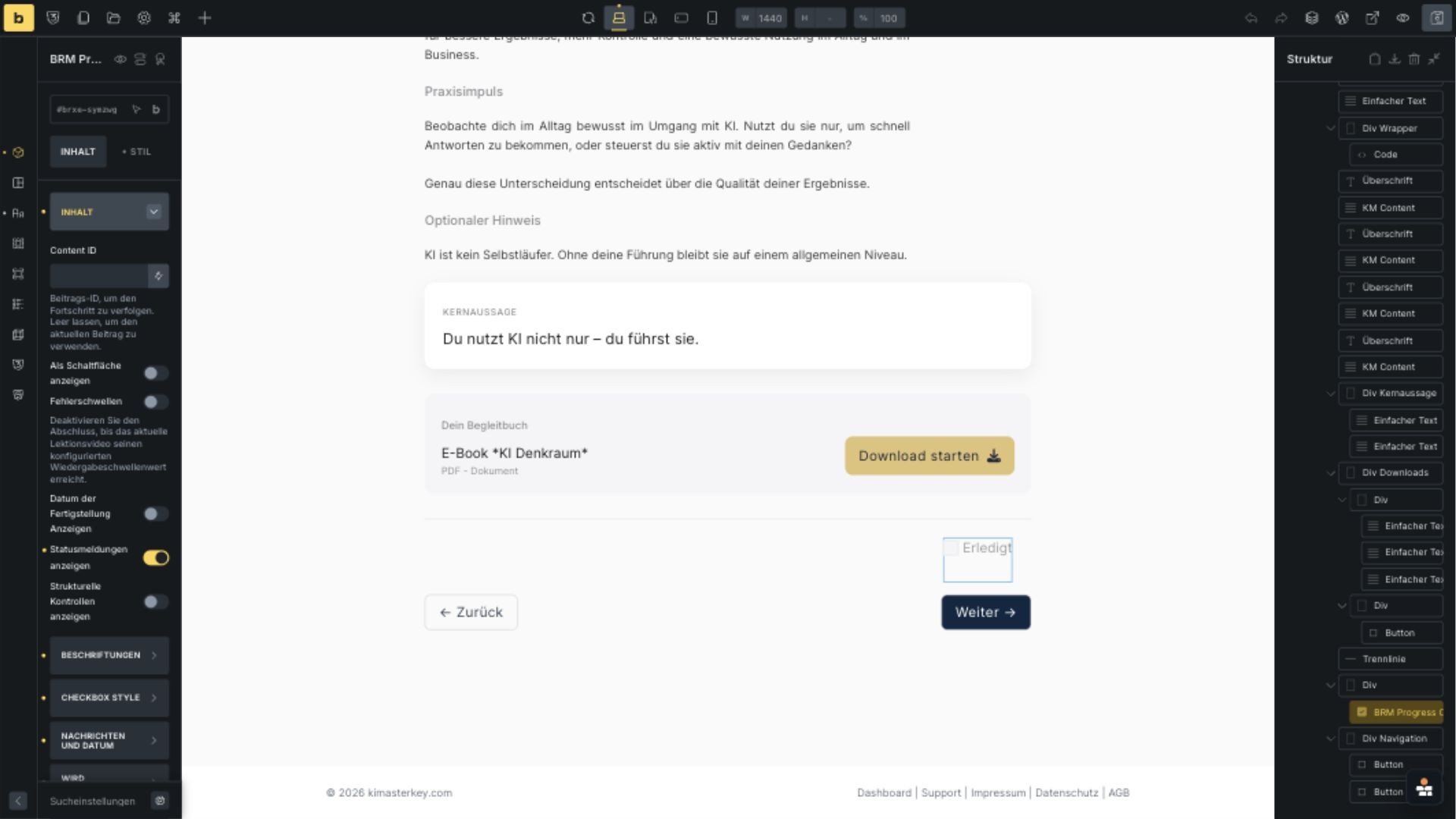
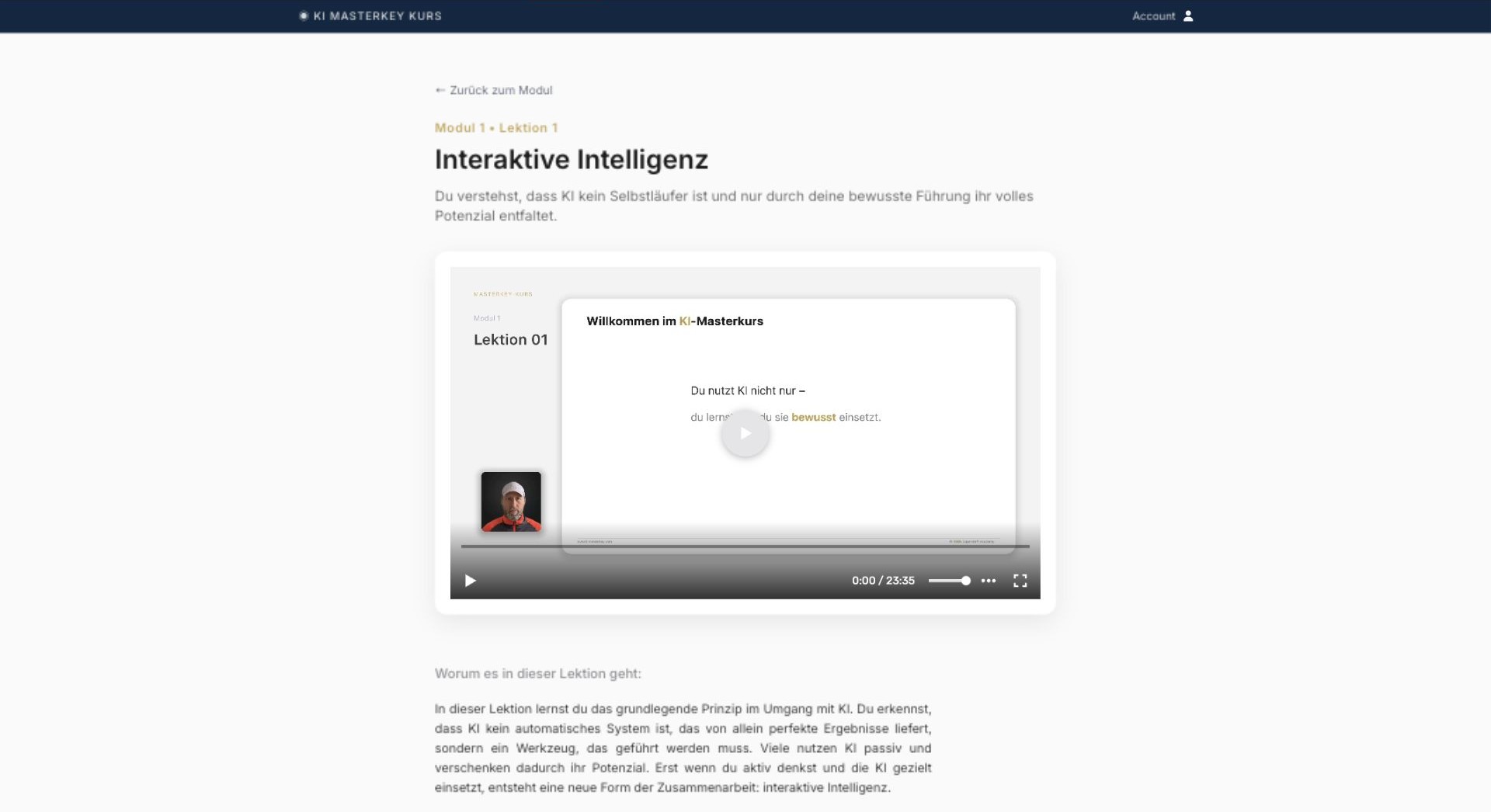
One-click lesson completion, built in

Lesson completion is handled by the native BRM Progress Checkbox element, which gives members a clear completion action without turning the lesson template into custom code.
BRM Progress Checkbox
A member area designed in Bricks - Built in Bricks screenshot
Dashboard cards run on dynamic tags - Built in Bricks screenshot
The module page, built in Bricks - Built in Bricks screenshot
Lesson completion is a native element - Built in Bricks screenshot
Front-end
One query loop renders every lesson - Front-end screenshot
Built in Bricks
One query loop renders every lesson - Built in Bricks screenshot

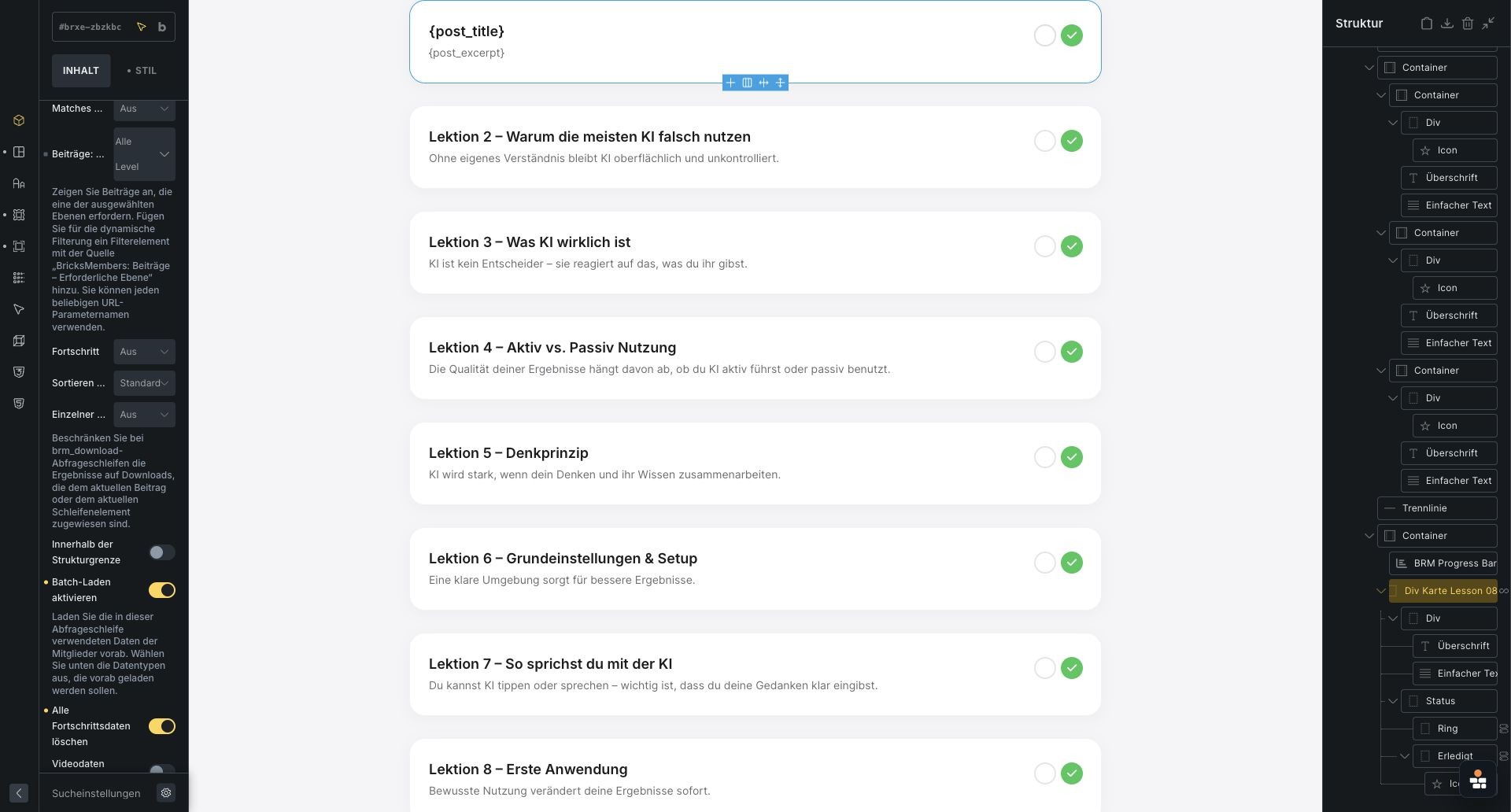
One query loop powers every lesson

A single loop outputs the lessons for the current module. Bricks handles the card design, while dynamic tags populate the URL, title and excerpt for each lesson.
{​post_url}
{​post_title}
{​post_excerpt}
Front-end
Loop enabled, the card link uses {​post_url} - Front-end screenshot
Built in Bricks
Loop enabled, the card link uses {​post_url} - Built in Bricks screenshot

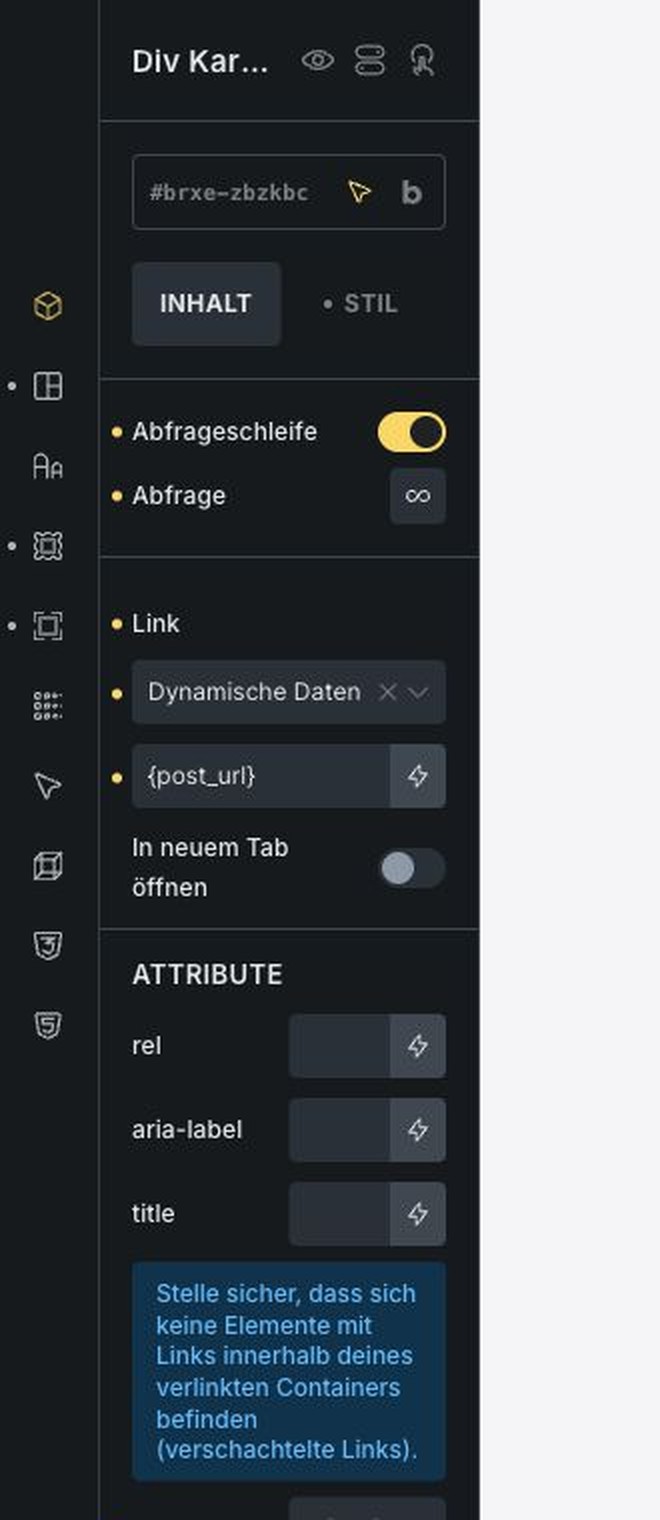
Cards that link themselves with dynamic data

The lesson card is loop-enabled and links with the current post URL, so the same Bricks card can render every lesson without hard-coded links.
Query loop: on
{​post_url}
Front-end
Conditional logic switches the lesson status icon - Front-end screenshot
Built in Bricks
Conditional logic switches the lesson status icon - Built in Bricks screenshot

Status icons that follow each member's progress

Each lesson card contains two status elements: a gray ring for lessons that are still open and a green checkmark for completed lessons. Bricks conditional logic decides which element is visible based on the BricksMembers completion state.
Condition: completed
Condition: not completed
{​brm_completed}
Front-end
Two Bricks elements render the two possible states - Front-end screenshot
Built in Bricks
Two Bricks elements render the two possible states - Built in Bricks screenshot

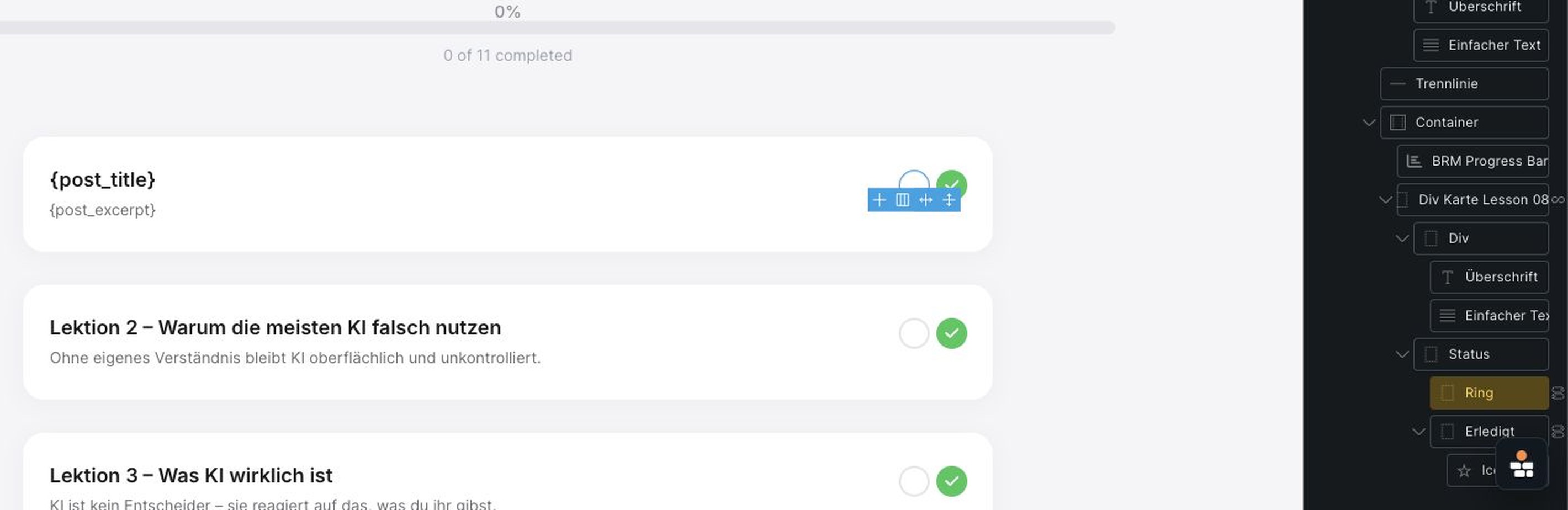
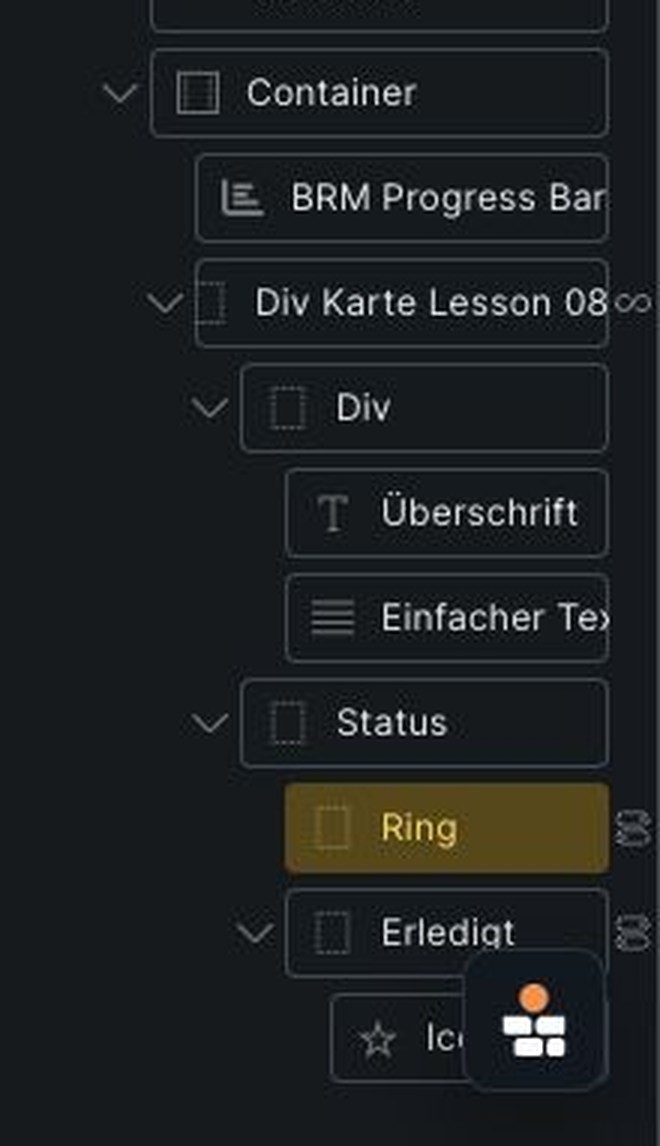
Done and to-do states, each its own element

The Bricks structure keeps the status UI explicit: one element is the empty Ring state and one element is the completed Erledigt state. The conditions decide which one the member sees for each lesson in the loop.
Ring + Erledigt elements
Front-end
BRM Progress Bar element and controls - Front-end screenshot
Built in Bricks
BRM Progress Bar element and controls - Built in Bricks screenshot

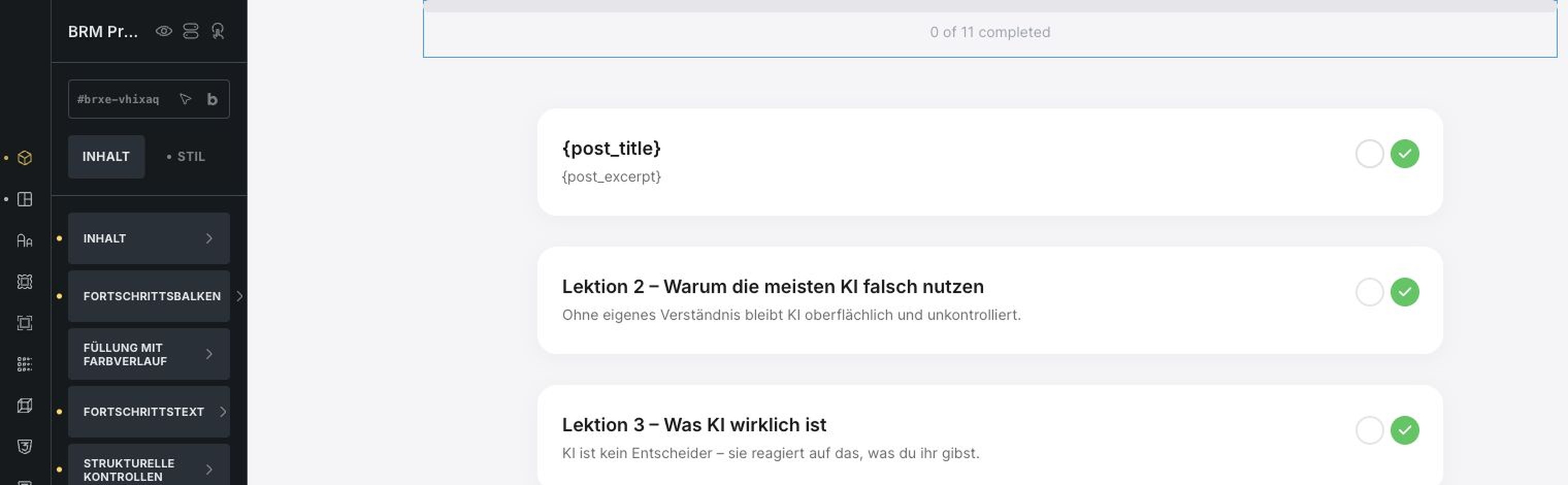
A progress bar you drop onto the page

The BRM Progress Bar element reads the current structure context and renders progress automatically, while Bricks controls the typography, spacing and visual style.
Auto progress
Access level 2
One query loop renders every lesson - Built in Bricks screenshot
Loop enabled, the card link uses {​post_url} - Built in Bricks screenshot
Conditional logic switches the lesson status icon - Built in Bricks screenshot
Two Bricks elements render the two possible states - Built in Bricks screenshot
BRM Progress Bar element and controls - Built in Bricks screenshot
Front-end
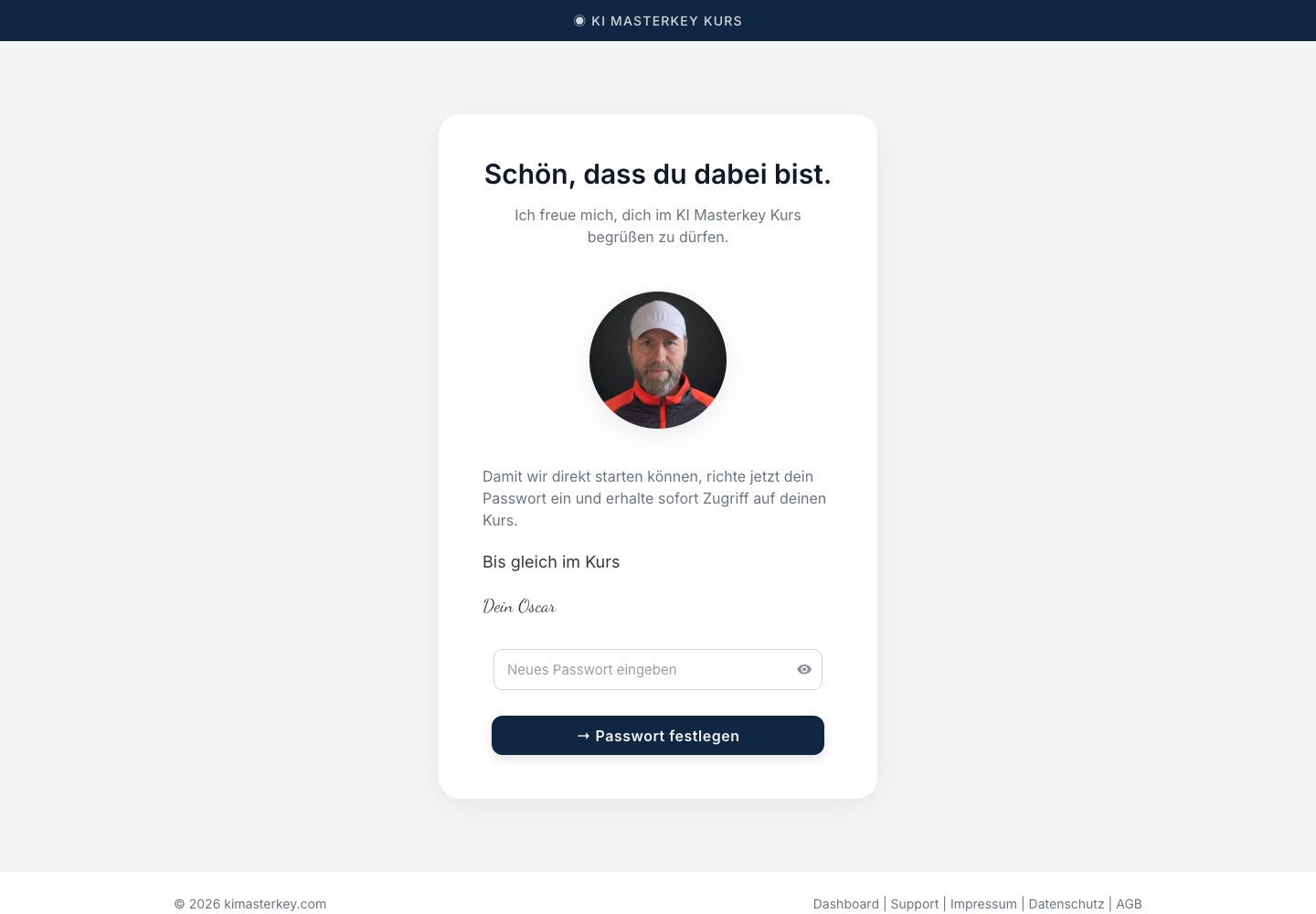
Emails are handled automatically, on events - Front-end screenshot
Built in Bricks
Emails are handled automatically, on events - Built in Bricks screenshot

Emails that send themselves, on every event

Email automation is tied to membership events such as purchases, invitations and new-member actions, so onboarding can run without manual follow-up.
On purchase
On invitation
Send email
Front-end
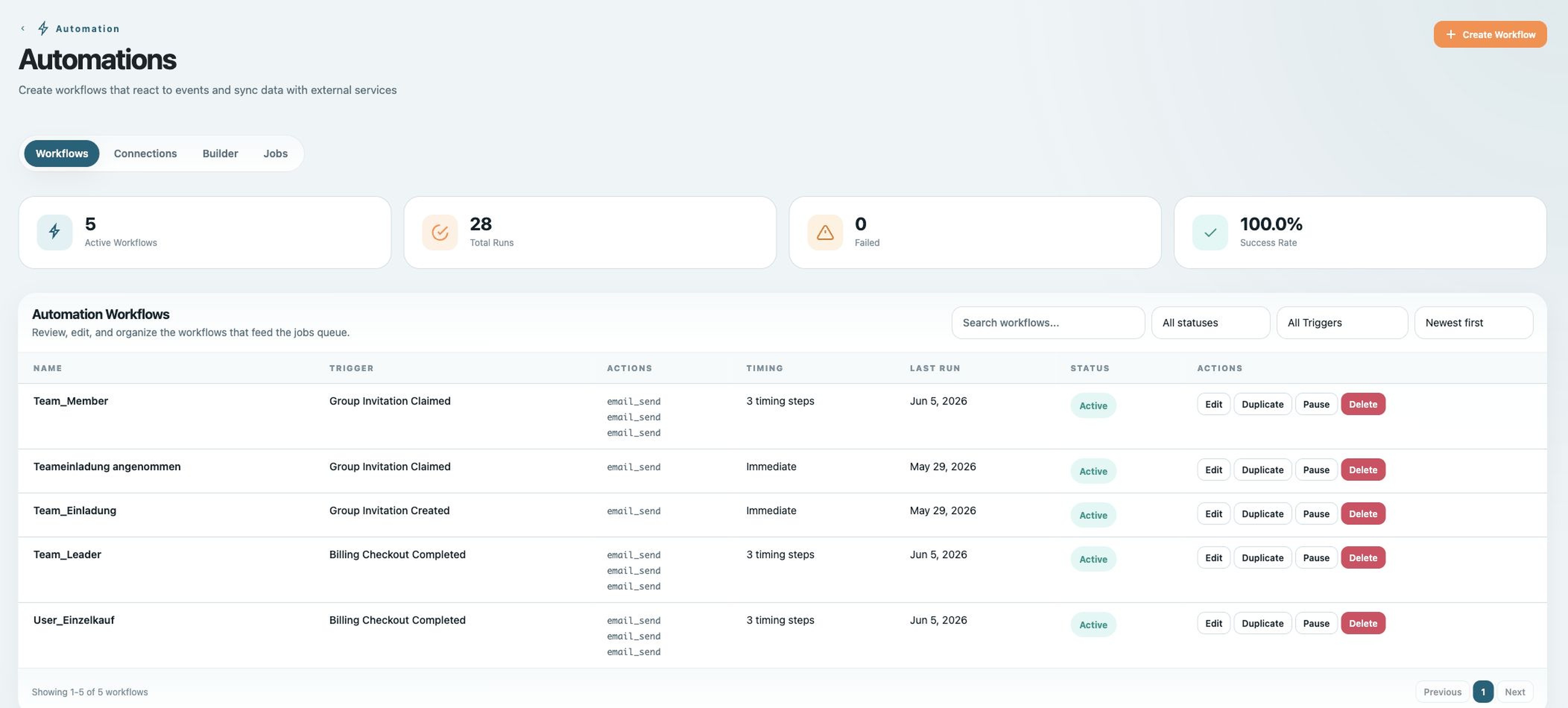
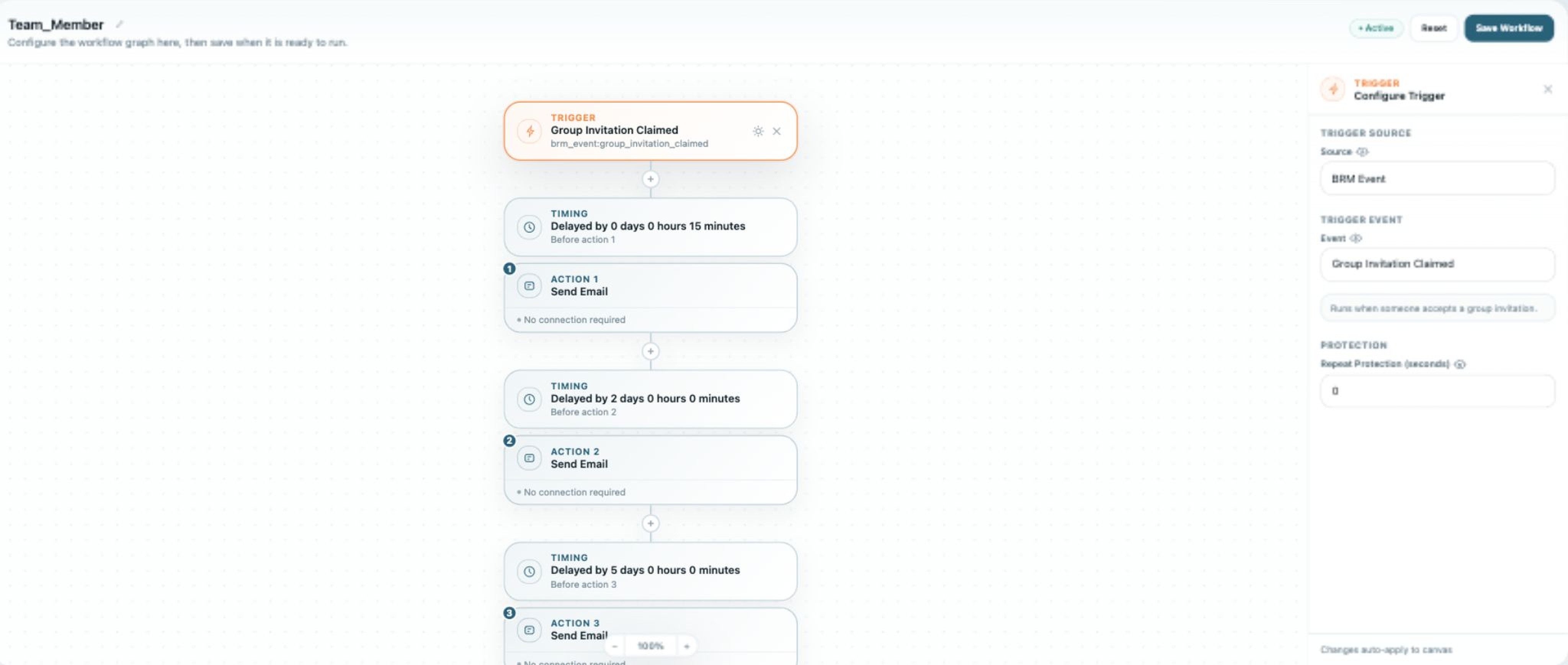
Each workflow is a trigger plus timed actions - Front-end screenshot
Built in Bricks
Each workflow is a trigger plus timed actions - Built in Bricks screenshot

Workflows that trigger and time themselves

Workflows combine a trigger with timed actions, which makes invitation reminders and onboarding sequences visible and editable in the BricksMembers builder.
Trigger: invitation
Timed email
Front-end
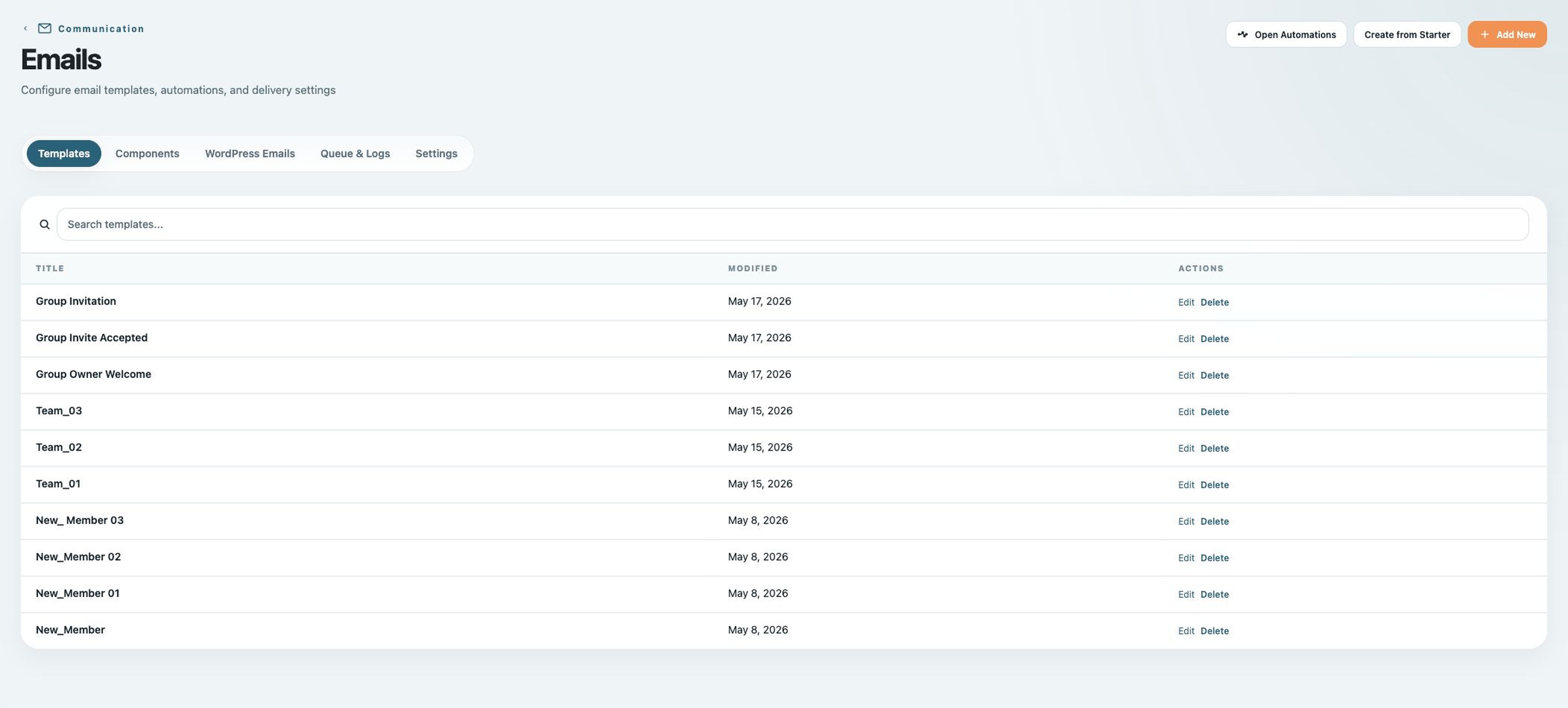
Every email is a customizable template - Front-end screenshot
Built in Bricks
Every email is a customizable template - Built in Bricks screenshot

Every email is yours to customize

The same automation system can send different templates for welcome emails, group invitations and new-member flows, keeping lifecycle messaging centralized.
Welcome
Group invitation
New member
Front-end
Designed in a visual email designer - Front-end screenshot
Built in Bricks
Designed in a visual email designer - Built in Bricks screenshot

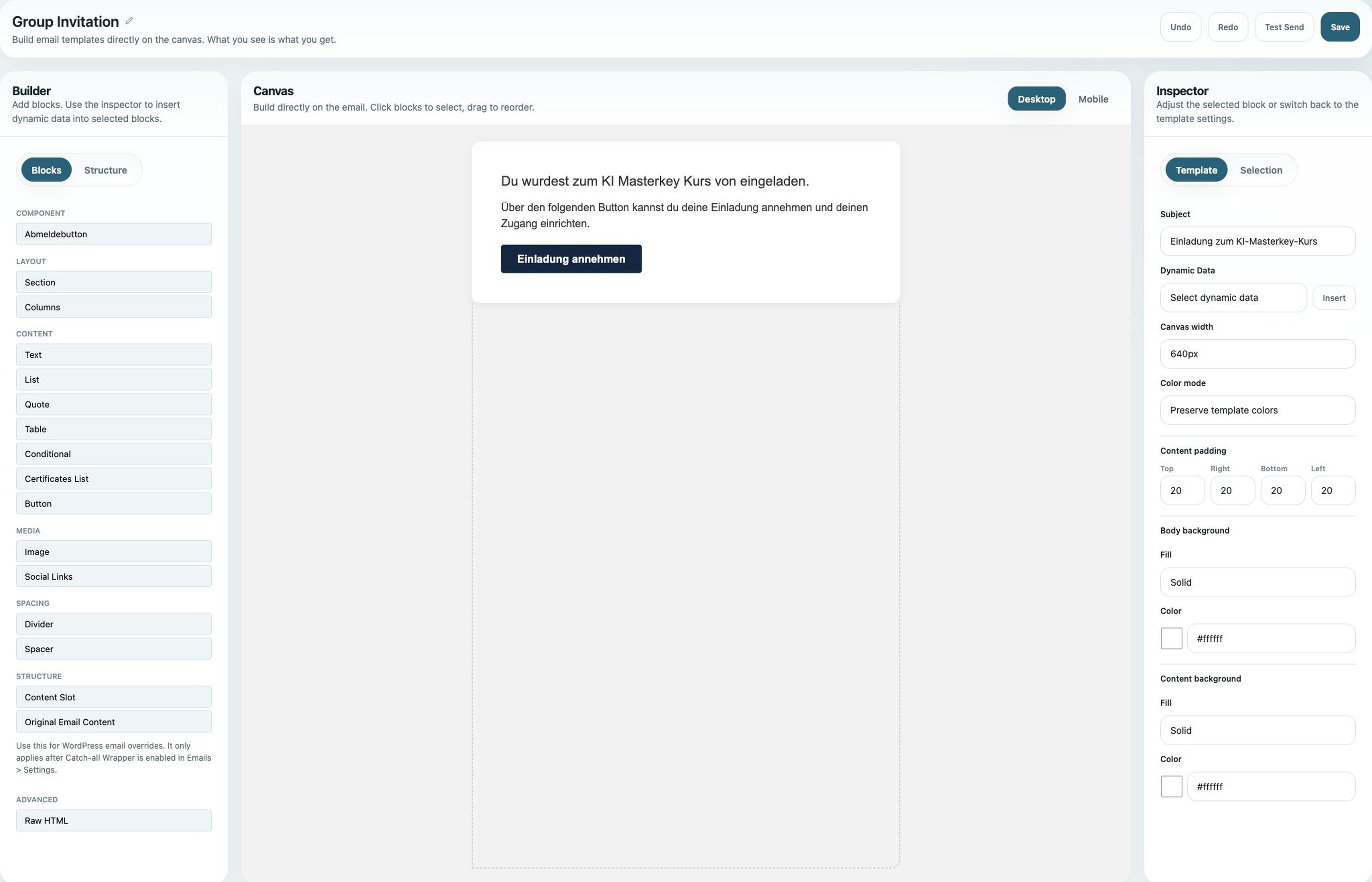
Designed in a visual, no-code email builder

The visual email designer keeps transactional emails editable in the admin UI, including layout blocks and dynamic data, without editing PHP templates.
Visual blocks
Dynamic data
Emails are handled automatically, on events - Built in Bricks screenshot
Each workflow is a trigger plus timed actions - Built in Bricks screenshot
Every email is a customizable template - Built in Bricks screenshot
Designed in a visual email designer - Built in Bricks screenshot

Want a membership site that looks like this?

Start with your Bricks design, then add access, checkout, progress and teams with BricksMembers.
Get BricksMembers
03
What it makes possible

A real course business, without giving up the design

Sell single & team licenses

A native Stripe checkout for a single buyer or a multi-seat team, with no WooCommerce cart anywhere in the flow.

A course that looks like the brand

Members get a fully custom Bricks design across the dashboard, modules and lessons, never a stock LMS theme.

Onboarding emails, fully automated

The right emails fire on every event, purchase, invitation and new member, each one a fully customizable template.

Progress tracked everywhere

Per-member and per-module progress plus completion, all built from native BricksMembers elements and dynamic tags.

★★★★★
The site never looks like a plugin. Bricks handles the experience; BricksMembers handles the access, progress, checkout and team logic underneath.
KIMasterkey — custom course platform on Bricks + BricksMembers

I am not a developer. I create courses and mainly work with ideas, content and concepts.

For my KI-Masterkey course, I was looking for a solution that would let me build member areas, course access, teams, groups and protected content flexibly, without having to work through complicated technical setup.

What I especially like about BricksMembers is the freedom. I can design and build the platform the way my project needs it, instead of adapting everything to rigid requirements.

The collaboration with Pascal also surprised me in a very positive way. It is rare that the founder of a platform is directly reachable, listens to ideas and works on solutions for specific requirements together with you. Some of my use cases and suggestions even made their way into the further development of BricksMembers.

I also find the value for money very fair. Compared with many other platforms, BricksMembers gives you much more freedom and design flexibility.

Today, my complete member area for KI-Masterkey runs on BricksMembers. For me, it was the right decision, and I would recommend the platform to anyone who wants to build professional course or community projects with Bricks.

Ich bin kein Entwickler, sondern Kursersteller und arbeite hauptsächlich mit Ideen, Inhalten und Konzepten.

Für meinen KI-Masterkey-Kurs suchte ich eine Lösung, mit der ich Mitgliederbereiche, Kurszugänge, Teams, Gruppen und geschützte Inhalte flexibel umsetzen kann, ohne mich in komplizierte Technik einarbeiten zu müssen.

Was mir an BricksMembers besonders gefällt, ist die Freiheit. Ich kann die Plattform so gestalten und aufbauen, wie ich es für mein Projekt brauche, statt mich an starre Vorgaben anpassen zu müssen.

Besonders positiv überrascht hat mich die Zusammenarbeit mit Pascal. Es ist selten, dass der Gründer einer Plattform direkt erreichbar ist, auf Ideen eingeht und gemeinsam Lösungen für spezielle Anforderungen entwickelt. Einige meiner Anwendungsfälle und Vorschläge sind sogar in die Weiterentwicklung von BricksMembers eingeflossen.

Auch das Preis-Leistungs-Verhältnis empfinde ich als sehr fair. Im Vergleich zu vielen anderen Plattformen erhält man hier deutlich mehr Freiheit und Gestaltungsmöglichkeiten.

Heute läuft mein kompletter Mitgliederbereich für den KI-Masterkey über BricksMembers. Für mich war es die richtige Entscheidung und ich würde die Plattform jedem empfehlen, der mit Bricks professionelle Kurs- oder Community-Projekte aufbauen möchte.

Oscar BenningFounder, Superkraft LLC
04
Feature breakdown

Who does what: BricksMembers and Bricks Builder

The split is the whole point: design stays in Bricks, the membership layer stays reliable underneath.
KIMasterkey need
BricksMembers role
Bricks Builder role
Protect the paid course
User levels and access control
Branded course and page layouts
Show learner progress
Progress tracking & completion elements
Custom dashboard and module UI
Sell individual & team access
Stripe offers mapped to access levels
Custom multi-step checkout page
Support team purchases
Groups, seats, invitation flows
Team dashboard & invitation screens
Onboard buyers
Automations and email templates
New-member & registration pages
Keep the experience on-brand
Membership logic stays in the background
Full visual control
05
More ways to build

One plugin, many membership products

The same building blocks behind KIMasterkey power a whole range of custom Bricks sites.

Client portals

Gated dashboards, files and updates, a private, branded area for every client or project.
View templates →

Paid resource libraries

Sell access to downloads, templates and docs, gated by level, with checkout built in Bricks.
View templates →

Cohort & community

Groups, seats and drip content for cohort programs and private communities.
View templates →
Get BricksMembers

Build a membership site that still feels like your site

Use Bricks for the pages your members see. Use BricksMembers for access, progress, checkout, groups, and automation, exactly like KIMasterkey.
Lifetime updates & bug fixes • Premium support • 0% transaction fees • 60-day money-back guarantee